Flux1 to Flux2: Key Improvements You Need to Know
Science & Technology

Flux1 to Flux2: Key Improvements You Need to Know
Is Flux 2 worth the upgrade? We break down the critical improvements in Black Forest Labs' new 32B model, from 4K resolution to JSON prompting. See why pros are switching.
- The Upgrade: Flux 2 is a massive 32B model offering native 4K resolution, logic-based reasoning, and true spatial understanding.
- Key Features: Ends "slot machine" AI with JSON prompting, HEX color accuracy, and 10+ image consistency.
- Best For: E-commerce sellers, Game Devs, and Marketers needing production-ready assets.
- The Pro Workflow: Use Flux 2 (or Nano Banana Pro in Topview) for static perfection, then immediately automate viral video creation with Topview.ai to maximize ROI.
The "Uncanny Valley" Is Finally Dead
Ever wasted hours rerolling AI images because the hands looked alien, or the text on a sign read like gibberish? You aren’t alone. For years, creators have battled "slot machine" AI—hoping for a lucky result rather than a predictable one.
Flux 2 ends that era.
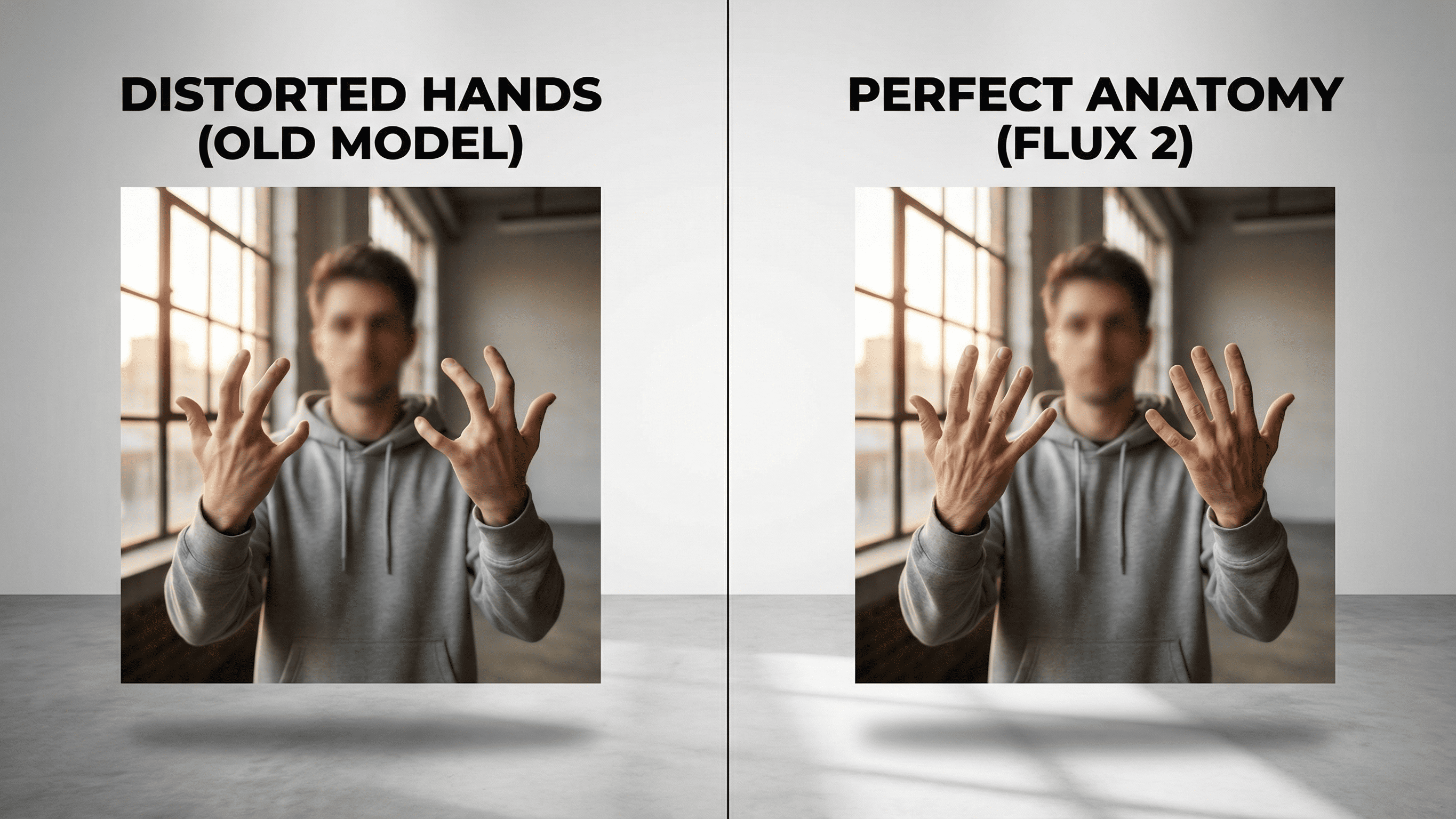
Released in late 2025 by Black Forest Labs, Flux 2 isn’t just a patch; it’s a complete architectural overhaul designed to turn generative AI from a toy into a production engine. Whether you are a game developer needing consistent assets or a marketer tired of fixing brand colors in Photoshop, this update was built for you.
By the end of this guide, you’ll know exactly why Flux 2 is the new industry standard—and how you can start using it to cut your production time in half.
Ready to turn AI assets into viral marketing wins?
Recreate Viral Videos TodayWhat Is Flux 2? (And Why Does It Matter?)
Flux 2 is the latest 32-billion parameter image generation model from Black Forest Labs. Unlike its predecessor (Flux 1), which focused on raw visual fidelity, Flux 2 integrates a massive Mistral-based Vision-Language Model (VLM).
This means it doesn't just "see" your prompt; it "reasons" through it. It understands physics, lighting, and complex spatial relationships (like "A cat sitting behind a transparent glass") better than any open-weight model on the market.
The Quick Win: Why Upgrade?
- Native 4K Resolution: No more upscaling artifacts.
- Reasoning Core: Follows complex, multi-sentence instructions without "forgetting" details.
- Perfect Text: Renders legible, correct typography for logos and posters.
- Developer Control: Supports HEX color codes and JSON prompting.
- Consistency: Maintains character identity across 10+ different images.
Flux 1 vs. Flux 2: The Feature Breakdown
We tested both models side-by-side. Here is where the new engine leaves the old one in the dust.
| Feature | Flux 1 (Old) | Flux 2 (New) | Why It Matters |
|---|---|---|---|
| Max Resolution | 1024x1024 (Native) | 4 Megapixels (Native) | Print-ready assets straight from generation. |
| Consistency | Single Image Ref | 10+ Multi-Reference | Create a full storyboard with the exact same character. |
| Prompting | Natural Language Only | JSON & Structured | Developers can script scenes programmatically. |
| Color Control | "Dark Red" (Vague) | HEX #8B0000 | Brand-perfect accuracy for marketing teams. |
| Text Rendering | Hit or Miss | Studio Grade | Generate posters, book covers, and UI mockups instantly. |
Want Flux-Level Quality Specifically for E-Commerce?
While Flux 2 is a beast for general art, e-commerce sellers need specialized tools. Enter Nano Banana Pro (Topview's proprietary engine). It matches Flux 2’s high-fidelity texture rendering but is fine-tuned for product photography—perfect for ensuring realistic lighting on your SKUs without complex prompting.
Try Nano Banana Pro for Free →3 Major Upgrades That Will Change Your Workflow
1. The "Multi-Reference" Game Changer
In Flux 1, keeping a character consistent was a nightmare of seed-swapping and luck.
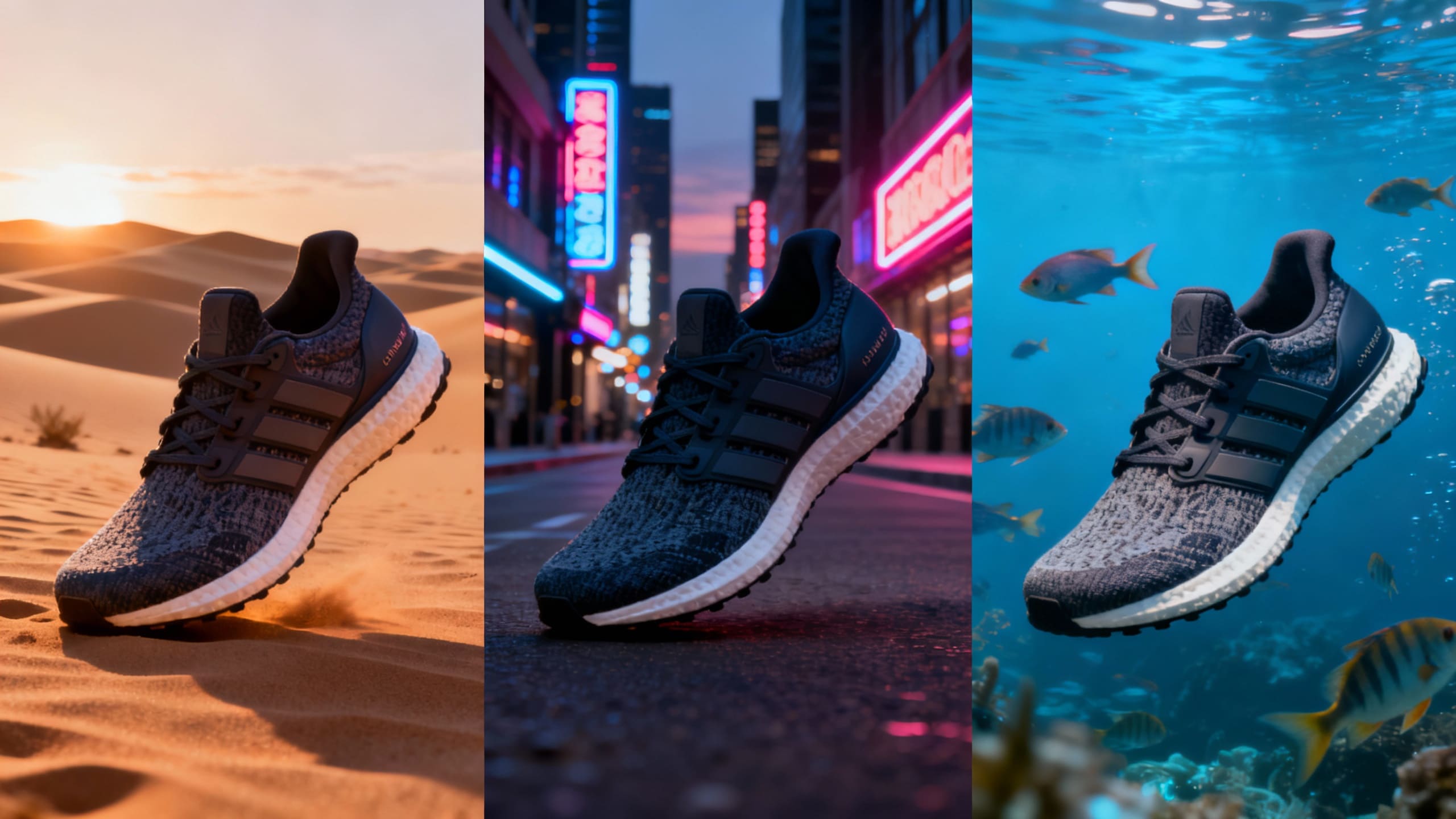
In Flux 2: You can upload up to 10 reference images. Need your specific sneaker model in a desert, then a city, then underwater? Flux 2 understands the object, not just the pixels.
Result: A 90% reduction in post-editing work for product photographers.
2. Reasoning Over Randomness
Flux 2 uses a "Rectified Flow Transformer" architecture. If you ask for "A red ball on a blue box next to a green pyramid," it won't blend the colors. It understands the logic of the scene.
Real-World Test: We prompted a complex UI mockup with specific button labels. Flux 2 nailed the spelling and layout on the first try.
3. Speed Meets Power
Despite being a massive 32B model, Flux 2 is optimized with FP8 quantization.
- • Cloud Speed: On our platform, a 4K image generates in under 6 seconds.
- • Local Speed: Runs on consumer RTX 4090s (24GB VRAM) without crashing, thanks to smart memory offloading.
Real-World Use Cases: Who Is This For?
For E-Commerce Managers
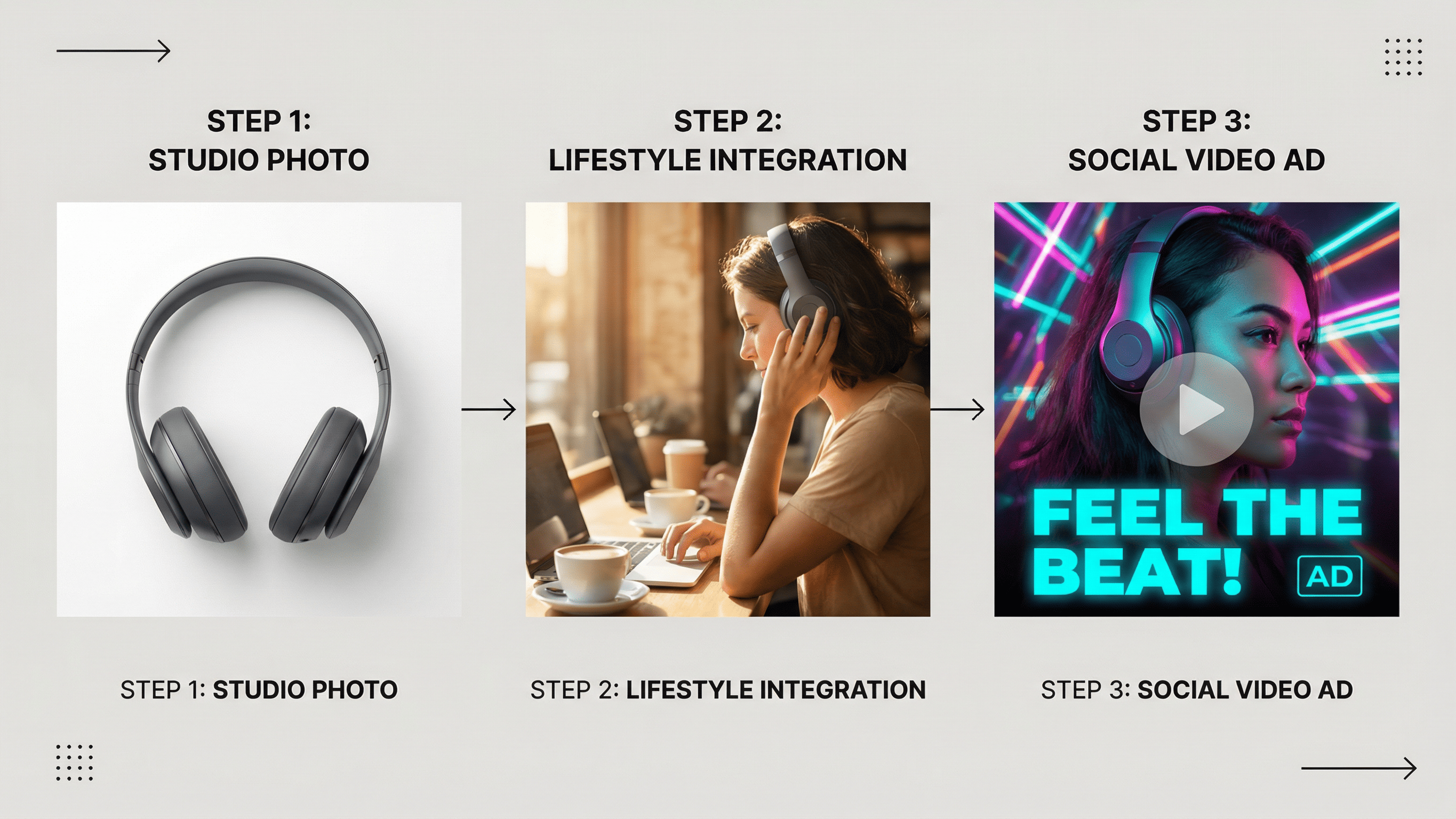
Stop paying for expensive studio reshoots. Upload one photo of your product, and use Flux 2 to generate 50 different lifestyle backgrounds.
- Flux 2 Solution: Use HEX control to ensure the product color matches your inventory perfectly.
- The Topview Advantage: Take that static image and plug it into Topview’s Viral Video Agent. It automates the creation of viral-style marketing videos from your images, optimizing for clicks on TikTok and Reels.
For Game Developers
Need 100 unique NPC portraits that share a specific art style?
Flux 2 Solution: Use JSON prompting to automate the creation of assets, varying only the "hair_color" and "expression" fields programmatically.
For Marketing Agencies
Client needs a billboard by 5 PM?
- Flux 2 Solution: Generate natively at 4 Megapixels. No blurry upscaling, just crisp, print-ready visuals.
- Pro Tip: Use Product Avatar to have an AI influencer actually hold and interact with the product in a video, going beyond static billboards.
See these features in action.
Turn Your Product Images into Video Ads with TopviewAuthority Section: Benchmarking Your Upgrade
Before you switch, keep these three tips in mind to get the best ROI:
Running Flux 2 locally requires serious VRAM (24GB recommended). If you don't have a $2,000 GPU, cloud APIs offer the same power.
Flux 2 is smarter. You don't need "masterpiece, best quality, 4k" keywords anymore. Talk to it like a human director.
Use Flux 2 [pro] for client work (highest detail). Use Flux 2 [schnell] for rapid ideation (fastest speed).
Frequently Asked Questions (FAQ)
1. Can I run Flux 2 locally?
Yes, but you need powerful hardware. We recommend an NVIDIA RTX 4090 (24GB VRAM) and 64GB of system RAM for the best experience. For most users, a cloud API is faster and cheaper.
2. Is Flux 2 uncensored?
Flux 2 [dev] includes safety filters for NSFW and IP-infringing content to ensure it is safe for commercial production workflows. It is designed for professional use, not unrestricted generation.
3. Does Flux 2 cost more to run?
Because it is a larger model (32B parameters vs 12B), it requires more compute power. However, its "one-shot" accuracy means you generate fewer wasted images, often lowering the total cost per project.
4. Can I use my old Flux 1 LoRAs?
No. Because the architecture has changed significantly (new VAE and Transformer), you will need to use LoRAs specifically trained for Flux 2.
Conclusion: Is Flux 2 Worth It?
The jump from Flux 1 to Flux 2 isn't just about better pixels—it's about control. For the first time, AI feels less like a slot machine and more like a professional design tool.
If your time is worth money, the ability to generate brand-accurate, coherent, and text-perfect images on the first try pays for itself immediately.
Stop fighting with outdated models. Experience the precision of Flux 2, and when you are ready to make those images move, let Topview handle the virality.
Start Your Free Topview Trial & Create Viral Content