Seedream 4.5 Review: ByteDance’s World-Aware AI Model for Consistent, Commercial-Ready Visuals
Seedream 4.5

Seedream 4.5 Review: Is ByteDance's New AI Model the King of Consistency?
We analyze what makes Seedream 4.5 different, how it compares to version 4.0, and how you can fit it into your creative workflow.
- The Problem: Generating AI images is easy, but getting consistent, physically accurate assets for professional commercial use is frustratingly hard.
- The Solution: ByteDance's Seedream 4.5, a "World-Aware" model that prioritizes semantic logic and stability over random generation.
- Core Upgrades: Delivers unmatched multi-view character consistency, realistic lighting physics, and seamless Photoshop-grade editing.
- The Payoff: Streamline your visual pipeline—use Seedream for perfect static assets and Topview to instantly animate them into ROI-driven videos.
The AI image generation race is relentless. Just when we mastered the previous generation of tools, ByteDance dropped a massive update: Seedream 4.5.
If you are a content creator, marketer, or designer, you know the struggle: getting a beautiful image is easy, but getting a consistent, commercially usable image is hard. Seedream 4.5 claims to solve exactly that.
What is Seedream 4.5?
Seedream 4.5 is the latest iteration of ByteDance's AI image generation series. While previous versions (2.0 through 4.0) focused on general realism, Seedream 4.5 shifts the focus to "professional usability."
It isn't just about creating pretty pictures anymore; it's about semantic reasoning, world-aware physics, and stability required for complex commercial projects.
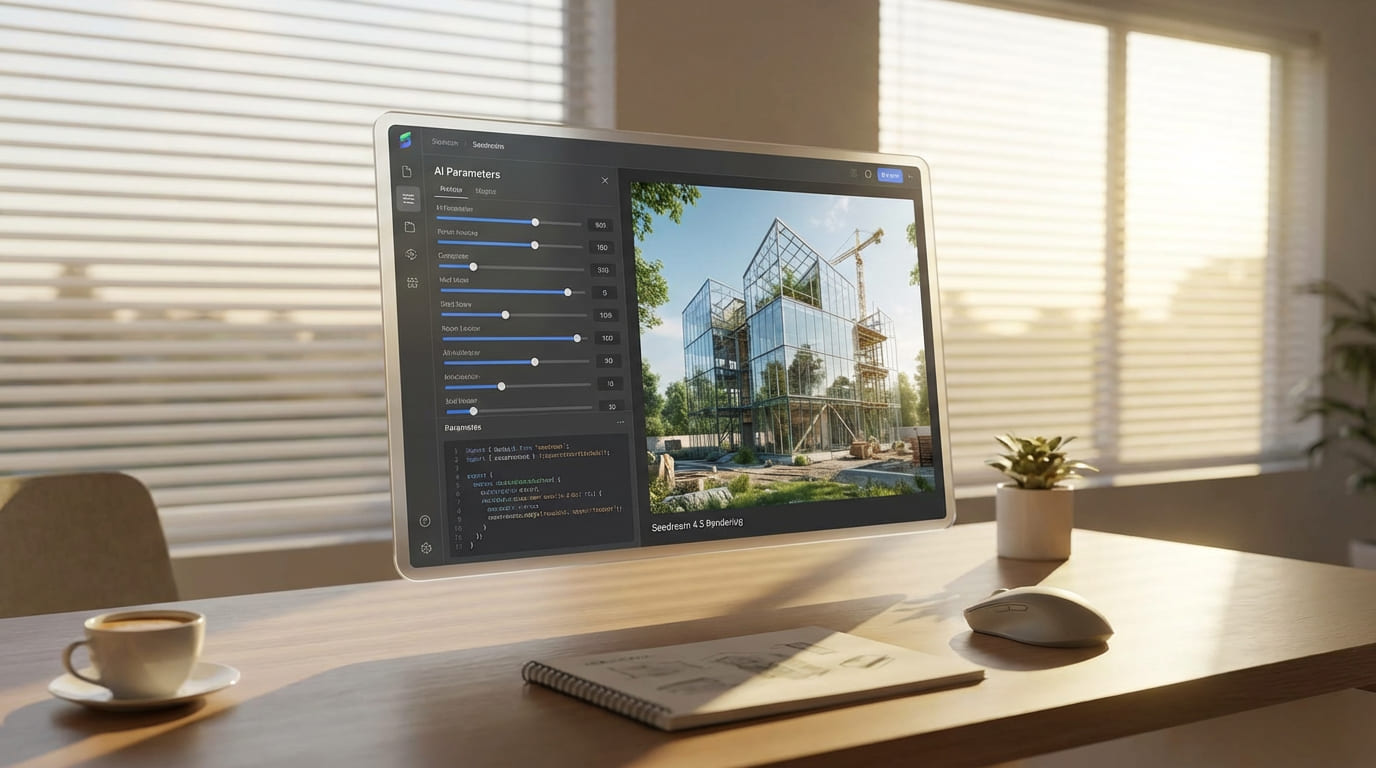
Core Upgrades: Why Seedream 4.5 is a Big Deal
1. "World-Aware" Visual Reasoning
Most AI models "hallucinate" physics. Seedream 4.5 introduces advanced World-Awareness:
- Reflections match light sources.
- Shadows behave realistically.
- Motion follows anatomical rules.


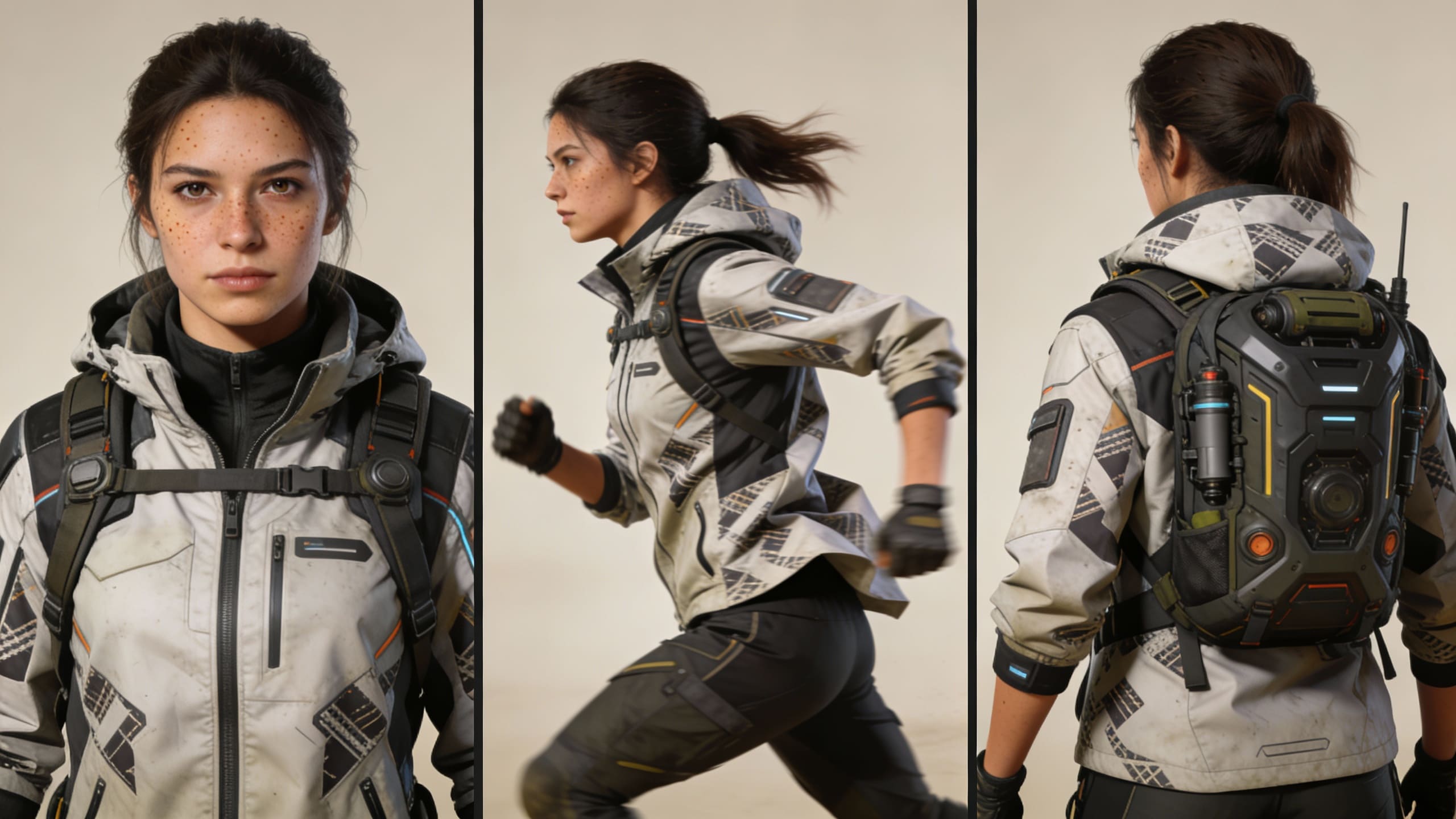
2. Unmatched Multi-View Consistency
For storytellers, consistency is king. Seedream 4.5 excels at keeping identities stable across different angles.
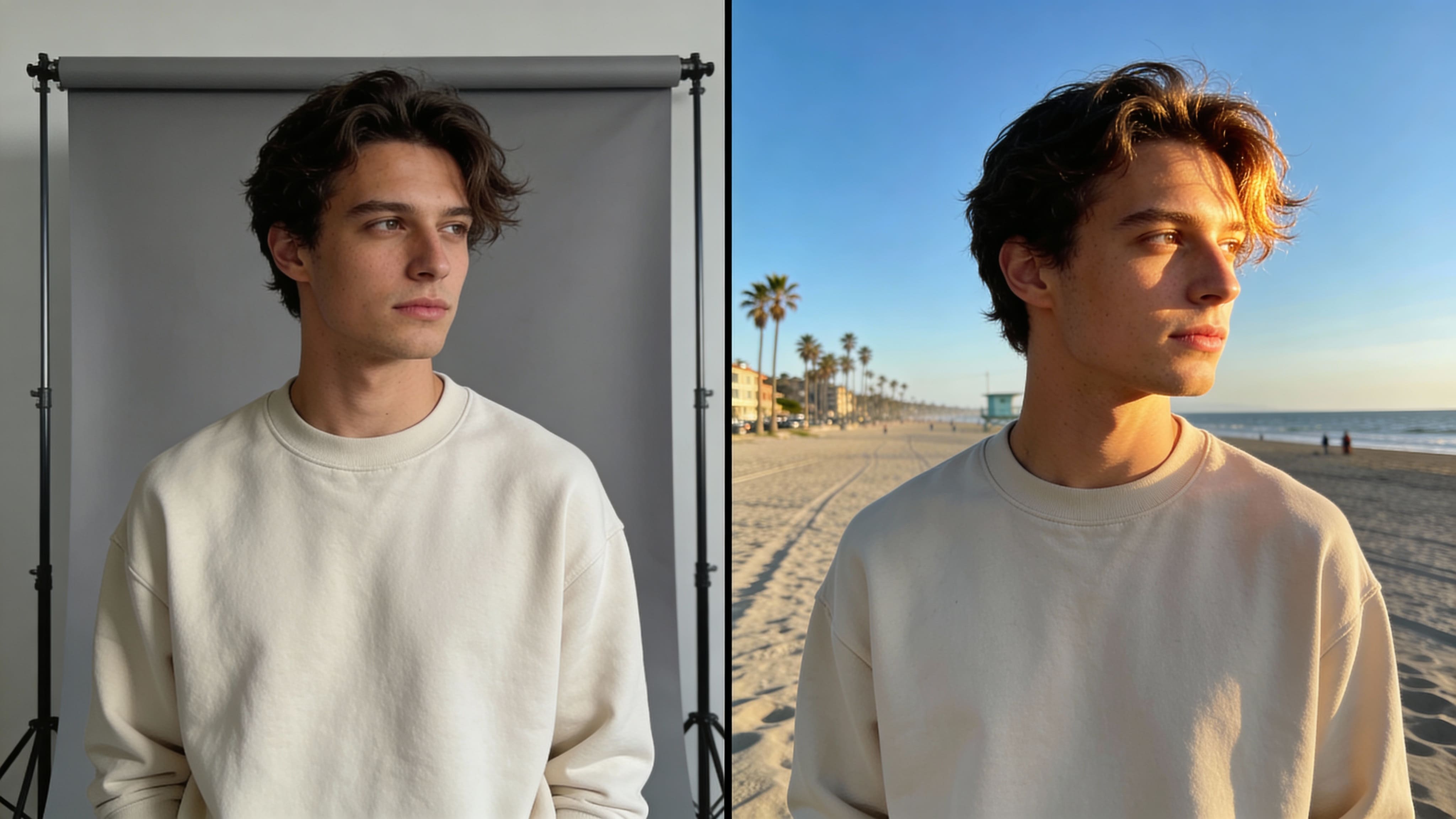
3. Photoshop-Grade Editing
Seamlessly replace backgrounds, change facial expressions, or insert objects with natural edge blending and lighting adaptation.
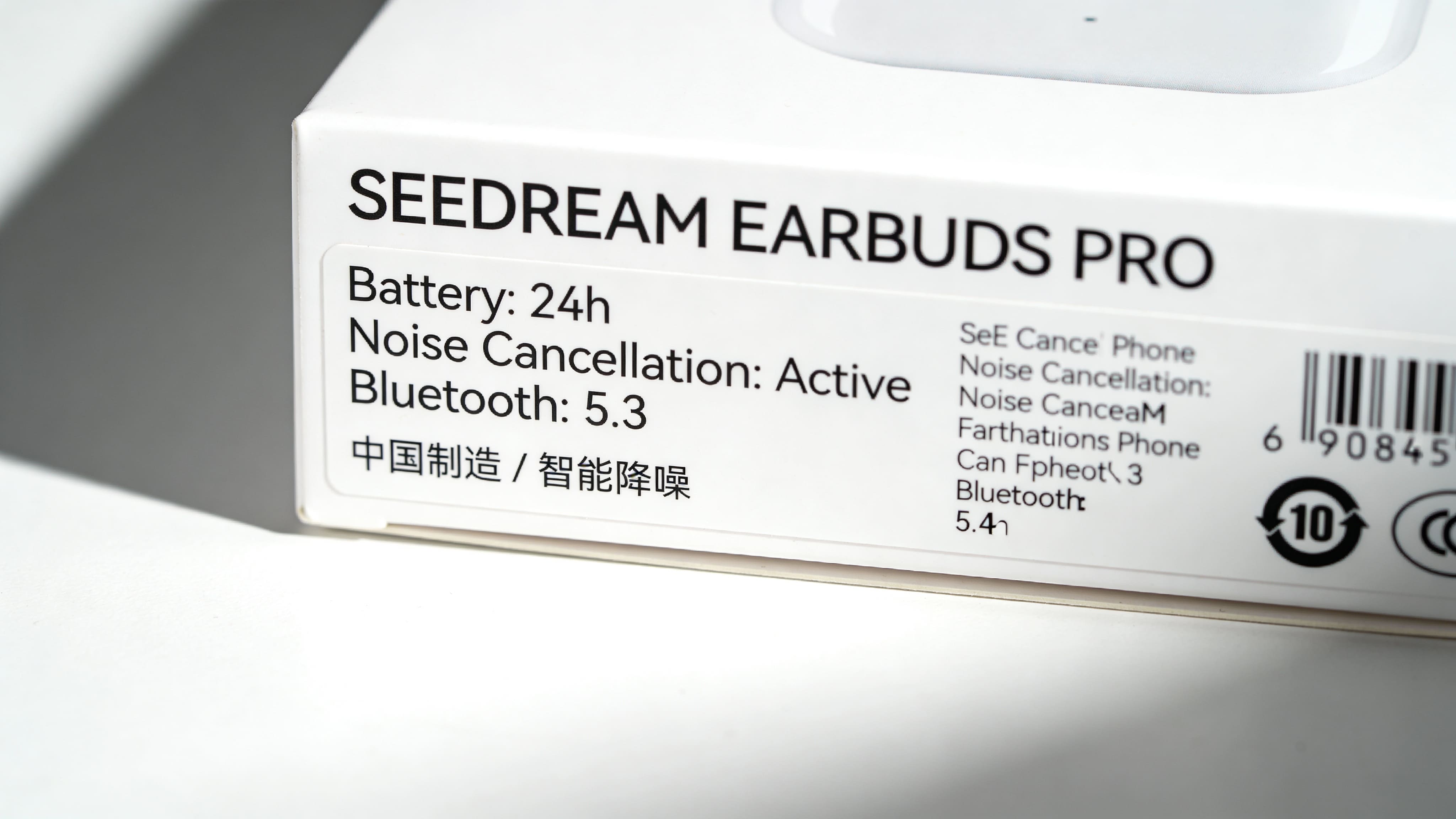
4. Commercial-Ready Text Rendering
Supports both English and Chinese with sharper fonts, better alignment, and fewer spelling errors.
Comparison: Seedream 4.5 vs. Seedream 4.0
Is the upgrade worth the hype? Let's look at the data:
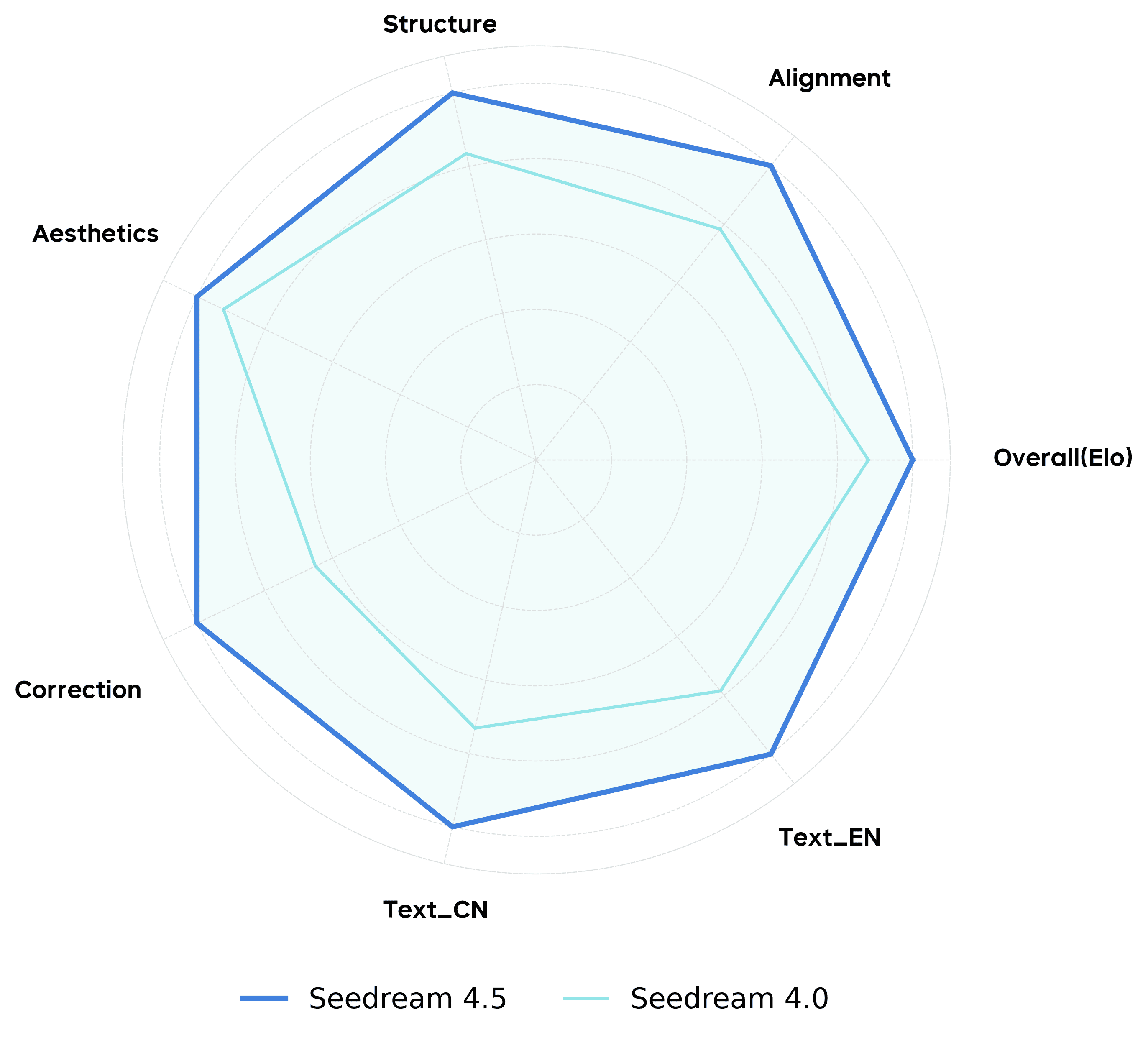
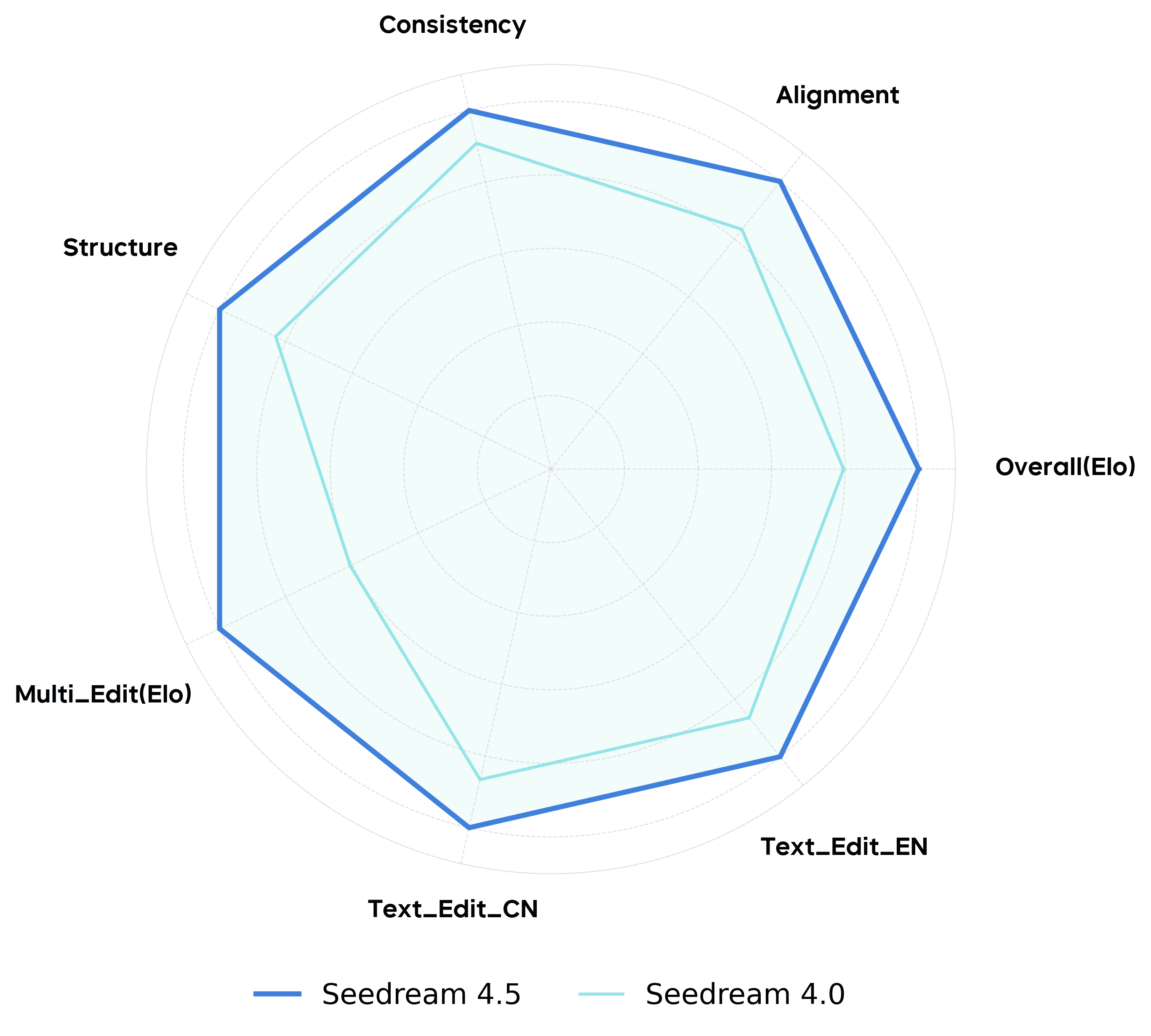
Summary: Seedream 4.0 laid the foundation, but Seedream 4.5 is the maturation point where the tool becomes reliable for professional pipelines rather than just experimentation.
Limitations: What You Should Know

- Text Constraints: Decorative or extremely small fonts can still distort.
- Complex Crowds: Scenes with many overlapping subjects interacting physically can still result in limb confusion.
- Artistic Abstraction: Highly abstract or surreal prompts may need extra tuning to break the "physics rules."
Beyond Static Images: Completing the Workflow
Seedream 4.5 solves the problem of creating perfect static assets. But in 2025, traffic and conversion come from video.
This is where Topview fits in. Imagine taking your high-fidelity Seedream product images and instantly turning them into a viral marketing video script.
- Step 1: Generate consistent product scenes with Seedream 4.5.
- Step 2: Upload those assets to Topview.
- Step 3: Let Topview turn your static images into an engaging video ad with script, voiceover, and motion effects.
Animate Your AI Masterpieces
Don't let your Seedream assets sit still. Create a video ad in minutes.
Try Topview for Free Today →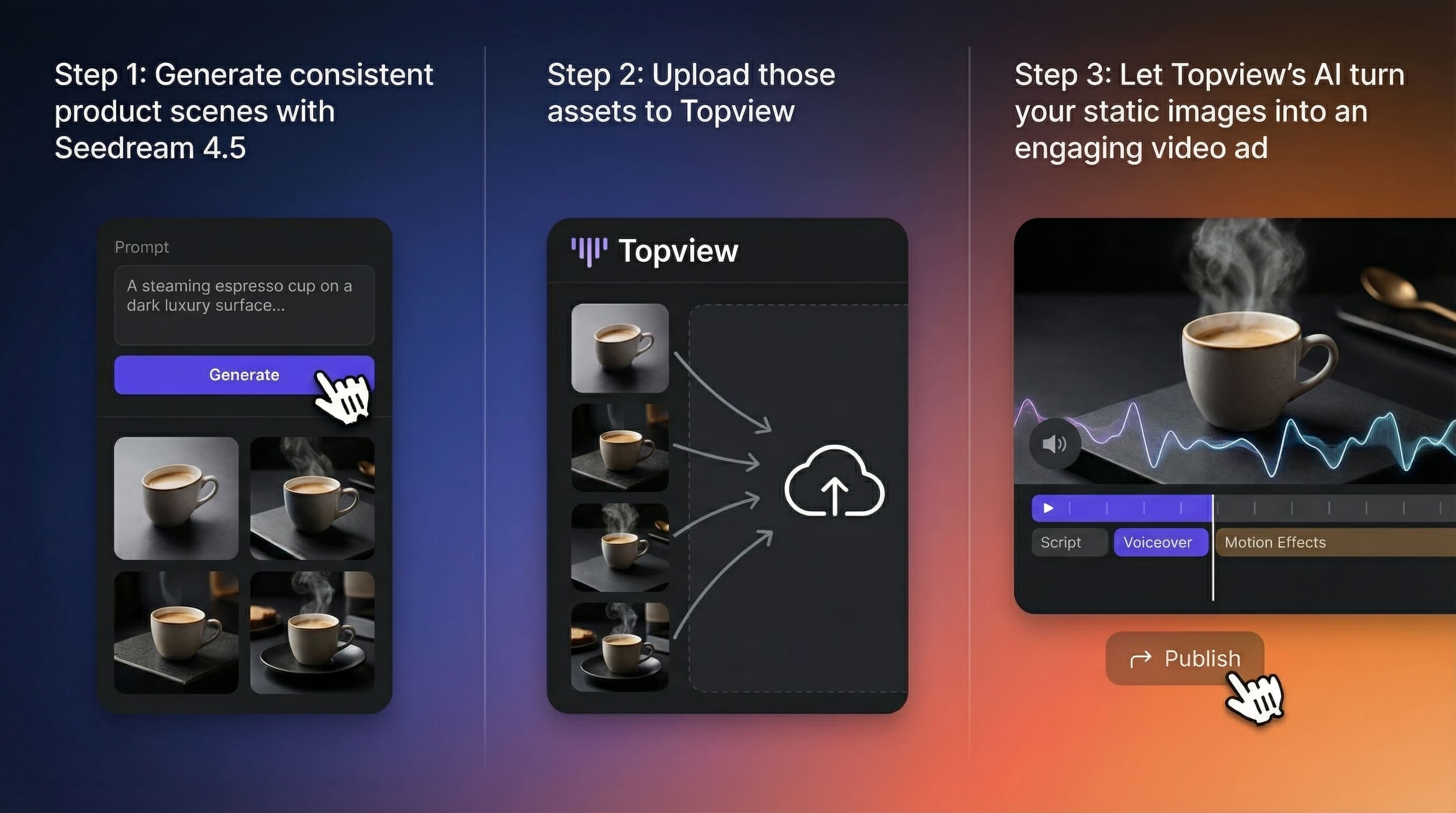
Frequently Asked Questions (FAQ)
Yes. Generally, assets generated on paid enterprise tiers are cleared for commercial use. Always check specific licensing terms.
They serve different needs. Midjourney is preferred for artistic "vibes." Seedream 4.5 excels in photorealism and product consistency, making it superior for e-commerce.
Topview uses an "Image-to-Video" AI agent. It analyzes your Seedream image, adds motion, and syncs it with AI voiceovers and captions.
Conclusion: The Future is Automated & High-Quality
The future of content is interconnected. Start with the best image model, and finish with the best video strategy.

Ready to turn your product visuals into sales?
Don't let your assets sit still. Experience how AI transforms static content into viral video marketing campaigns.
Try Topview for Free →