Topview Official Guide: Video Avatar
Official Guide
Topview Official Guide: Video Avatar
Introduction
The Video Avatar function allows you to apply lip-syncing to characters in any uploaded portrait video. It is suitable for use cases such as product promotion, speeches, storytelling, and other scenarios. This function provides a high level of flexibility.
Currently, there are three versions of the digital avatar:
Avatar 1:
- Does not support image-based avatars.
- Images must first be converted into dynamic video before applying lip-sync.
- Movements are limited to those already present in the original video.
Avatar 2:
- Supports image-based avatars.
- Movements are designed by AI.
- Recommended for male avatars or scenarios requiring strong, expressive emotions.
- Maximum supported duration: 28 seconds.
Avatar 4 (Latest Release):
- Supports image-based avatars.
- AI generates movements automatically, ensuring variety without repetition.
- Provides the most accurate lip-sync performance.
How to Use
- Click on 'Video Avatar'
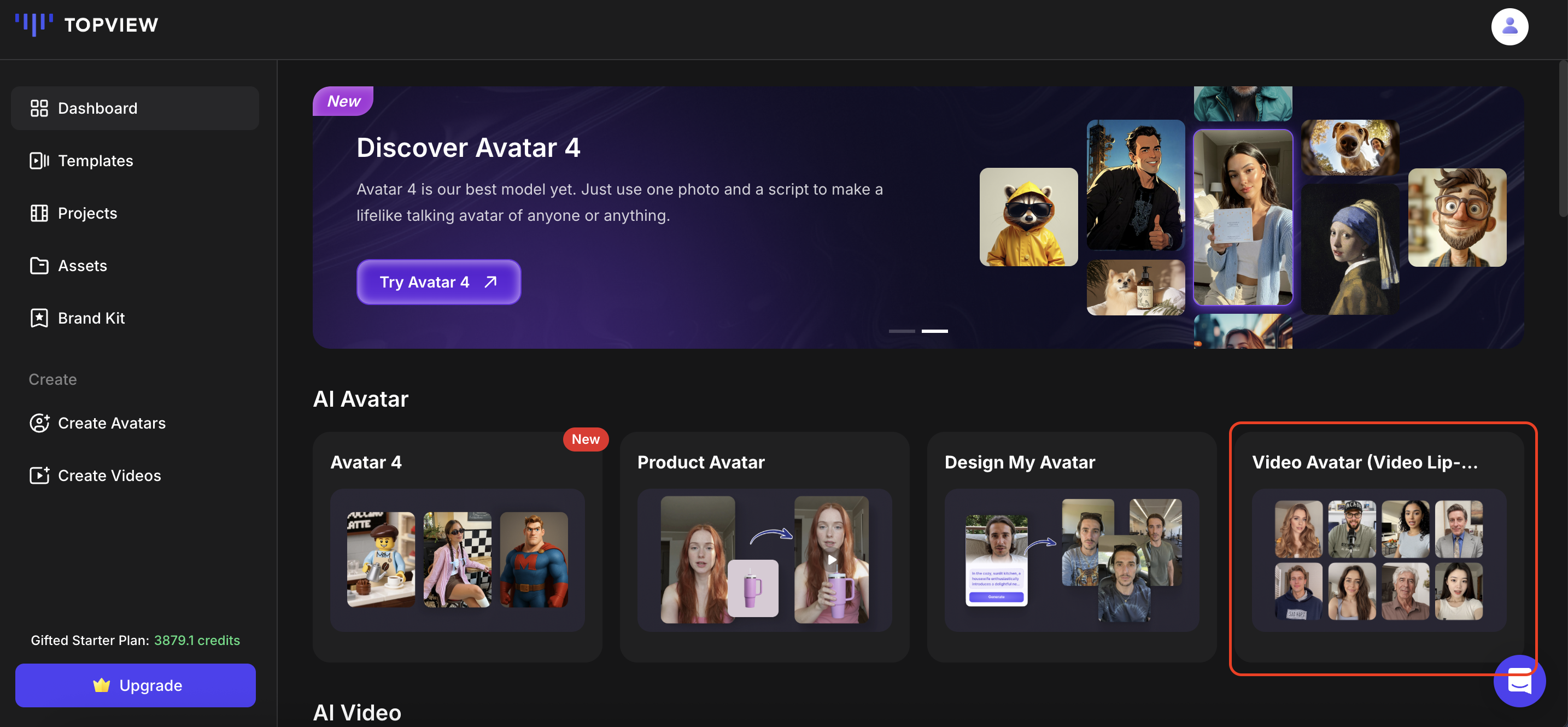
- Pick an avatar of your choice from our public library. Alternatively, you can create your own avatar by clicking on 'Create Your Avatar'.
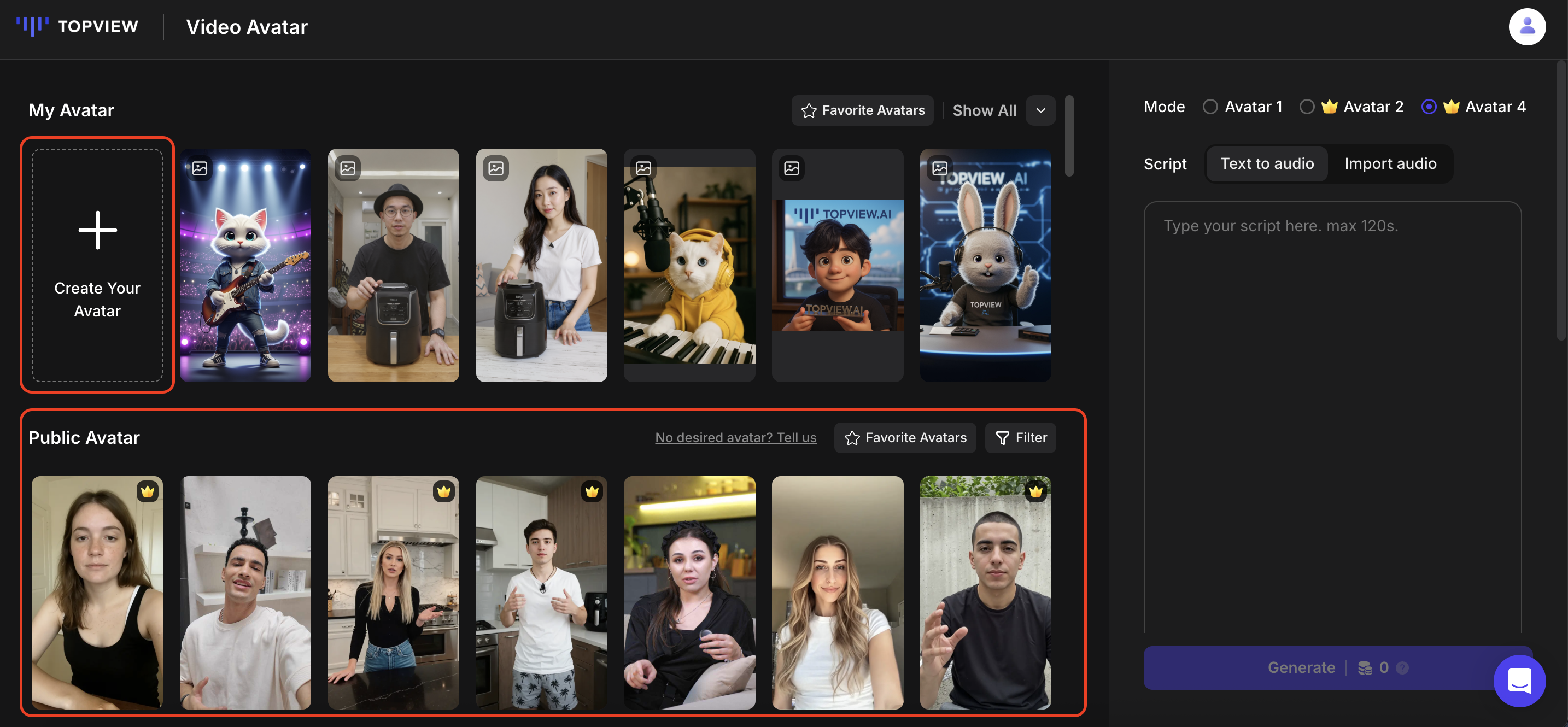
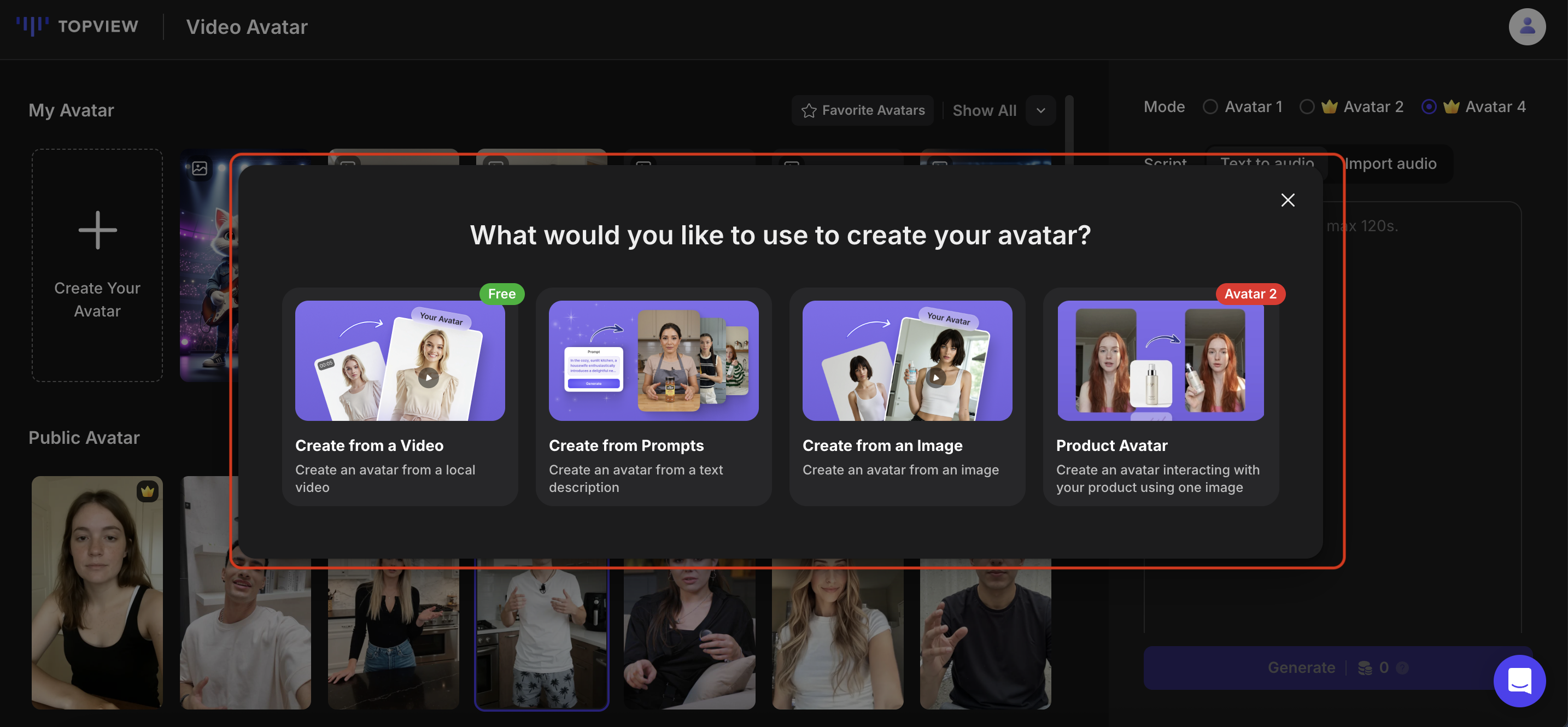
There are 4 ways in which you can create your own avatar:
- Create from a Video
- Create from Prompts
- Create from an Image
- Product Avatar
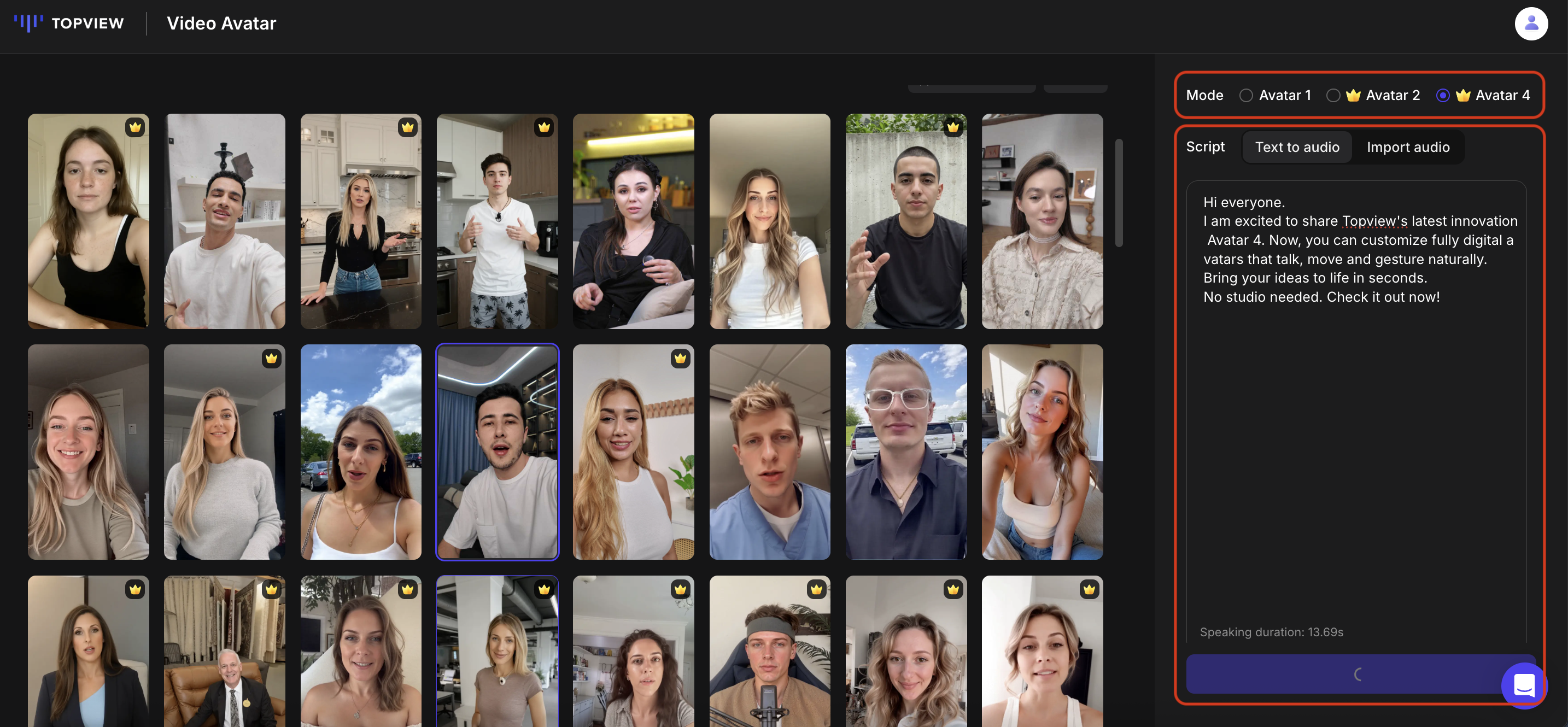
- Select the Avatar Mode of your choice.
✨ Pro Tip: Avatar 4 is the latest avatar model that provides improved lip sync capabilities and more natural gestures
Enter your script.
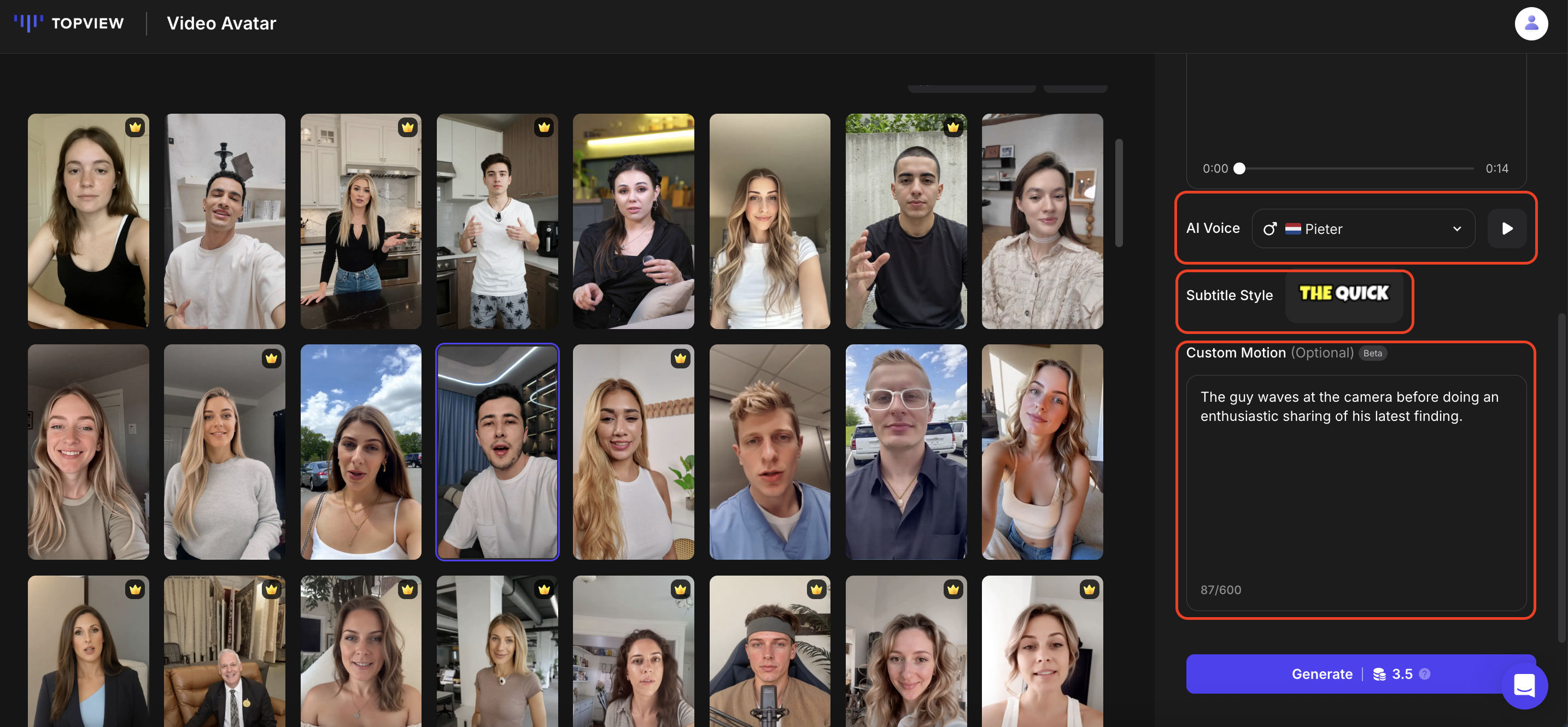
Select the voiceover. You will be able to listen to the AI voiceover before generating your video. Alternatively, you can also import your own audio.
Select the subtitle style if you wish to. If you have selected Avatar 4 as the avatar mode, you will have the option of adding action prompts to guide the avatar's movements and expressions.
Once ready, click 'Generate'. The credits required will be shown on the 'Generate' button.
Sample Videos