You already found the video. The walk works. The cut works. The pause, just before the product enters, is the part people remember. The object in that pause is not yours.
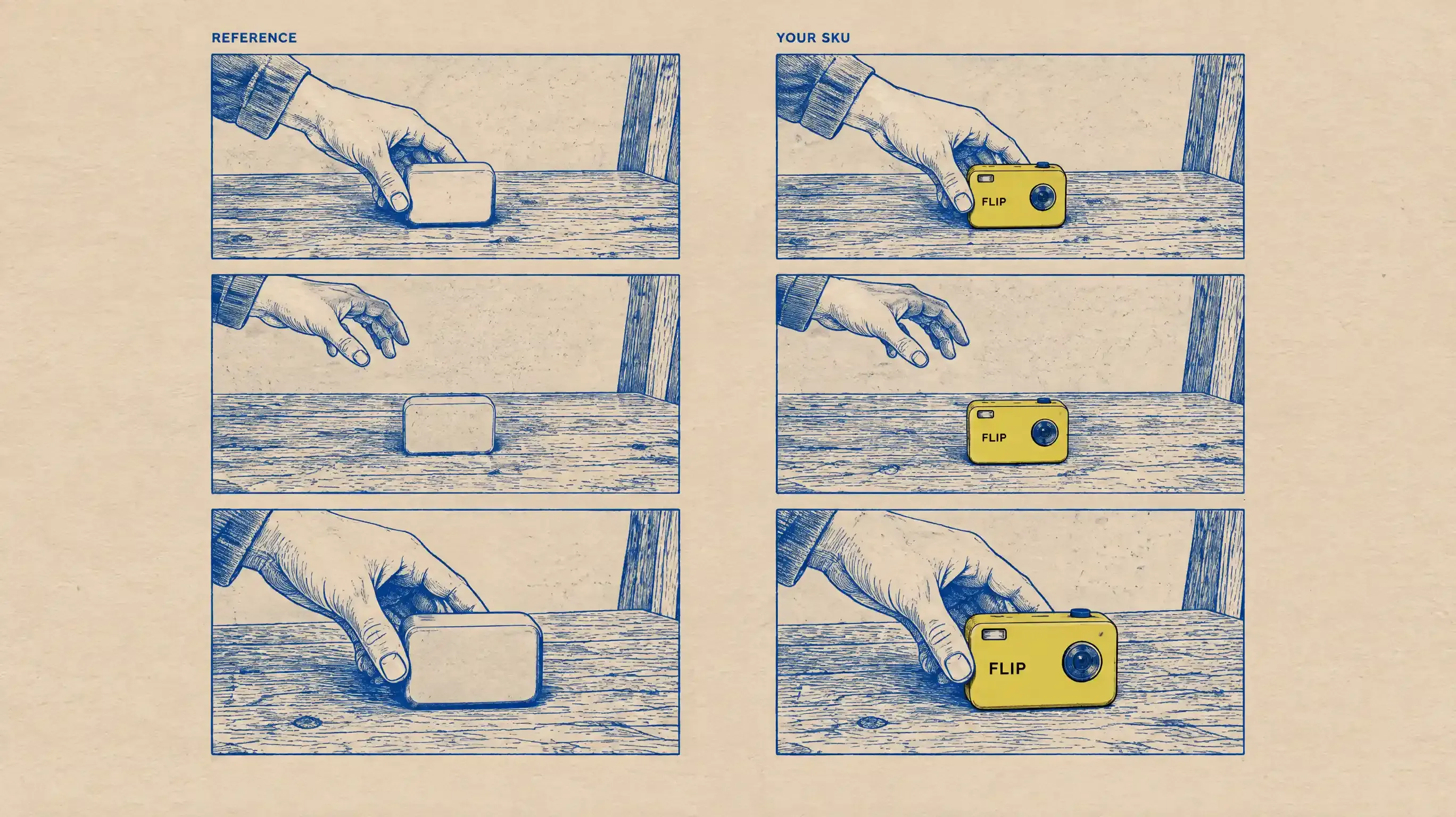
A remake is that swap and nothing else. The clip stays attached to the project. Your product takes the old product's place. On the Topview Plugin page this is a named production workflow: viral remakes from a reference video. It is not a skill you install, and it is not a second product. The page says the agent keeps characters, scenes, products, props, and the reference in one project. That is why a swap can hold. It is not a promise that every letter on a mark stays sharp in every frame.
The clip is the brief
Put the reference in before you describe the idea. Attach a file you are allowed to remake, so the clip sits on the project. Then add one still of your product, the frame where the mark is readable. If you open a blank chat and ask for "something like that viral video," the agent will invent a cousin. The cousin will have the mood and the wrong object. Without the reference in the project, the next shot has nothing to stay loyal to.
The plugin page is the source for this name. The walkthroughs people have posted do not use it. You do not need a tutorial that says the phrase out loud.
What you actually send
Keep the timing, the steps, and the camera move. Replace only the product with the still you attached. In this example the still is a yellow compact camera, one color, the mark reading FLIP. No second model, no new room, no new hook. Ask to see the reference and the new shots side by side on Canvas.
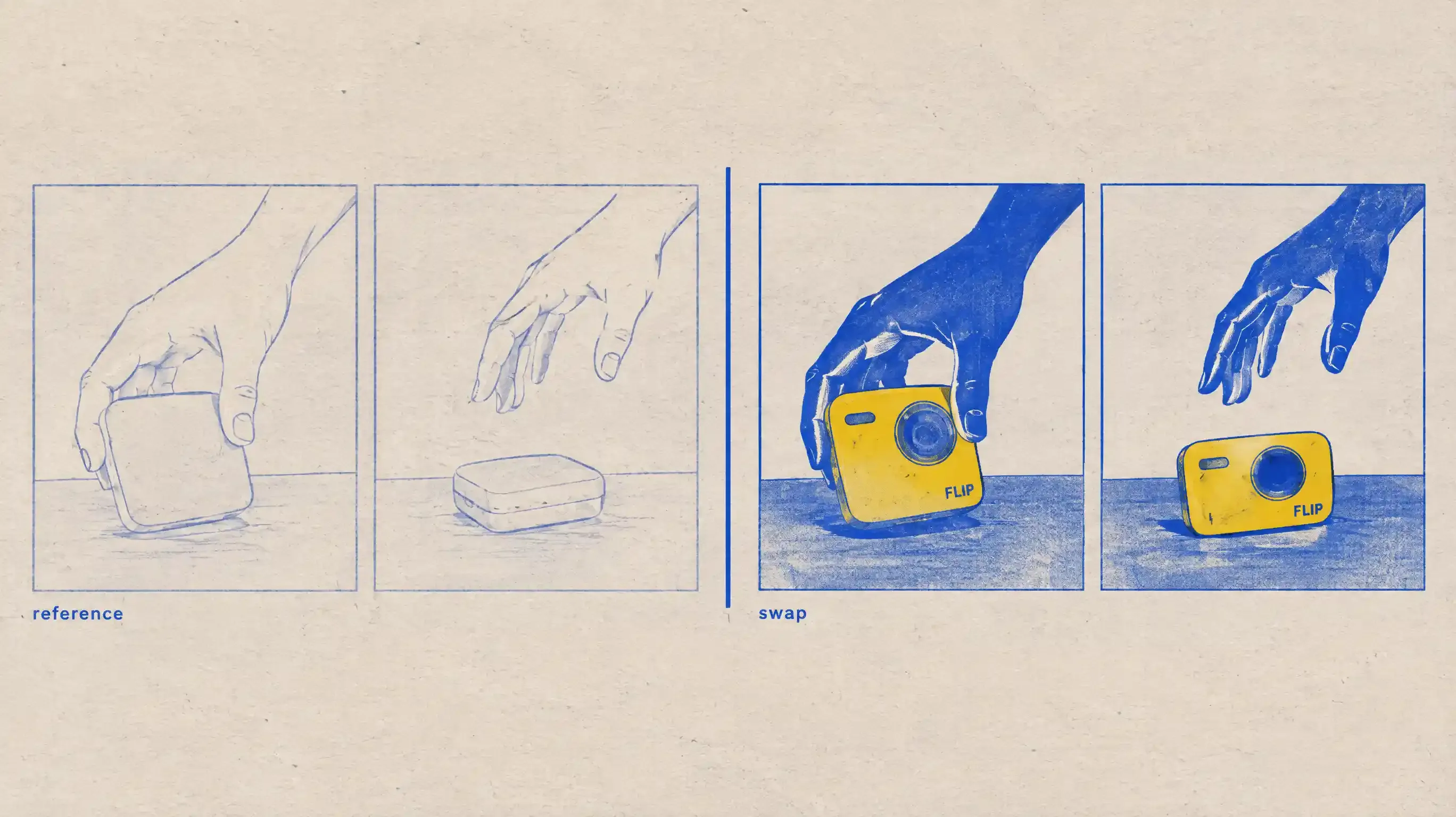
Read the object before you read the mood. If the camera is the wrong yellow, or the mark is gone, stop. Point at the still and ask again in the same project. A new chat will not remember the clip you just pinned.
Keep the length of the reference. Do not invent a duration the clip does not have. Vertical is enough of a format note if the reference itself is vertical.
Where the versions live
Chat is the log. Canvas is the board. The plugin page puts product cards, crop, and video extend on that board, which is where a reference and a new shot can sit next to each other. The agent handles the intent. Canvas handles the move, the cut, the swap, and the order. Finished means the versions are on that board, not a file dropped at the end of the thread.
If the mark slips in one frame, that frame is the note. Do not rewrite the whole brief. Do not start from a blank prompt while a reference already exists.
What the films actually locked
None of the public plugin walkthroughs say viral remake.
Cavidade's walkthrough is the closest neighbor, and it is a different job. After the first take, the product did not look like the real one. He attached a still and asked the later shots to keep the shape, the color, the buttons, and the logo. That is a product photo used as a lock. It is not a viral clip pinned so a different product can inherit the motion. The chapter title even bundles the install as plugin MCP Skills, while the video title says Plugin. If those names are still tangled, the split is here: https://www.topview.ai/blog/topview-plugin-vs-skill-vs-mcp-vs-canvas. The walkthrough: https://www.youtube.com/watch?v=-OuZZYvBmGQ
YAHA's description is narrower. It says the agent locked product identity and changed one shot at a time, on a tumbler ad. That video has no captions, so the spoken words are not a source. The description does not say reference video, and it does not say one brand was swapped for another. https://www.youtube.com/watch?v=CV7HX6qFglc
Those films show that a still can pull a drifting product back. They are not a demo of this workflow.
The other install
Topview Skill is a different package. Its page talks about reference generation. The result lives on a Board, and the install line is a git address, not the prompt on https://www.topview.ai/plugin. Pasting that line will not pin a reference on this Canvas.
A remake is also not a research team. If what you need first is an audience report, that is the other product, and it is not how this cut starts. Unlimited does not run the Plugin.
When you do not have a clip
If the only file you have is a packshot, this workflow has nothing to follow. Make the first ad from the still, then come back when a reference exists. Use a clip you are allowed to remake. If the words on the label have to be exact in every frame, keep the movement and do not ship the frame where the mark melted.
FAQ
Can the reference be a link?
Attach the file if you have it. The page talks about a reference video kept with the project. A link is a weaker pin than the file sitting on the same board.
Do I name a skill?
You can. TikTok Product Ad, if you name it, is a recipe inside the plugin, not the remake itself. The remake is the reference plus the swap. Do not install the separate skill package to get here.
Does the chat hold the final cut?
No. The thread will not show you whether the camera in the third shot is the camera in the still. Read that on Canvas.
Does Unlimited include this?
No. Unlimited does not run the Plugin.
Pin the clip, swap the product, and read the new shots for the object. If you cannot point at the reference on the same board, you do not have a remake yet.