
For weeks, creators waiting on another closed multimodal drop kept circulating teaser clips and asking the same question: when do the weights land? MiniMax answered with something more practical. MiniMax H3 — the Hailuo-line omni-modal video system — shipped open weights with day-0 native ComfyUI support, including quantized packs that Comfy Org says can run a next-gen 2K audiovisual model on hardware as common as an RTX 3060.
This post is a creator-facing field guide to that release: what H3 actually opens, how ComfyUI packages it for local graphs, and how to write prompts that behave more like production briefs than one-line slogans. It is cross-checked against MiniMax’s model card, ComfyUI’s official H3 tutorial, and Comfy Org’s day-0 engineering notes — not a rehash of the hosted-product story.
Why this drop feels different
Closed video stacks already make strong demos. What changed with H3’s open release is the distribution surface:
Hosted path still exists for the full production stack (instruction preprocessing + base generation + 2K in-context regeneration).
Open path now gives you downloadable H3-Base checkpoints and first-class ComfyUI templates for text-to-video, image-to-video / first-last frame, and reference-to-video.
Local reality check: the “runs on a 3060” claim refers to optimized Comfy packs (pruned modulation + int8 convrot + dynamic VRAM offload), not “drop the full-precision research checkpoint on 8 GB and expect identical 2K product quality.” Full-weight serving still wants serious GPUs or hosted APIs.
Comfy Org’s day-0 note puts numbers on that engineering: footprint cut roughly 66% (about 123.6 GB full precision → about 42.5 GB with the smallest variants), then offloading makes consumer cards viable for local iteration.
If you only remember one framing: H3 is less “another silent T2V checkpoint” and more “an audiovisual generator you can graph locally,” with stereo sound modeled in the same pass as the picture.
What H3 generates (and what stays hosted)
From MiniMax’s public materials, the product envelope looks like this:
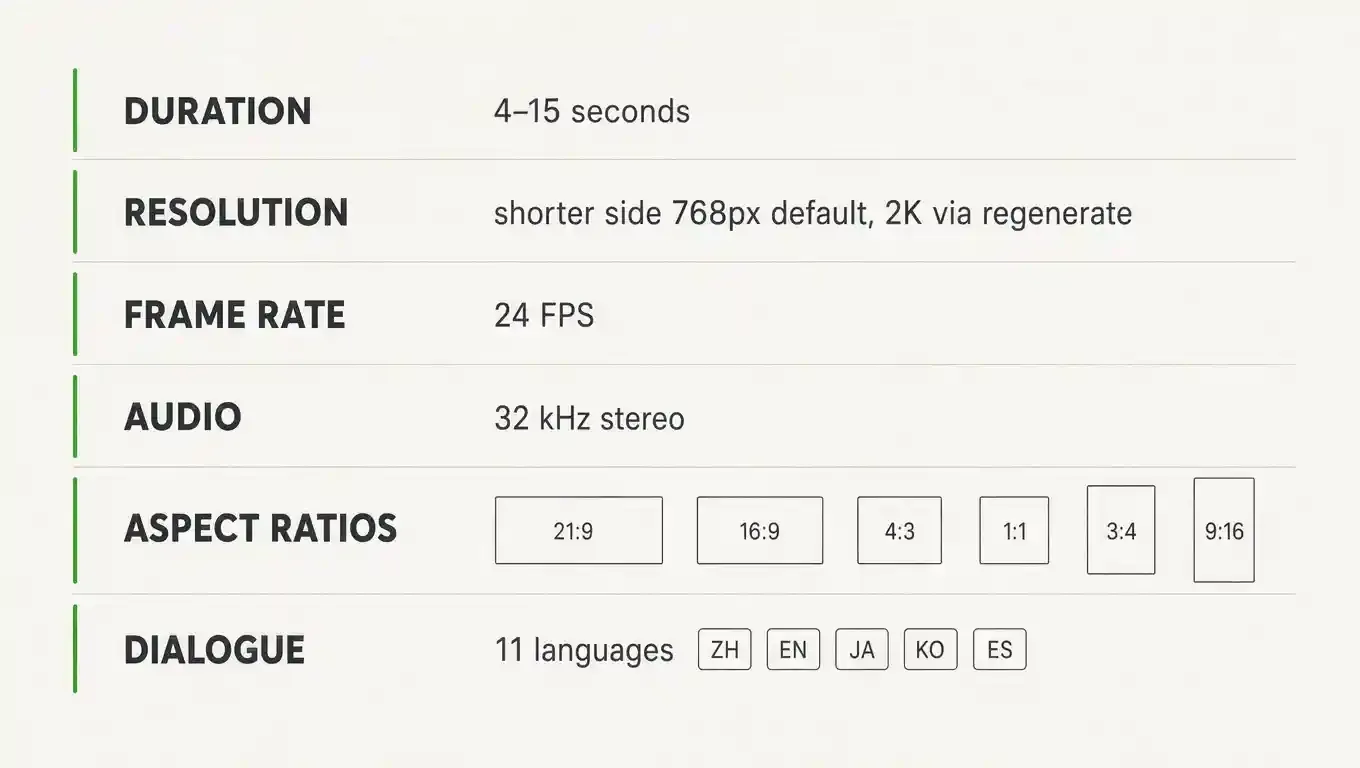
The open split matters for Comfy users:
H3-Base (open) — FL2VA and Ref2VA task checkpoints you can run locally
H3-Context-IR (hosted) — multimodal brief → structured intermediate representation
H3-Regenerate-2K (API now; weights later) — in-context high-res regeneration, not a bolted-on upscaler
So local Comfy graphs shine for iteration, privacy, fine control, and 768p-class validation. When you need the official end-to-end 2K commercial look, you still combine local Base with MiniMax’s API stages — or stay fully hosted.
Day-0 ComfyUI setup (official path)
Skip random “fully loaded V8/V9” forks. Use the official Comfy desktop / ComfyUI build and the published templates.
Update ComfyUI to 0.30.0+ — https://comfy.org/download
Open Template Library → Video → MiniMax H3 (T2V / I2V / R2V)
Download the Comfy-repacked weights from Comfy-Org/MiniMax-H3 into the folders the workflow notes list
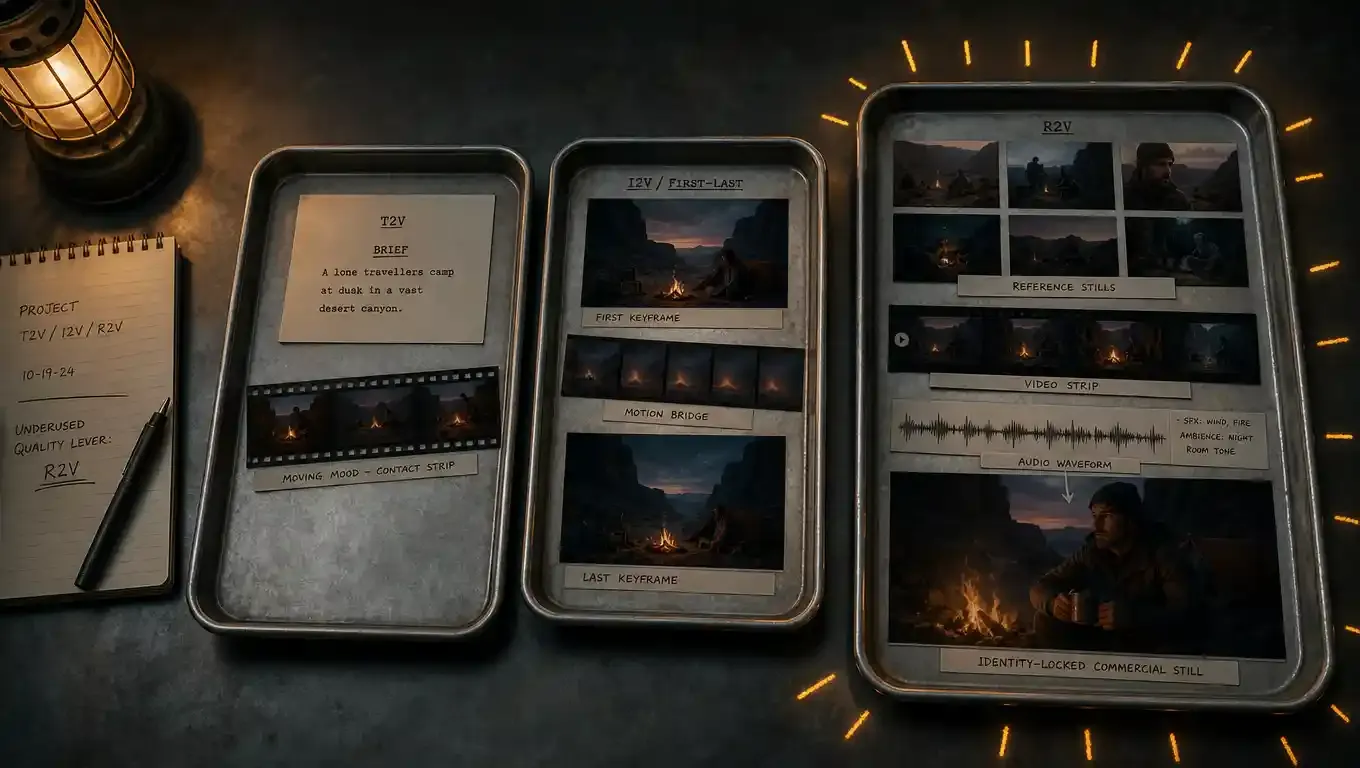
Raise resolution carefully: templates ship with a fast preview size; bump megapixels toward H3’s native ~768 short-edge canvas when you want full local quality
Typical local layout (names vary by variant — prefer pruned int8 on consumer cards):
---
ComfyUI/models/
├── diffusion_models/
│ ├── minimax_h3_fl2va_pruned_int8_convrot.safetensors
│ └── minimax_h3_ref2va_pruned_int8_convrot.safetensors
├── text_encoders/
│ └── qwen3vl_32b_minimax_h3_nvfp4_awq.safetensors
└── vae/
├── minimax_h3_video_vae_fp16.safetensors
└── minimax_h3_audio_vae_fp32.safetensors
---
Original research checkpoints and serving recipes also live at MiniMaxAI/MiniMax-H3 (SGLang / vLLM / Diffusers / Comfy). Use Comfy-Org packs when your goal is “graph it tonight on a workstation GPU.”
Official walkthrough: ComfyUI MiniMax H3 tutorial
Day-0 engineering note: Comfy Org blog
Three workflows, three jobs
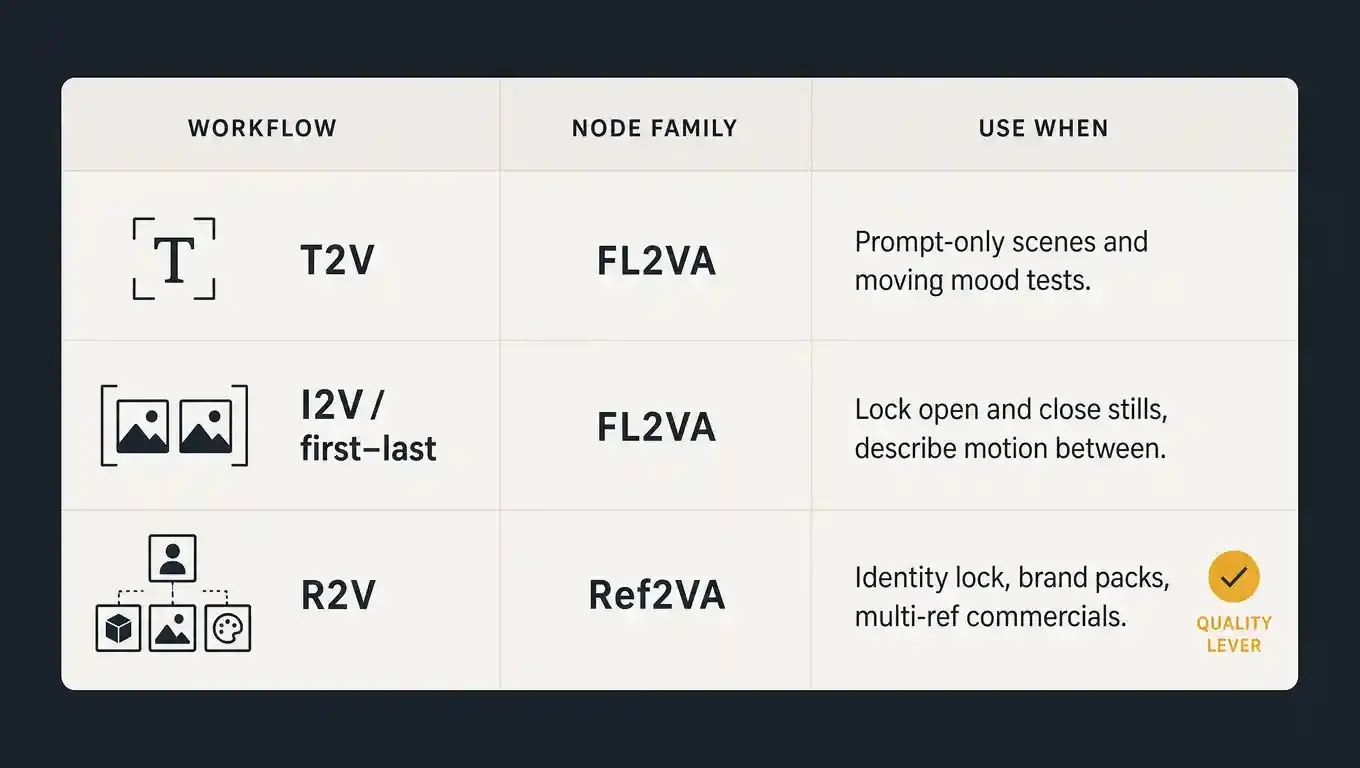
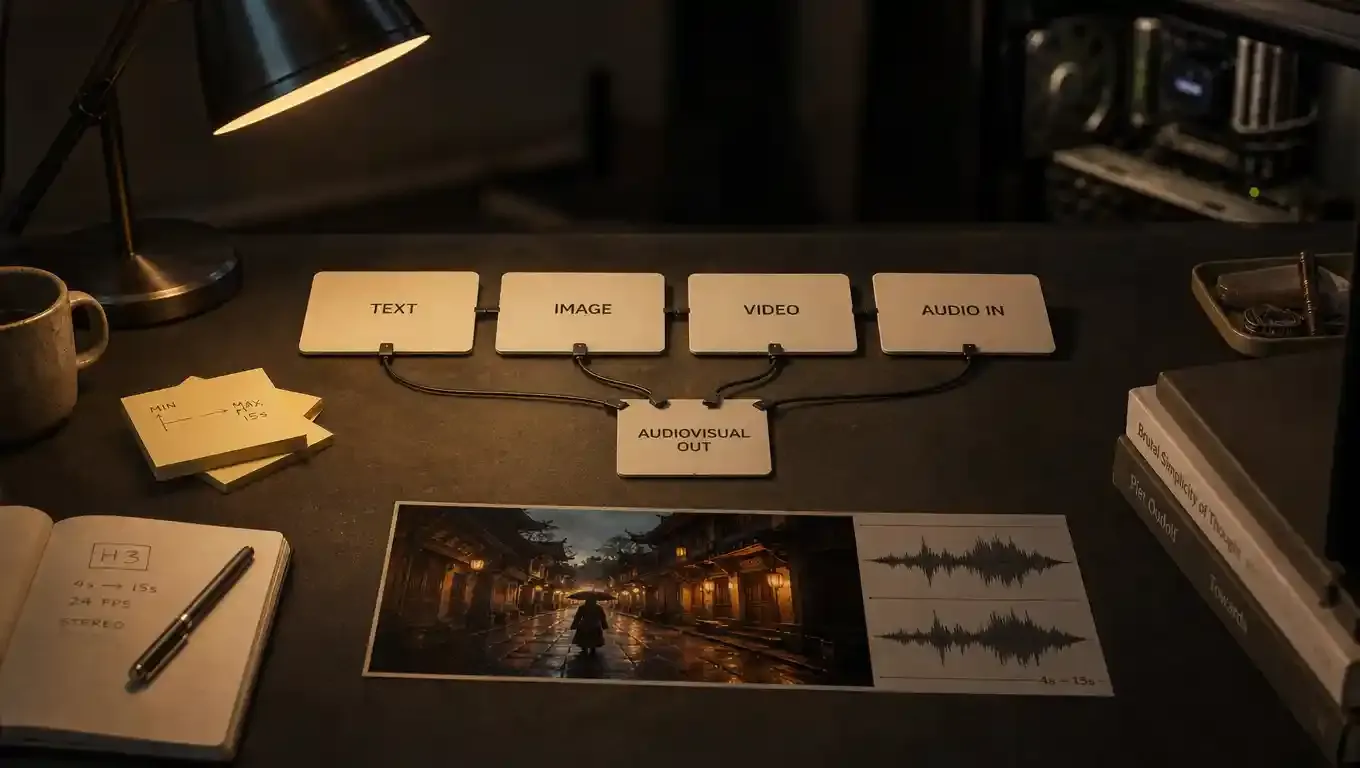
R2V is the quality lever most people underuse. Cap guidance from the docs: up to 9 reference images, 3 reference videos (each can carry soundtrack), 3 standalone audio clips. Tag references in prompt order (Picture 1, Video 1, Audio ) and assign each one a job — atmosphere, face, product, ending logo, camera move, voice — instead of dumping files and hoping.
Sampler tip from Comfy’s R2V notes: res_multistep with a beta or normal scheduler often beats a naive simple setup on reference-heavy graphs.
Prompt like a director’s brief (not a slogan)
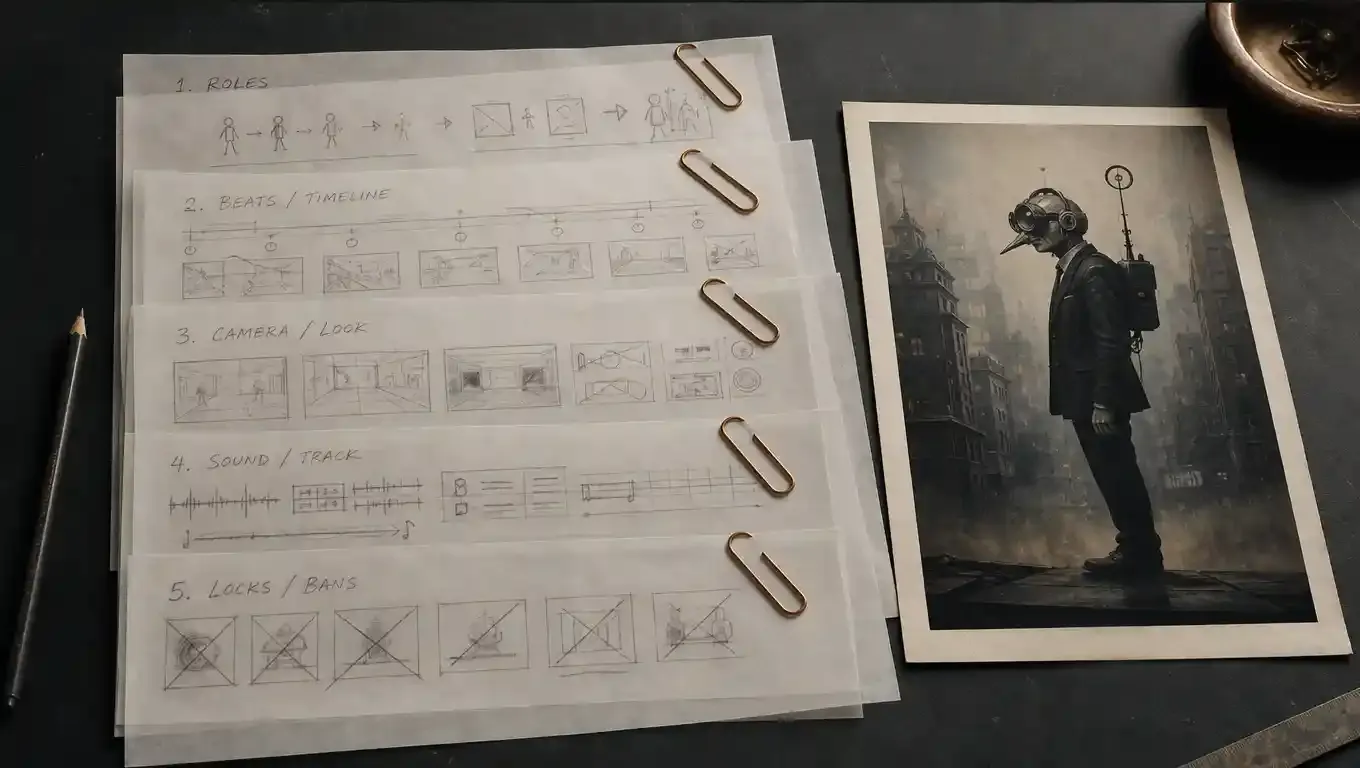
H3’s audio is generated with the picture. Prompts that only describe a still frame leave half the model unemployed. Treat the box like a short production brief with five modules:
1. Roles (reference division of labor)
Weak: “use these images.”
Strong: “Picture 1 sets film stock and scene mood; Picture 2 locks the heroine’s face; Picture 3 locks the bottle; Picture 4 is the end-card logo.”
2. Beats (timeline)
Weak: “she picks up the bottle.”
Strong: “0–5s walk the bench; 5–10s lift the bottle into backlight; 10–15s set it down.” Fifteen seconds usually wants 1–3 clear beats, not a montage novel.
3. Look (camera + grade)
Name focal length, move, grain, key light, depth of field. “Cinematic” is noise. “50mm handheld push, 16mm grain, hard top light, restrained grade” is usable.
4. Sound (write it as its own track)
Environment, Foley, music, dialogue — and when each enters. The model uses sound timing to help sync picture events. Skipping audio and then blaming “bad sound” is the most common failure mode.
5. Limits (locks and bans)
What must stay identical (wardrobe, product silhouette, species, logo geometry). What must never appear (subtitles, watermarks, soft dissolves, modern props, cartoon speed lines).
Copy-paste skeleton
---
[Roles]
Picture 1: overall mood / location / film look
Picture 2: character identity
Picture 3: product / hero prop
(Video / Audio refs: state purpose)
[Beats]
0–Xs: …
X–Ys: …
Y–15s: …
[Camera & look]
Move / lens / light / grade / texture
[Sound]
Ambience: …
SFX at timestamps: …
Music / dialogue: …
[Locks & bans]
Must keep: …
Never show: subtitles, watermarks, soft dissolves, …
---
One sentence rule: write as if briefing a obedient second-unit director who will follow exact roles, timing, camera, sound, and negatives — and will guess badly if you leave any of those blank.
Field tests worth copying (prompt patterns)
Community tests that showed up on open-weight day tend to cluster into three stress cases. The prompts below are English production-brief versions of those patterns — useful as templates, not as claims of identical local renders on every GPU.
A. Image-to-video identity lock (surreal urban character)
Use one still as the sole identity reference. Spell species, wardrobe, and “do not humanize the face.” Break motion into four beats (stand → walk → glance → stop). Write city ambience + boot Foley + fabric rustle + a quiet zipper as the button. Ban captions and soft dissolves.
Why it stresses H3: fur/fabric micro-detail, identity retention across a walk cycle, and stereo city bed that should track footsteps — all in one pass.
B. Text-to-video epic establishing shot
Wide bridge over a storm abyss, tiny figure, split sky (ember sunset vs starfield), volumetric god-rays, cold/warm collision grade. Ban text overlays and cartoon rendering.
Why it stresses H3: large-scale layout, atmospheric perspective, and whether “epic” survives without becoming soft AI soup — especially when you also specify what the wind and waves should sound like.
C. Reference still → fight beat
First frame locks faces, wardrobe, weapons, and lighting. Timeline: stare-down → clash with sparks → clinch with handheld whip pans → kneel + raise for the finishing blow. Sound: wind bed, metal impacts, breath, dust, then a short silence after the last hit.
Why it stresses H3: physics-ish contact, camera language, and whether reference identity survives fast motion blur.
Expect minutes, not seconds, on consumer cards for 15s clips — local speed is a feature of offload + quant, not of cloud burst capacity. Raise duration only when the beats need it; padding a one-action idea to 15s invites looping or sticky motion.
Practical pitfalls
Uploading references without role labels (the model must guess)
Describing one still instead of a timed action
Omitting sound entirely
Feeding audio alone without an image/video companion when the mode requires it
Re-running the whole graph to fix one prop (prefer instruction-style local edits when available)
Stacking too many actions into 15 seconds
Confusing quantized local 2K experiments with official hosted 2K regenerate quality
Where to get files and docs
Comfy tutorial: https://docs.comfy.org/tutorials/video/minimax/minimax-h3
Comfy day-0 post: https://blog.comfy.org/p/minimax-h3-day-0-support-in-comfyui
Comfy weights pack: https://huggingface.co/Comfy-Org/MiniMax-H3
Upstream open model: https://huggingface.co/MiniMaxAI/MiniMax-H3
MiniMax research note: https://www.minimax.io/blog/minimax-h3
Hosted creator apps (Hailuo): https://hailuoai.video / https://hailuoai.com
Example media (direct links)
Hosted players vary by doc platform, so keep the raw files handy for review:
MiniMax launch / demo stills and clips: see assets under the MiniMax H3 research post and the Hugging Face model card
ComfyUI workflow JSON downloads: linked from the day-0 Comfy Org post (T2V / I2V / R2V)
Community deep-dive that kicked off many 3060 tests (Chinese original): https://mp.weixin.qq.com/s/uDxjkcwrYZLKUaC8IJKtRg
Bottom line
MiniMax H3’s open-weight day is interesting less because “video open source exists now,” and more because the ecosystem shipped usable graphs on day zero: FL2VA and Ref2VA packs, stereo AV in one pass, and enough quantization/offload work that consumer GPUs can participate without renting a rack.
If you are waiting on other closed multimodal releases, you do not have to freeze your pipeline. Update ComfyUI, load the official MiniMax H3 templates, write prompts like production briefs — and treat local graphs as your iteration layer while hosted IR + 2K regenerate remain the polish layer when a commercial still needs the full official path.
Sample media links
MiniMax H3 research / demos: https://www.minimax.io/blog/minimax-h3
ComfyUI day-0 post + workflow downloads: https://blog.comfy.org/p/minimax-h3-day-0-support-in-comfyui
Upstream weights + diagrams: https://huggingface.co/MiniMaxAI/MiniMax-H3
Comfy-repacked local weights: https://huggingface.co/Comfy-Org/MiniMax-H3