Idea to Story
Turn a rough idea into a clear video concept, story outline, or campaign direction.
Create videos on an AI video canvas where your ideas, storyboards, assets, references, and generated clips stay connected. Let an AI agent help you plan scenes, generate assets, and refine every detail on an infinite canvas.
Designed for creators who need a clearer way to manage multi-scene AI video projects.
Topview AI Canvas is a visual workspace built for AI video creation. Instead of generating one video from one prompt, you can plan your story, create visual assets, organize scenes, compare variations, and refine selected parts of your project on an infinite AI canvas.
With an AI agent built into the workflow, Canvas helps turn rough ideas into structured video projects. You can describe what you want, review the agent's suggestions, adjust scenes, and move from concept to final video without switching between multiple tools.
Prompt-only AI video tools are useful for quick clips, but real video projects need more structure. You may need a story outline, character references, product images, scene variations, visual directions, and multiple rounds of revision.
Topview Canvas gives every part of your video project a place to live in one AI video workspace. Keep references, generated assets, storyboards, and video outputs together, so you can see the full creative direction instead of losing details across chats, folders, and disconnected tools.
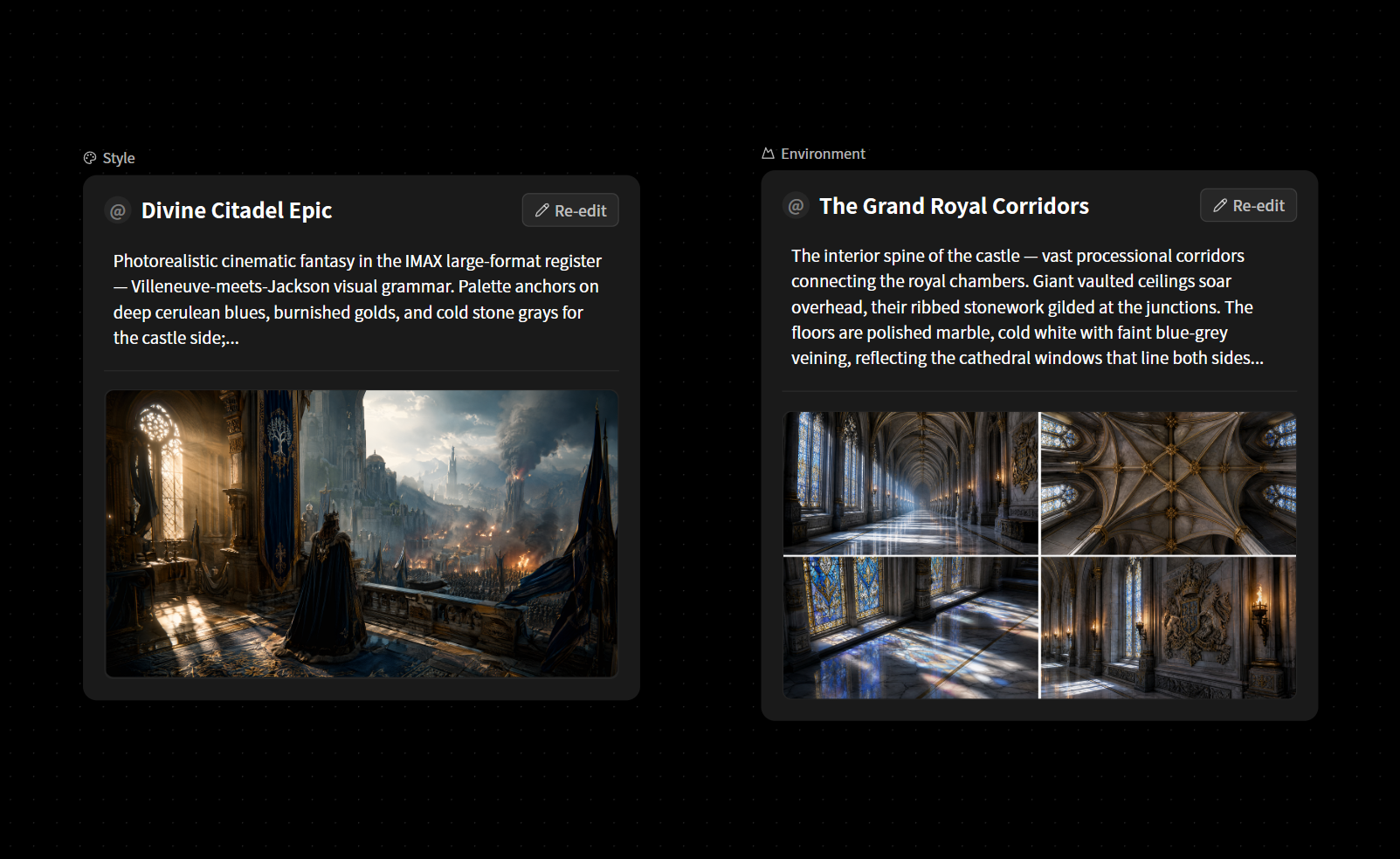
Compare the workflow:
Topview Canvas is built around an AI agent that helps move your video project forward. You can ask it to create a story outline, design scenes, generate visual directions, organize assets, or refine selected parts of your canvas.
Instead of learning model-specific prompting tricks, you can work through natural conversation. The agent understands the context of your project and helps you decide what to create, improve, or generate next.
Turn a rough idea into a clear video concept, story outline, or campaign direction.
Break your video into scenes, shots, and storyboard cards before generation.
Create characters, products, backgrounds, and visual references directly on the canvas.
Select a specific area, scene, or asset and ask the agent to improve it without rebuilding the entire project.
Video creation is rarely linear. You may explore different openings, compare product angles, test multiple character styles, or revise a scene before the rest of the video is finished.
Topview Canvas gives you a flexible, non-linear AI creative canvas for creative exploration. Move freely across your project, place assets anywhere, group related scenes, and keep multiple versions visible without being locked into a traditional timeline.
Expand your canvas in any direction and manage complex video projects without running out of space.
Lay out scenes, references, and generated clips like an AI storyboard canvas for clearer scene planning.
Work on multiple scenes, versions, or creative directions at the same time.
Select a specific scene, image, or visual area and refine it without changing the entire project.
Topview Canvas brings the essential parts of AI video creation into one AI canvas for video production. Start with an idea, build the story, generate assets, arrange scenes, edit details, and produce videos without constantly switching between separate tools.
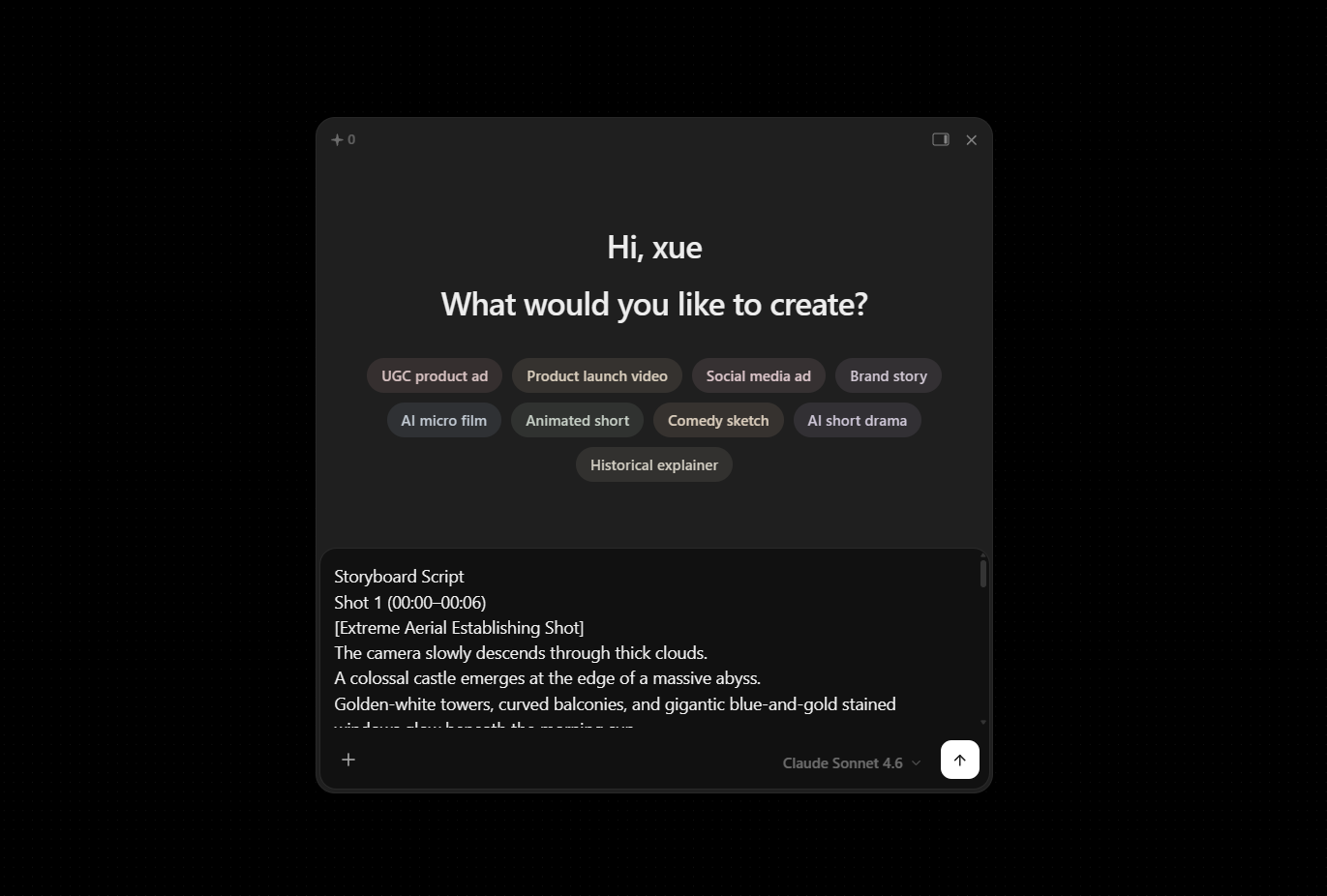
Describe your video goal, product, story, or campaign concept. Get story outlines, scene plans, visual directions, and asset suggestions.
Create images, characters, product visuals, backgrounds, and video clips on the canvas. Edit selected areas, adjust style, compare versions, and improve story consistency.
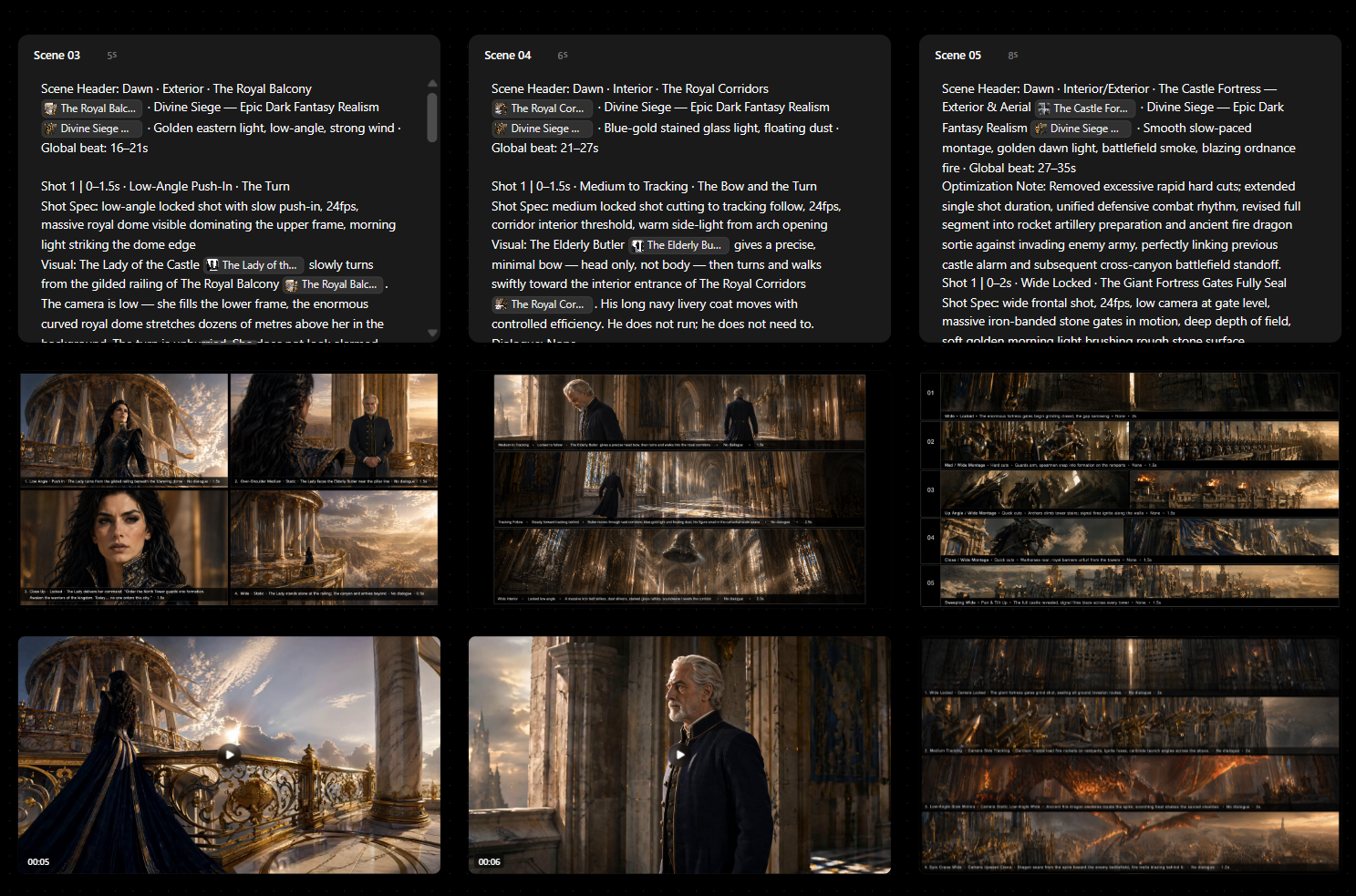
Turn approved scenes and assets into polished AI videos for marketing, social media, or storytelling.
Ask the AI agent to outline stories, break scenes into shots, suggest visual directions, and keep your project moving from brief to production plan.
Arrange scenes, references, and generated clips as storyboard cards on the canvas so you can review structure before generating video.
Turn product images into ad concepts, scene directions, and video outputs inside an AI canvas for product videos.
Pin character looks, costumes, locations, and props beside scenes to keep visual direction consistent across shots.
Select a scene, image, or visual area and refine it with natural language without restarting the full project.
Place multiple versions of the same scene side by side on the canvas and compare openings, angles, or creative directions.
Keep creative context, references, and prior decisions connected so revisions stay aligned with the original direction.
Build and generate complex videos with multiple scenes, characters, and product shots in one organized workspace.
Store references, generated images, storyboards, and final video outputs together in one AI video workspace.
Use an AI canvas for product videos to turn product images into structured video concepts, generate ad scenes, compare creative directions, and produce campaign-ready outputs.
Create UGC-style ad concepts, plan creator scenes, generate visual references, and organize multiple ad variations on one canvas.
Use an AI canvas for short drama creation to build story outlines, character references, scene cards, and video clips with stronger visual consistency.
Plan and generate short videos for TikTok, Instagram Reels, YouTube Shorts, and other social platforms.
Keep ideas, references, generated assets, and video outputs organized in one shared visual workspace.
See how Topview AI Canvas compares with prompt-only AI video generators.
| Capability | Topview AI Canvas | AI Video Generator |
|---|---|---|
| Creation mode | Full visual workflow | One prompt, one output |
| Project structure | Infinite canvas with scenes and assets | Limited |
| Story planning | AI agent-assisted | Manual |
| Asset management | Organized on one canvas | Scattered across tools |
| Revision workflow | Select, refine, and iterate | Regenerate or rewrite prompt |
| Multi-scene projects | Built for complex video projects | Hard to manage |
| Creative context | Project memory and context awareness | Easy to lose |
Prompt-only AI video generators are useful when you need a quick clip. Topview AI Canvas is built for creators who need to manage the full video creation process, from ideas and references to storyboards, revisions, and final outputs.
Plan the story, generate assets, organize scenes, and produce videos with an AI agent in one visual workspace.
Start with an idea, build your storyboard on the canvas, refine scenes with the AI agent, and turn approved assets into polished AI videos.
Open Canvas and start your next AI video project in one visual workspace.