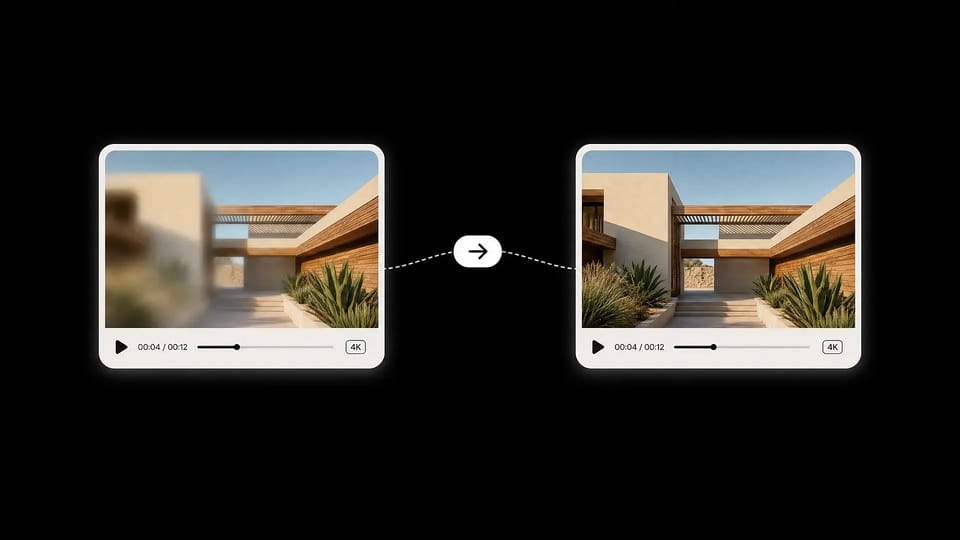
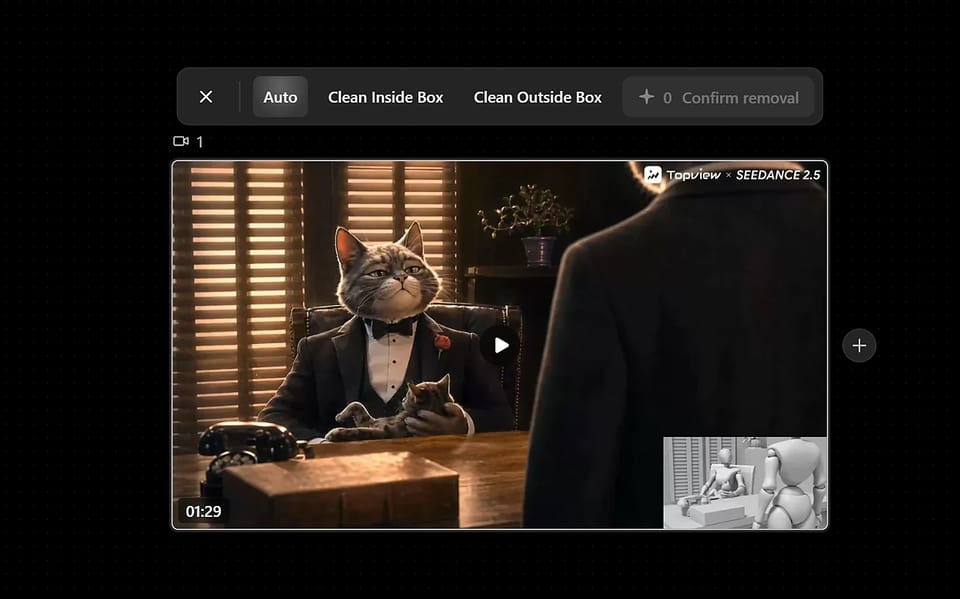
Remove watermark from video online with AI. Clean logos, subtitles, TikTok watermarks, and Sora watermarks with auto-detect, inside-box, and outside-box modes.
Video Watermark Remover Use Cases
Whatever the source — TikTok exports, AI-generated clips, branded stock footage, or old archive videos — Topview cleans the watermark while keeping the underlying picture sharp.
AI-Generated Video
Clean Watermarks From Veo, Kling, Runway, Pika
Almost every public AI video model brands its output with a faint logo. Drop the file into Topview, choose Auto or Clean Inside Box, and get a watermark-free version ready for client delivery or social posting.
Moving / Animated Watermarks
Track and Remove Animated Watermarks
Some watermarks bounce around the screen to defeat removal. Auto mode follows them across frames using AI tracking, so the final video is clean even when the watermark refuses to sit still.
Outside-Box (Industry-First)
Keep the Subject, Clean Everything Else
Use Clean Outside Box to draw a box around your product, model, or hero subject. Everything outside the box is treated as background and cleaned of any text, logos, or graphics — perfect for re-purposing UGC and product shots.
TikTok & Reels
Strip TikTok / Reels Watermarks Cleanly
Re-share saved TikTok and Instagram Reels clips without the platform logo, username, or animated badge in the corner. Auto mode tracks moving watermarks frame-by-frame so the result looks like a fresh export.
Subtitles + Watermarks
Erase Hardcoded Subtitles, Not Just Watermarks
Burnt-in subtitles, karaoke-style captions, and on-screen text are the same kind of pixel overlay as watermarks — and Topview cleans them with the same AI inpainting engine. Strip subtitles in any language (EN, ZH, JA, KO, ES…) in the same upload as your watermark removal. No need to bounce between a watermark remover and a subtitle remover.
Why Our Video Watermark Remover Beats the Rest
Three processing modes (most tools have only one or two), AI-tracked moving watermarks, true HD reconstruction, and industry-leading $0.29/min pricing for annual users.
3 Smart Modes
Three Processing Modes — Most Tools Only Offer One
Auto, Clean Inside Box, Clean Outside Box.
Pick Auto for hands-off cleanup, Clean Inside Box for surgical control over a specific watermark, or Clean Outside Box to keep your subject pristine while wiping everything else. Vmake, Wink, and EZRemove only ship one or two of these — Topview gives you all three.
Auto detectionBox selectionInverse selection
Industry-First
Clean Outside Box — Protect Your Subject
Lock in the area you care about; let AI clean the rest.
No competitor offers reverse-selection cleanup. Draw a box around your product, hero shot, or talking-head subject — Topview treats the inside as protected and removes any watermarks, text, or distracting graphics outside the box. Ideal for product photography and UGC re-purposing.
Subject protectionInverse maskUGC repurposing
AI Watermark Tracking
Tracks Moving and Animated Watermarks
Auto mode follows watermarks frame-by-frame.
Modern social platforms shift watermarks around the screen on purpose. Topview's Auto mode uses AI tracking to follow them across the full video, so even bouncing TikTok logos or animated AI brand marks are removed without manual frame work.
AI inpainting rebuilds the background, no blur or smudge.
Cheap removers blur, crop, or smudge the watermark area. Topview uses AI inpainting to actually rebuild the background pixels — the cleaned region matches the surrounding texture, color, and motion. Output stays in the original resolution up to 4K.
AI inpaintingUp to 4K outputNo blur or crop
Video Watermark Remover Specs at a Glance
Plain-language specs of the Topview video watermark remover — formats, limits, pricing, and what happens to your files.
PROCESSING MODES
Auto / Inside Box / Outside Box
Three modes cover hands-off cleanup, precise watermark targeting, and inverse-selection subject protection — all from the same upload.
PRICING
1.8 credits / minute
About $0.29 per minute for annual-plan users — significantly cheaper than EZRemove ($0.45/min) and Wink ($0.33/min) for comparable AI watermark removal.
MAX RESOLUTION
Up to 4K
Source videos up to 3840 × 2160 are processed and exported at original resolution. No forced downscale, no quality loss.
FORMATS
MP4 / MOV
Common social and editing formats are supported. MP4 is recommended for the fastest processing and broadest playback compatibility.
AI ENGINE
Inpainting + Tracking
Combines watermark detection, frame-by-frame tracking, and inpainting reconstruction so cleaned regions blend back into the original picture.
PRIVACY
Auto-deleted
Uploaded videos are processed in your private workspace and removed from servers after processing. We never use your content to train models.
Built for Real Video Watermark Removal Workflows
From solo creators to agencies — anyone re-using existing footage benefits from a fast, reliable watermark remover that doesn't sacrifice quality.
Content Creators
Re-share TikTok, Reels, and YouTube Shorts clips on other platforms without the original watermark. Auto mode handles moving badges so you get a clean repost in seconds.
Marketers & Social Teams
Clean AI-generated video assets from Veo, Runway, or Kling before sending them to clients or pushing them to paid channels. No more visible model branding in your ads.
E-Commerce & DTC
Reuse stock product clips and influencer UGC by stripping platform watermarks and channel logos. Clean Outside Box keeps your product centered and pristine.
Educators & Trainers
Repurpose tutorial clips, lecture recordings, and sample footage for course material — without distracting third-party logos or timestamps.
Agencies & Studios
Process client footage at 4K, batch-clean recurring brand watermarks across an entire archive, and deliver master files free of legacy logos.
Video Editors
Strip date stamps, channel watermarks, or sample-footage labels from b-roll before pulling it into your timeline. Saves hours of manual masking in After Effects.
Workflow
How to Remove Watermarks From a Video
01
Upload Your Video
Drop in any MP4 or MOV up to 4K. The video is uploaded to your private workspace — never publicly listed and auto-deleted after processing.
02
Choose a Removal Mode
Pick Auto for the entire video, Clean Inside Box to target a specific watermark area, or Clean Outside Box to protect your subject and clean everything else.
03
Generate & Download
AI inpainting reconstructs the cleaned regions in seconds. Preview the result, then download the watermark-free video at original resolution.
More AI Tools
Explore more AI tools for video creation, editing, and creative production.
An AI video watermark remover analyzes a video frame-by-frame, detects logos, text overlays, or platform badges, and reconstructs the underlying pixels using inpainting. The result is a clean video at the original resolution — no blur, no crop, no visible scar where the watermark used to be.
How do I remove a watermark from a video online?
Upload your video, choose auto-detect or select the watermark area, then let AI clean the overlay and restore the background. You can use it for logos, corner badges, subtitles, and platform watermarks.
What is the difference between the three processing modes?
Auto (Whole Video) scans the entire frame and removes watermarks it detects automatically — best for unknown or moving logos. Clean Inside Box lets you draw a box around a specific watermark; only that area is cleaned. Clean Outside Box is the inverse: draw a box around what to keep (your product, your face), and Topview cleans everything outside it. No competing tool offers all three.
Can I remove TikTok watermarks?
Yes. TopView can clean TikTok logos, usernames, and animated corner badges. For best results, upload the clearest version of the video and use box selection when the watermark appears in a fixed area.
Does it work on AI-generated videos from Veo, Kling, or Runway?
Yes. Most AI video models brand their output with a faint logo or watermark. Topview removes them cleanly while preserving the original resolution and motion — ideal before sending AI-generated clips to a client or publishing them to paid channels.
Can I remove Sora watermarks from AI videos?
Yes. Use auto-detect or select the visible Sora watermark area, then clean it with AI before using the video in previews, drafts, or edited creative workflows.
Can AI remove subtitles from videos?
Yes. AI can remove subtitles from video when they are burned into the frame, including captions, karaoke-style text, and multilingual on-screen subtitles.
Will removing a watermark affect video quality?
The result depends on watermark size, motion, and background complexity. For cleaner output, use the highest-quality source file and select the smallest area that fully covers the watermark.
How much does it cost?
Each minute of cleaned video costs 1.8 credits — roughly $0.29 / minute on the annual plan. That undercuts EZRemove ($0.45/min) and Wink ($0.33/min) for comparable AI removal. New users get a free trial credit to test the tool first.
What video formats are supported?
MP4 and MOV are supported out of the box, covering exports from social platforms, mobile cameras, AI generators, and most editing software. MP4 is recommended for the fastest processing time.
Is there a maximum video length or file size?
Limits depend on your plan tier and current load. In general, short to medium-length videos (a few minutes, up to a couple of GB) process within seconds. For longer batches, the workspace queues each video so you can upload several files in one session.
Are my uploaded videos private?
Yes. Uploads land in your private workspace, are never publicly listed, and are removed from our servers after processing. We do not use your video content to train models.
Can I remove a watermark from a video I don't own?
Topview is designed for content you have the rights to clean — your own AI-generated clips, your saved social posts, your licensed stock footage, or content you have explicit permission to edit. Please respect copyright and platform terms when using the tool.
Free AI Video Watermark Remover Online — 3 Smart Modes | Topview