FLUX 3 AI Video Generator
Generate cinematic AI videos with native audio using FLUX 3—Black Forest Labs’ multimodal foundation model. Create up to 20-second clips from text, images, or video references on Topview.

What Is FLUX 3?
FLUX 3 is Black Forest Labs’ multimodal foundation model. It jointly learns from images, video, and audio in a unified Self-Flow architecture—so motion, sound, and visual structure stay consistent. On Topview, you can try FLUX 3 video generation online for text-to-video, image-to-video, and reference-driven clips with native audio.
Why multimodal Self-Flow matters
- One model for images, video, and audio—not isolated pipelines
- Native audio generated with the video in a single pass
- Up to 20-second clips with strong temporal continuity
- Text, image, and video references for controlled generation
- Multilingual dialogue and high style diversity
- Agentic multi-shot chaining for longer sequences
FLUX 3 Standout Features
Up to 20s Video with Sound Built In
Generate diverse clips up to 20 seconds in one pass, with audio created jointly—so impacts, dialogue, and ambience stay locked to the picture without a separate soundtrack step.
Up to 20s | Native audio | One-pass
Text, Image, and Video References
Start from a prompt, animate a still, or carry a character from a reference clip into a new scene—without stitching separate modality tools into one workflow.
Text-to-video | Image-to-video | Video reference
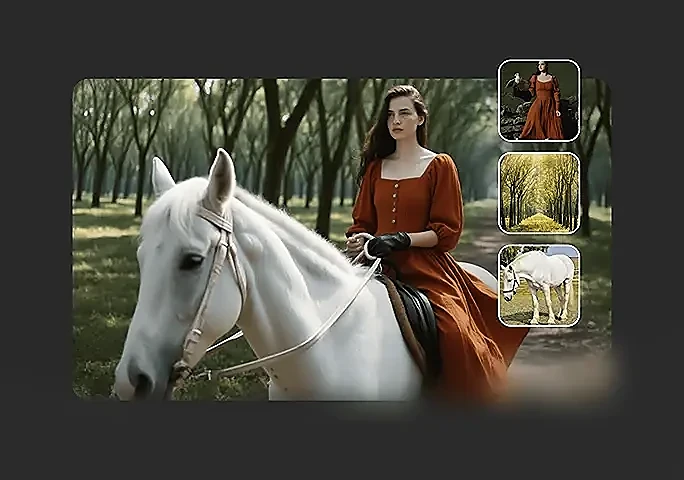
Keep the Same Character Across Shots
Video-to-video and agentic multi-shot chaining help keep facial identity, wardrobe, and presence coherent when you build longer sequences from short clips.
V2V carry-over | Multi-shot | Identity lock
Multilingual Dialogue and Expressive Faces
Early evaluations highlight strong facial expressions, multilingual dialogue, and wide style range—from camcorder realism to animation and cinema.
Facial performance | Multilingual | Style range
See what creators make with FLUX 3
Real clips shared on X—watch the posts below, then try FLUX 3 yourself on Topview.
FLUX 3 Model Highlights
Key parameters and capabilities for creators trying FLUX 3 video generation on Topview.
Self-Flow
Unified multimodal flow matching across image, video, and audio.
Image + Video + Audio
Joint learning so sound, motion, and structure stay aligned.
Up to 20s
Single-generation clips with native audio (Early Access).
Built-in
Audio generated jointly with video—not a separate post step.
Text / Image / Video
T2V, I2V animation or reference, and V2V character carry-over.
Keyframes & Continuity
Keyframe-to-video, video-audio continuation, multi-shot chaining.
Multilingual
Strong multilingual dialogue for global storytelling.
High Diversity
From camcorder footage to animation and cinematic looks.
Motion Text
Strong typography generation and animated design output.
Video EA Now
Try FLUX 3 video online via Topview; Image EA coming soon.
10s · 720p
Early preference tests used 10s T2V clips at 720p with audio.
Foundation Model
Backbone for content creation and physical AI (action).
What's New in FLUX 3
Compared with earlier FLUX image models and typical single-modality video generators, FLUX 3 unifies image, video, and audio under Self-Flow—with native audio video and stronger multimodal control.
| Capability | Previous FLUX / Typical Video Models | FLUX 3 | Why It Matters |
|---|---|---|---|
| Model scope | Image-focused or separate video stacks | Unified multimodal foundation | One backbone for image, video, audio |
| Architecture | Standard flow matching per modality | Self-Flow multimodal alignment | Better cross-modal consistency |
| Video + audio | Silent video or bolted-on audio | Native audio in one generation | Sound matches physical events |
| Clip length | Shorter or multi-pass workflows | Up to 20s single pass | Longer coherent scenes |
| Image-to-video | Basic start-frame animation | Animation or visual reference modes | Flexible I2V control |
| Character continuity | Weak identity across shots | V2V character carry-over | Same character, new scenes |
| Continuity tools | Limited continuation | Video-audio continuation + keyframes | Controlled transitions |
| Longer narratives | Manual stitch of clips | Agentic multi-shot chaining | Minute-scale sequences |
| Dialogue | Limited or English-centric | Multilingual dialogue | Global storytelling |
| Typography | Weak motion text | Strong typography & animated design | Titles and branded motion |
| Image quality | Earlier FLUX generations | Improved complex prompts & text | Preliminary midtraining gains |
| Action / robotics | Not a primary path | Action prediction + FLUX-mimic | Content + physical AI |
Early Preference Evaluations
Black Forest Labs published preliminary preference results for FLUX 3 Video (10-second text-to-video clips at 720p with audio). These are early evaluations—the model and harness are still in development, and results may improve during Early Access.
| Compared model | FLUX 3 preferred |
|---|---|
| Grok Imagine Video | Up to 69% |
| Kling v3 Pro | 60% |
| Happy Horse v1 | 59% |
| Happy Horse 1.1 | 57% |
| Seedance 2.0 | 52% |
| Gemini Omni Flash | 52% |
| Runway Gen-4.5 | 77% |
| Luma Ray 3.2 | 93% |
Preliminary only. Preference rates reflect early human comparisons reported by BFL and should not be treated as final benchmarks.
Early strengths called out by BFL
- Human facial expressions
- Associating sounds with physical events
- Multilingual capabilities
- Character consistency across multi-shot sequences
Use these early stats as directional signals—not absolute rankings. Try FLUX 3 video generation online on Topview and judge quality on your own prompts and workflows.
Try FLUX 3 on TopviewWho Should Use FLUX 3
Built for teams that need multimodal AI video with native audio—plus creators preparing for image Early Access and partners exploring action.
Filmmakers & storytellers
Craft cinematic scenes with dialogue, SFX, and multi-shot chaining while keeping character identity consistent.
Brand & performance marketers
Produce product reveals, hooks, and lifestyle spots with audio in one generation for faster creative testing.
Social & UGC creators
Ship vertical reels with multilingual dialogue, trend styles, and reference-driven continuity.
Motion designers
Explore typography, animated designs, and style ranges from camcorder to full cinematic looks.
Agencies & production teams
Use keyframes, video references, and continuation tools to control transitions across shots.
R&D and physical AI teams
Follow FLUX 3 Action and FLUX-mimic paths where video world models meet robotics.
How to Try FLUX 3 on Topview
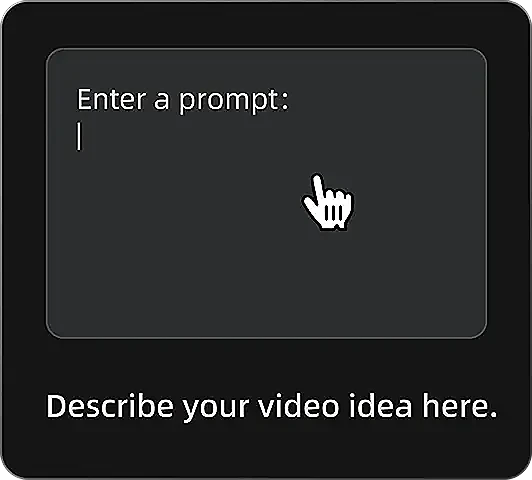
Open the AI video generator
Go to Topview’s AI video generator and select FLUX 3 to start a text-to-video, image-to-video, or video reference session.

Add prompt and references
Describe the scene, dialogue, and audio. Optionally upload an image or video reference for animation, style, or character consistency.
Generate and download
Choose duration and aspect ratio, generate up to 20-second video with native audio, then review and download your clip.
Try FLUX 3 Video Generation Online
Create multimodal AI videos with native audio on Topview—text, image, and video references powered by Black Forest Labs’ FLUX 3.
FLUX 3 Video Early Access · Image Early Access coming in the following weeks