AI Inpaint Online: rimuovi, sostituisci e aggiungi oggetti dalle foto
Dipingi un’area selezionata per rimuovere, sostituire o aggiungere oggetti. L’inpainting AI modifica solo quella regione, così il resto della foto resta intatto, senza ridisegnare né spostare i colori. Provalo online con i crediti gratuiti; Photoshop non serve.
CHE COS'È AI INPAINTING
Che cos'è AI Inpainting per le immagini?
L’inpainting AI modifica un’area selezionata di un’immagine rimuovendo oggetti, sostituendo regioni o aggiungendo nuovi dettagli. Ricostruisce l’area mascherata per adattarla a sfondo, luce, texture, prospettiva e bordi, così il risultato sembra naturale. L’inpainting fotografico è lo stesso flusso sulle foto di tutti i giorni: seleziona un’area, poi rimuovi, sostituisci o aggiungi contenuto mentre il resto dell’immagine resta intatto.
TRE MODI PER MODIFICARE
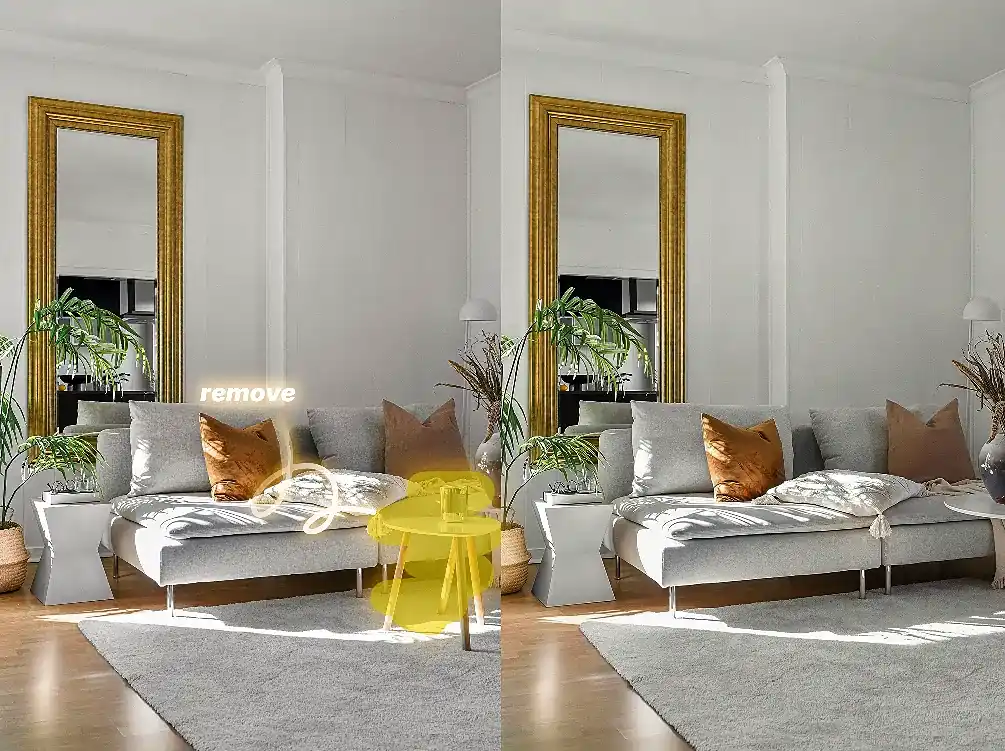
AI Inpainting per rimuovere oggetti dalle foto
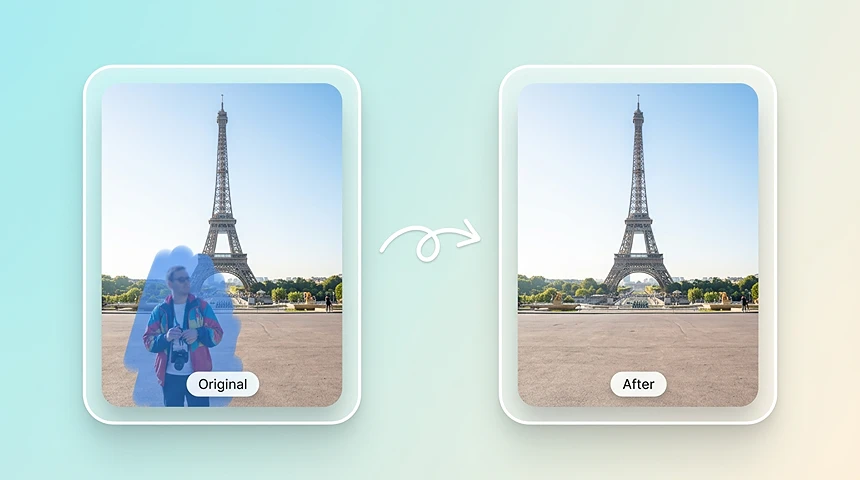
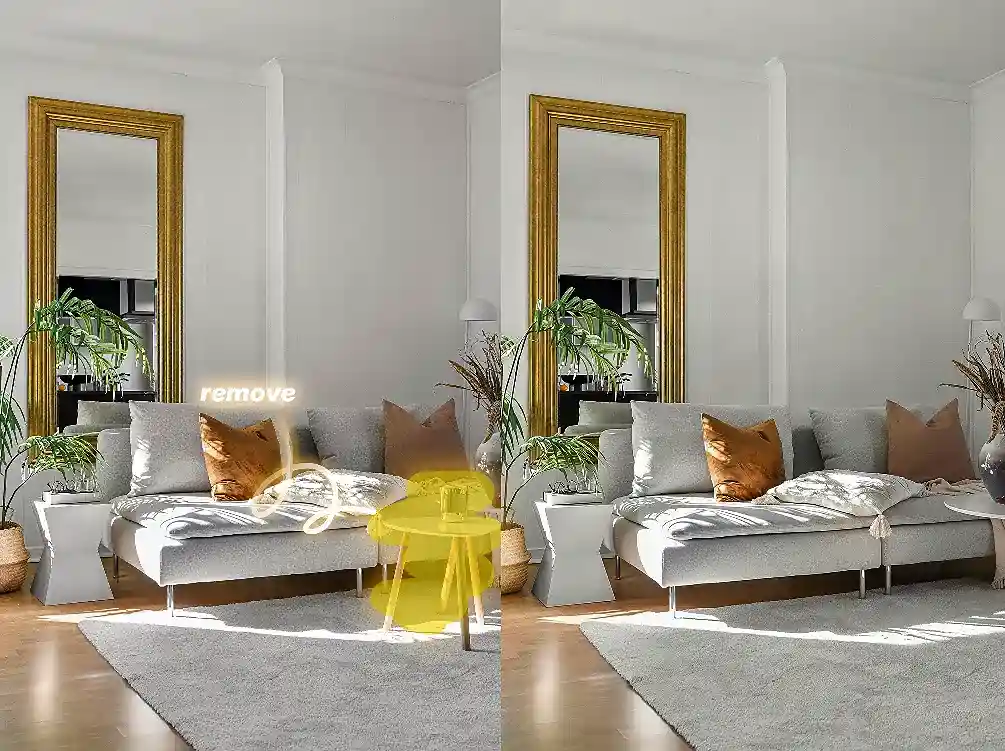
Rimuovi un oggetto da una foto, o una persona entrata nell’inquadratura, senza ricostruire tutta l’immagine. Pennella persone, turisti, disordine, cavi, filigrane e altri oggetti indesiderati, poi lascia che l’AI ricostruisca solo quello sfondo con texture, luce e prospettiva coerenti.
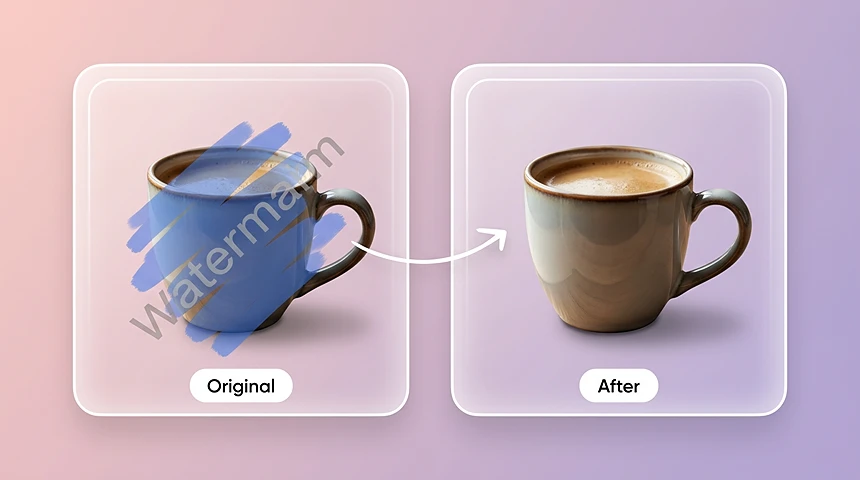
Rimuovi filigrane
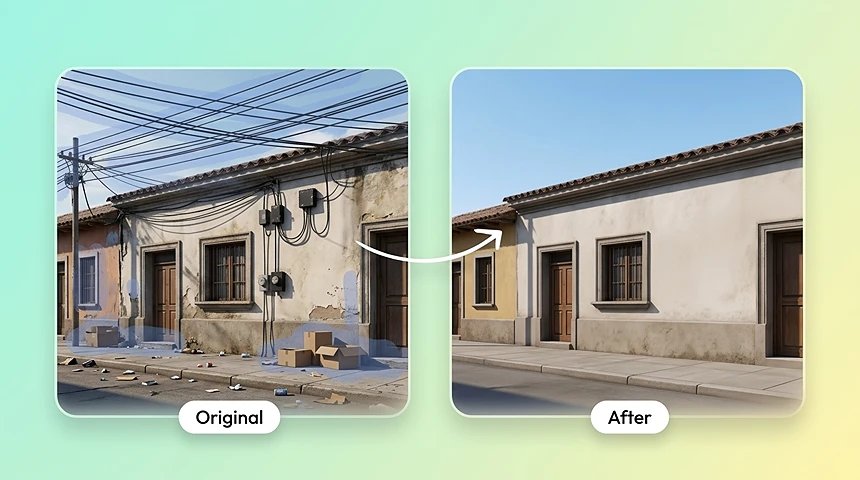
Rimuovi cavi e disordine
Image Inpainting per sostituire le aree selezionate
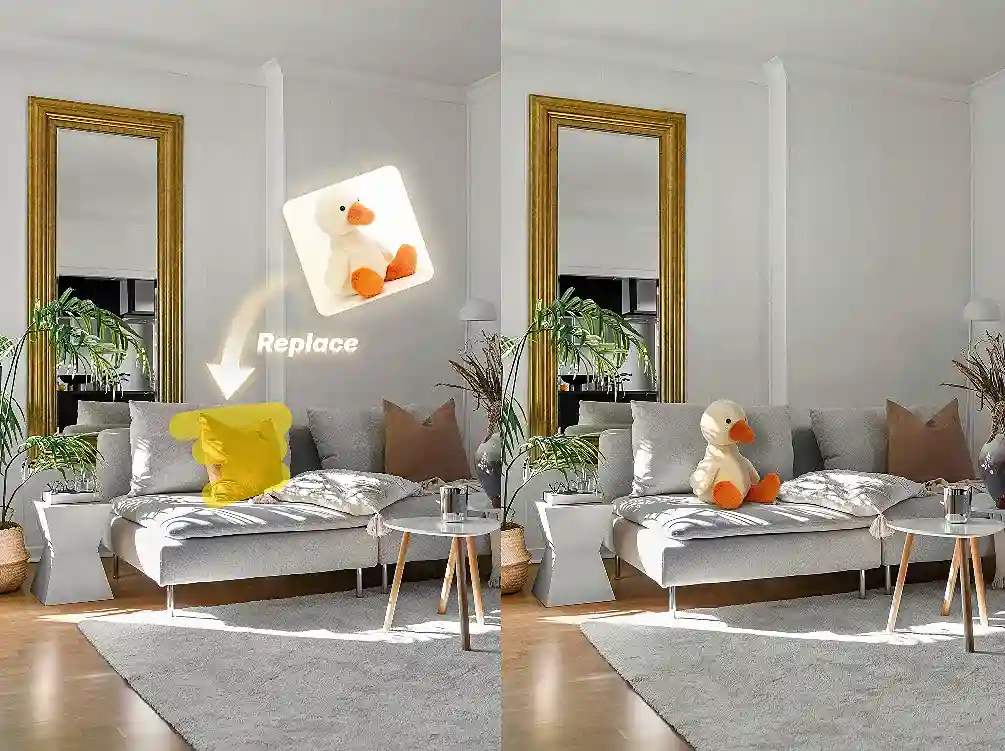
Seleziona un'area per sostituire uno sfondo, un oggetto, un segnale o un dettaglio dell'immagine. Il riempimento in base al contenuto AI ricostruisce la regione preservando la struttura, l'illuminazione e la prospettiva originali della scena.
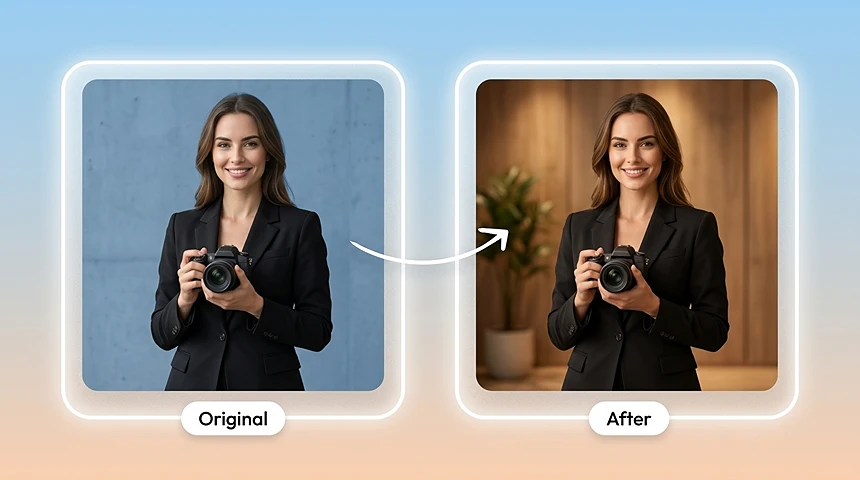
Sostituisci gli sfondi
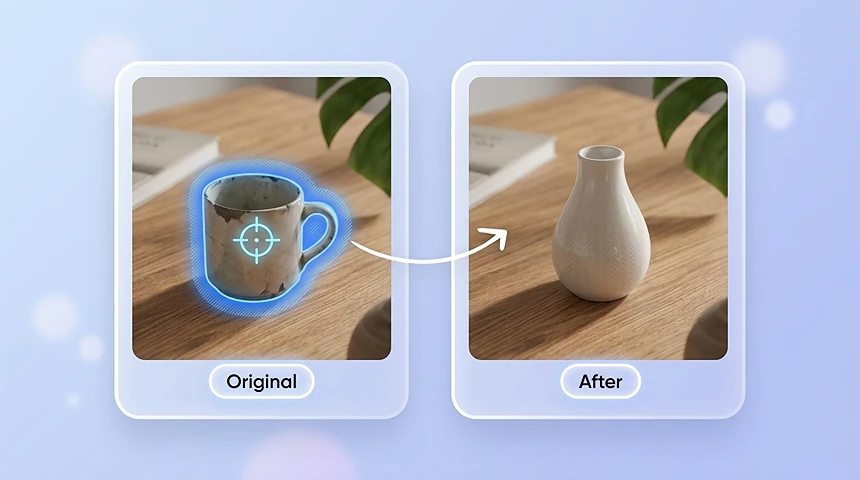
Sostituisci gli oggetti
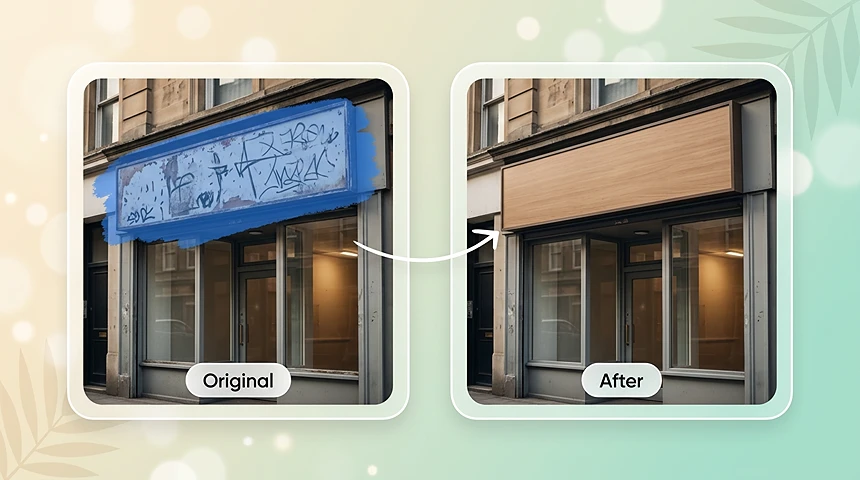
Sostituisci testo e cartelli
Utilizza AI Inpainting per aggiungere nuovi dettagli
Spennella un'area vuota, descrivi ciò che desideri aggiungere e genera nuovi oggetti, oggetti di scena, trame o dettagli creativi che si adattano all'immagine originale.
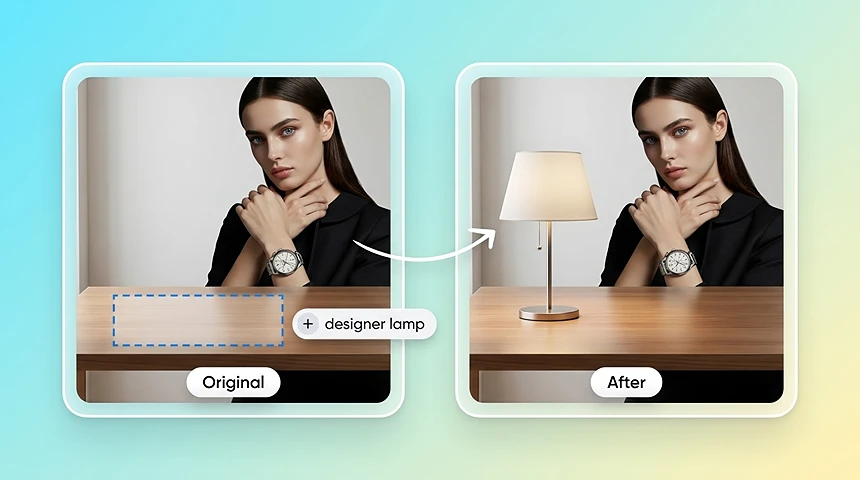
Aggiungi nuovi oggetti
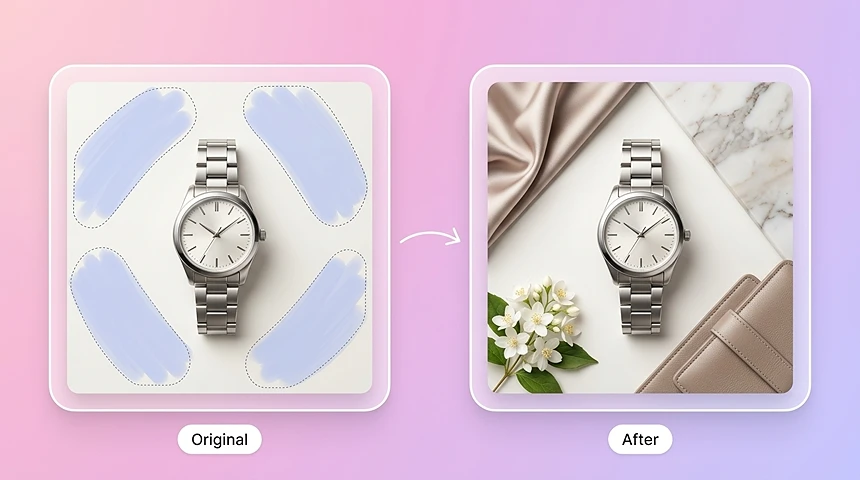
Aggiungi oggetti di scena e trame
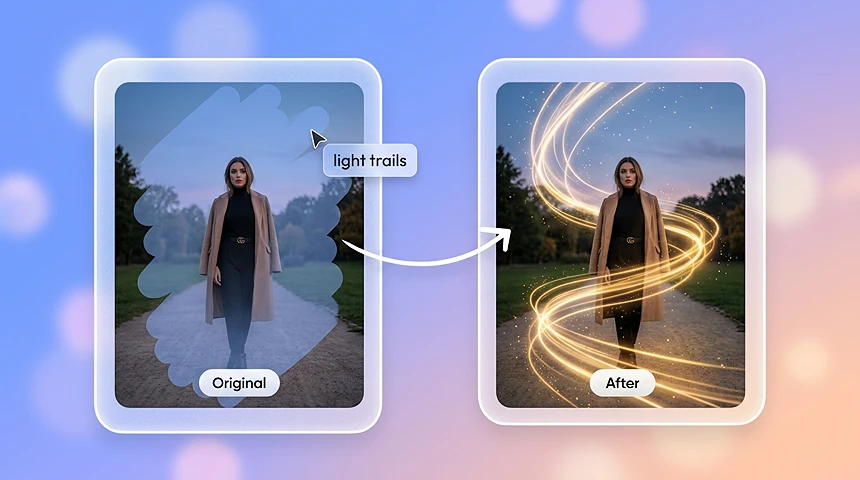
Aggiungi dettagli creativi
PERCHÉ SCEGLIERE AI INPAINTING
Perché scegliere l'inpainting AI?
Pensato per modifiche che restano dentro la selezione.
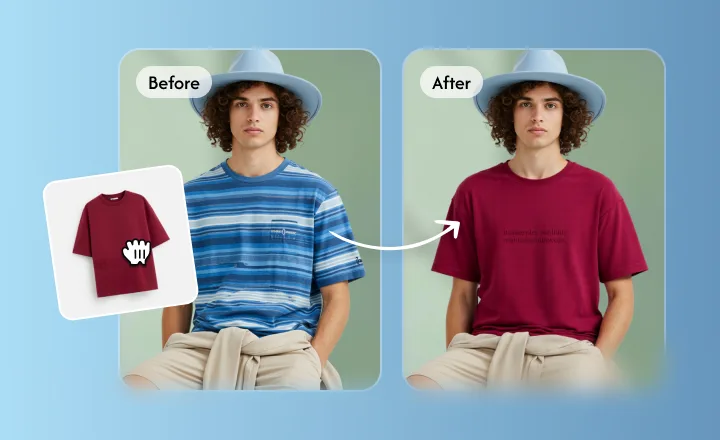
Cambia solo l’area pennellata; il resto della foto resta come scattato.
Le modifiche restano dentro la selezione
Pennella l’oggetto o il punto da cambiare. L’inpainting AI riempie quella selezione e lascia i pixel intorno, così non ridisegna l’intera immagine e non compare uno spostamento di colore inatteso.
AI PotenziatoSenza soluzione di continuitàIn tempo reale
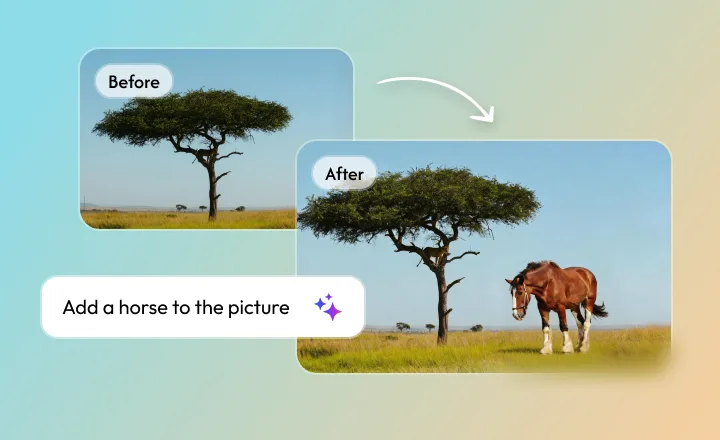
Il nuovo contenuto segue luce, bordi e prospettiva originali.
Sostituisci o aggiungi dettagli che combaciano con la foto
Seleziona un’area, poi descrivi cosa sostituire o aggiungere. Il riempimento usa luce, texture e punto di vista della foto, così i nuovi dettagli stanno nella stessa scena invece di sembrare incollati.
AI PotenziatoSenza soluzione di continuitàIn tempo reale
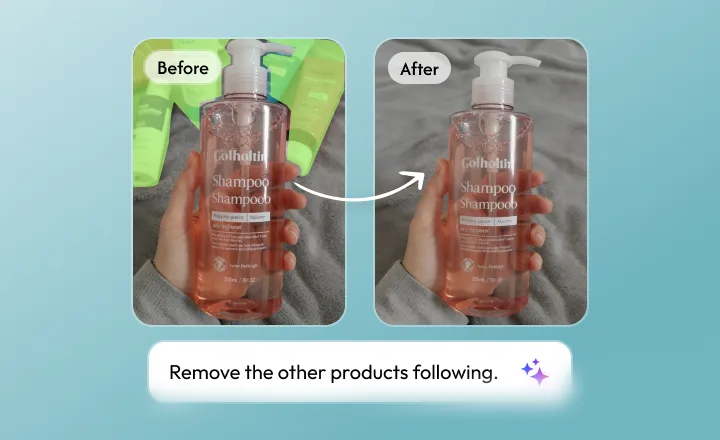
Escono persone, disordine, cavi e filigrane; lo sfondo si riempie di nuovo.
Rimuovi oggetti indesiderati senza lasciare un buco
Pennella l’oggetto e lascia che l’AI ricostruisca lo sfondo da texture e luce vicine. L’obiettivo è un export pulito, non un buco visibile né un bordo duro intorno alla maschera.
AI PotenziatoSenza soluzione di continuitàIn tempo reale
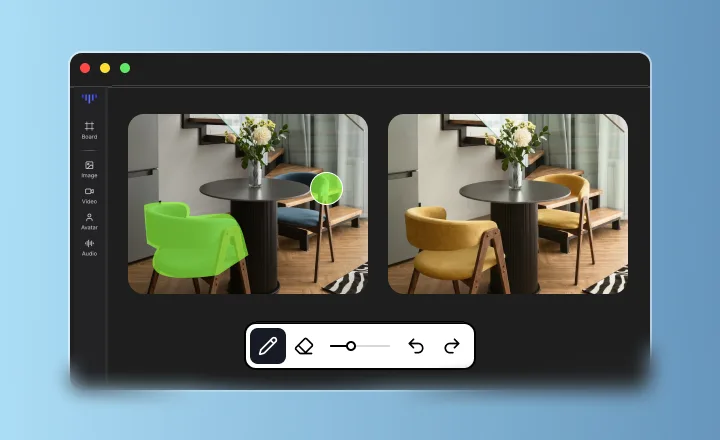
Evita i software pesanti: ottieni istantaneamente scatti di qualità da studio.
Strumento Inpaint online AI senza software complesso
Smetti di perdere tempo con enormi programmi di installazione multi-GB. Tutto il lavoro pesante avviene nel cloud. Basta trascinare e rilasciare la tua foto nel browser e vedrai risultati professionali in pochi secondi. Modifica i capolavori sul tuo telefono o laptop, sempre e ovunque.
AI PotenziatoSenza soluzione di continuitàIn tempo reale
INDUSTRIE
Industrie che serviamo con AI Inpainting
Consentire ai professionisti di ogni settore di creare la perfezione.
1
E-commerce
Crea immagini di prodotto impeccabili che incentivano le conversioni.
2
Immobiliare
Mostra le proprietà nella loro luce migliore senza distrazioni.
3
Agenzie di marketing
Fornisci risorse di campagna di fascia alta a velocità record.
4
Film e produzione
Accelera la post-produzione con la pulizia basata su AI.
5
Creatori di contenuti
Mantieni un feed raffinato con strumenti di modifica semplici.
6
Istruzione
Crea materiali didattici chiari e privi di distrazioni.
FLUSSO DI LAVORO
Come utilizzare AI Inpainting
- 01
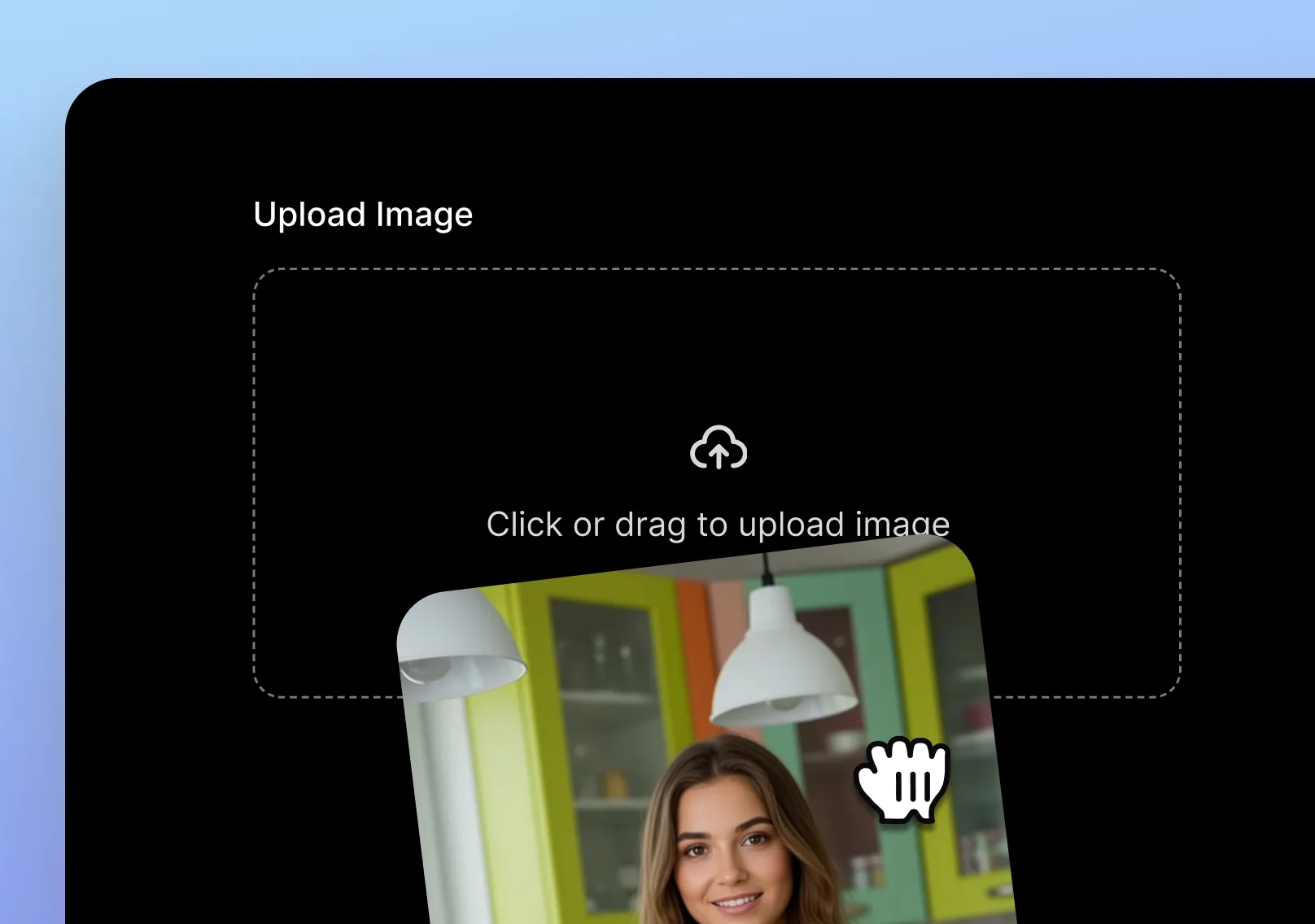
Carica la tua immagine
Carica dal tuo dispositivo o seleziona un'immagine esistente all'interno del tuo progetto Topview.
- 02
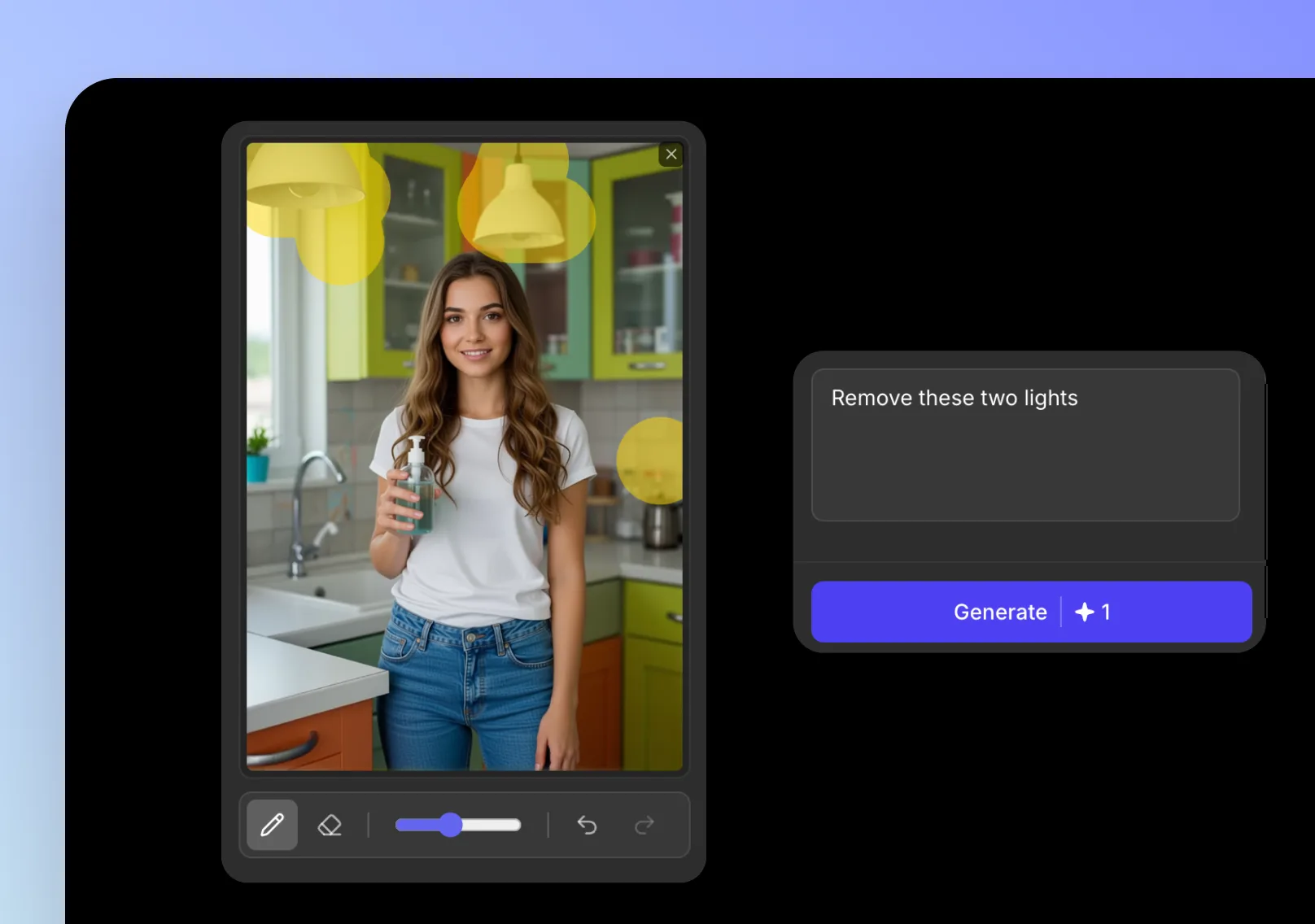
Dipingi l'area
Passa il pennello sull'area che desideri rimuovere, sostituire o a cui aggiungere contenuto. Tieni la maschera precisa per ottenere bordi più puliti.
- 03
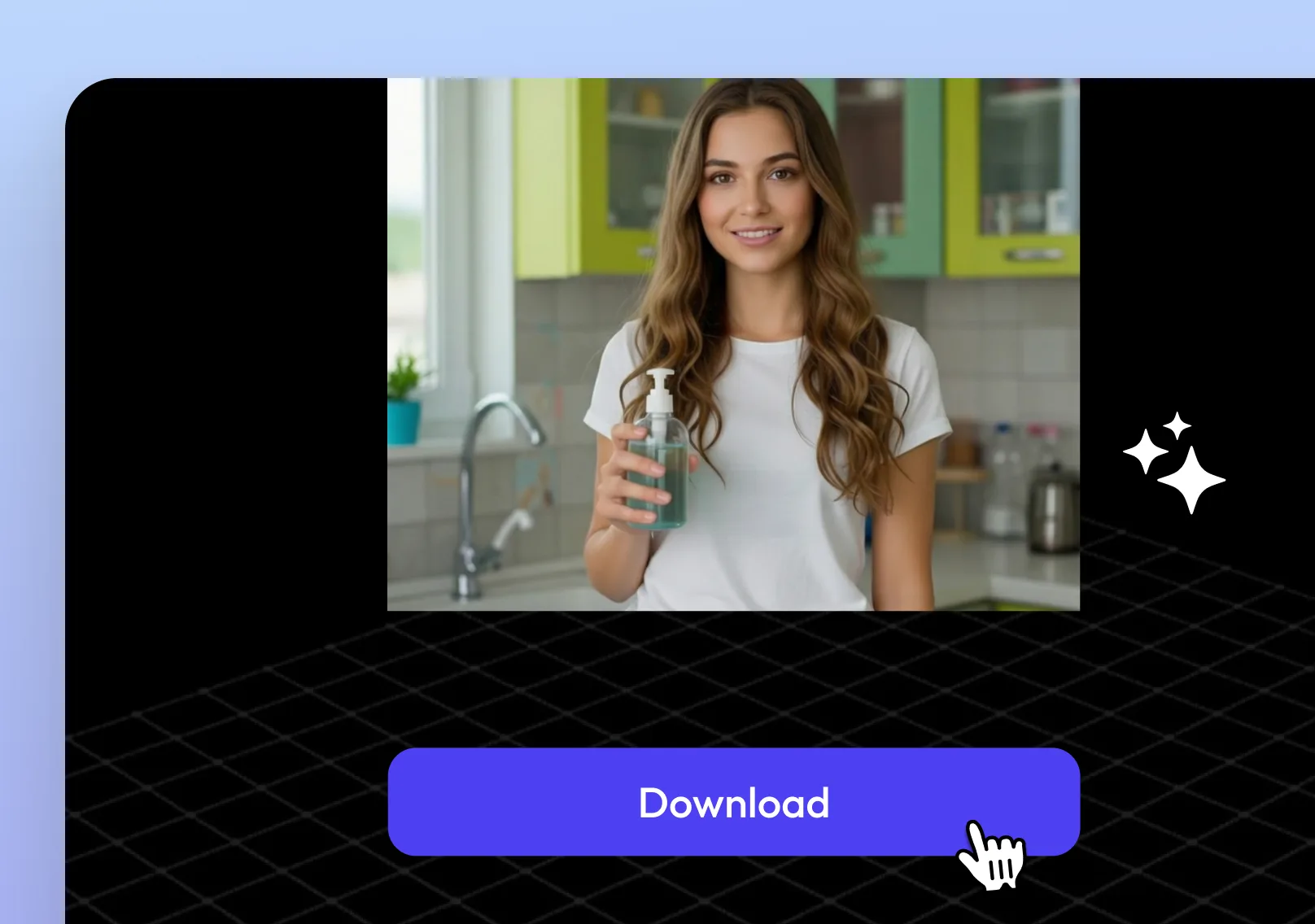
Prompt e scarica
Descrivi il risultato desiderato, facoltativamente carica fino a 2 immagini di riferimento, genera la tua modifica, quindi esporta l'immagine finale.
Altri strumenti AI
Altri strumenti AI
Esplora la suite completa di strumenti AI di Topview per annunci, avatar, video, immagini e flussi di lavoro vocali.