Cinematic Showcase
A macro photography prompt for a hyper-realistic video showing an artisan carving a miniature wooden sports car with realistic textures.
텍스트, 이미지, 오디오, 영상 참조로 최대 10초 길이의 동기화 오디오 AI 영상을 생성하세요. Gemini Omni Flash는 Google I/O 2026에서 시네마틱 생성, 자연어 편집, 최신 크리에이티브 워크플로를 위해 공개되었습니다.
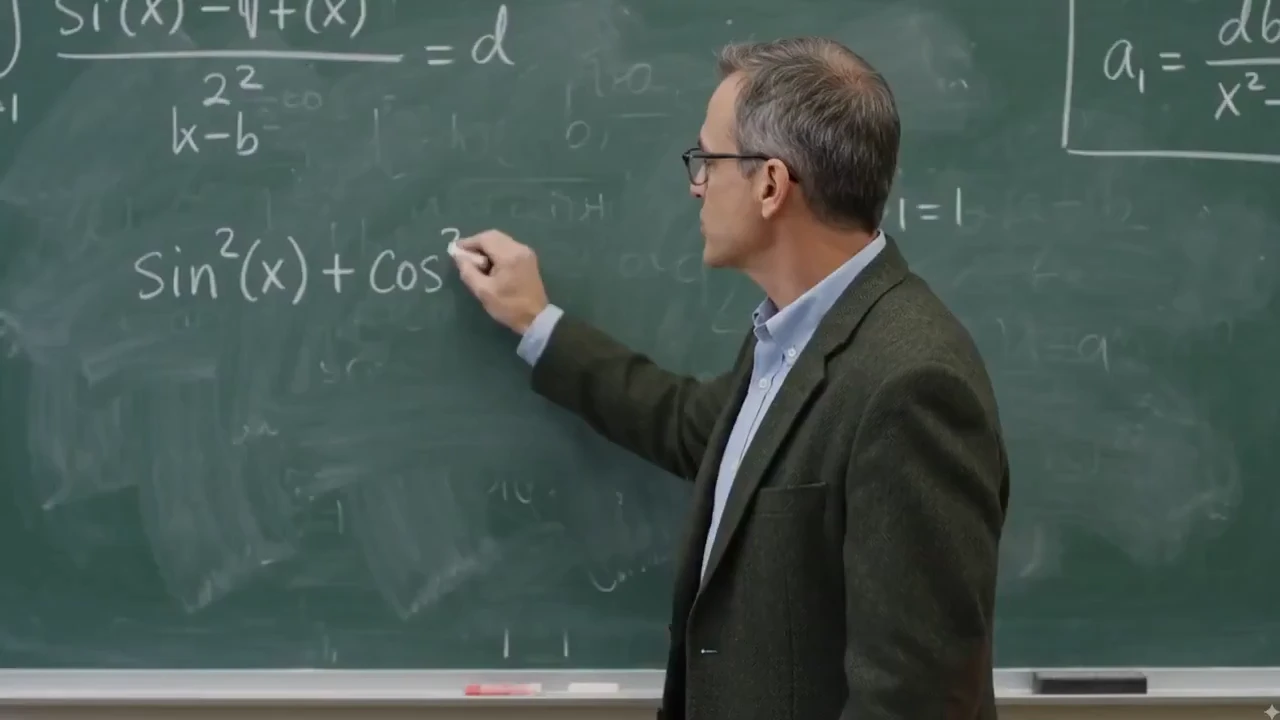
각 기능은 왼쪽에 입력을 표시하고 오른쪽에 AI에서 생성된 결과를 표시하므로 Gemini Omni 스타일 워크플로가 시작 클립이나 이미지를 어떻게 변환하는지 정확하게 확인할 수 있습니다.
간단한 자연어 지침으로 모든 클립을 편집하세요. 카메라 각도, 조명 및 주변 상황을 일관되게 유지하면서 피사체 교체, 장면 조정, 동작 다듬기 등 무엇을 변경할지 Gemini Omni 스타일 워크플로에 알려줍니다.
단일 명령으로 모든 비디오 클립에서 로고, 텍스트, 워터마크를 지우는 동시에 배경 동작, 조명, 주변 상황을 보존할 수 있습니다. 스톡 영상 정리, 크리에이터 클립 용도 변경, 제품 비디오 개선에 이상적입니다.
Change the shot language after generation: move from a close-up to a wide shot, shift to a low-angle view, add a dolly-in, or make the scene feel like one continuous take.
Replace the environment while preserving the main subject, action, lighting direction, and scene continuity. Use it for product variants, lifestyle scenes, and campaign localization.
Swap a product, prop, outfit, or character reference without rebuilding the whole video. The edit can preserve the original camera path, contact shadows, and surrounding context.
Transform the same scene into a new visual language such as cinematic realism, watercolor, claymation, anime, graphite sketch, or translucent glass 3D while keeping the action readable.
교육적 설명부터 제품 리믹스 및 소셜 후크에 이르기까지 Gemini Omni 스타일 워크플로는 신속하고 즉각적인 AI 비디오 제작을 위해 설계되었습니다.
자연어로 조명, 재질, 날씨, 환경을 변경하세요. 낮을 밤으로 바꾸고, 표면 텍스처를 교체하거나, 샷을 처음부터 다시 만들지 않고도 장면을 재구성할 수 있습니다.
실사 영상을 리믹스해 제품과 로고 삽입, 캐릭터 교체, 브랜드 디테일을 추가하면서도 원래의 카메라 움직임, 타이밍, 장면 구조를 유지합니다.
물리 법칙을 재작성하고 초현실적 순간을 만들어 보세요. 불가능한 소재, 중력을 거스르는 액션, 하이브리드 생물, 그리고 여전히 일관된 시네마틱 장면을 생성합니다.
중력, 동작, 조명, 재료, 반사 및 그림자가 모두 카메라에서와 같이 작동하여 모든 장면에 믿을 수 있는 무게감과 디테일을 제공하는 등 높은 충실도로 실제 세계를 재현합니다.
일반적으로 고급 제작에 사용되는 영화 조명, 컬러 그레이딩, 피사계 심도 및 대기 디테일을 사용하여 영화 수준의 영상을 생성합니다.
Use music, narration, sound effects, or ambience to guide visual rhythm, text timing, cuts, camera motion, and beat-matched animation.
대화, 반응, 공유 동작 등 자연스럽게 상호 작용하는 여러 캐릭터가 포함된 영화 같은 장면을 생성하는 동시에 모든 장면에서 시선, 표정, 타이밍을 일관되게 유지합니다.
간단한 프롬프트 지침에 따라 자연스러운 캐릭터 성능과 자신감 있는 카메라 작업(돌리인, 궤도, 추적, 크레인 이동)을 생성합니다.
Combine a prompt, product image, motion reference video, and audio cue in one workflow so the final video inherits the right subject, movement, mood, and timing.
Use rough sketches, composition notes, or layout references to steer where subjects appear, how the camera frames the action, and how the scene should unfold.
Create social hooks, product claims, captions, formulas, or title cards that appear word by word, follow the action, or land on a specific beat.
Blend impossible animal traits into a believable cinematic shot, from an elephant-snail hybrid to fantasy wildlife with coherent anatomy, texture, motion, and habitat.
Start with one creative concept, then adapt it into vertical social clips, square ads, landing page hero videos, explainers, and product page media.
Edit existing footage with direct instructions: add branded details, replace people or characters, and keep the original camera motion, timing, and scene structure intact.
Real clips shared on X—watch the posts below, then try Gemini Omni yourself on Topview.
Gemini Omni Flash and Seedance 2.0 both support multimodal AI video workflows, but they solve different production jobs. This comparison focuses on launch status, inputs, output control, audio, editing, and where each model fits best.
A quick visual reference before reading the detailed comparison table below.
Reference-led prompt scene generated with a Gemini Omni-style workflow.
| Comparison Point | Gemini Omni Flash | Seedance 2.0 | Best Fit |
|---|---|---|---|
| Core positioning | Google's first Gemini Omni release for text, image, audio, and video guided generation plus natural-language editing. | A production-oriented multimodal model with high-resolution clips, native audio workflows, and strong cinematic control. | Omni for reference-led editing and transformation; Seedance 2.0 for polished multi-shot production. |
| Clip length and format | Up to 10-second clips today, with 16:9, 9:16, and 1:1 platform-adaptive output. | Commonly positioned around 4-15 second shots, 480p/720p/1080p output, and more aspect-ratio options. | Omni for short social-ready transformations; Seedance 2.0 for longer draft-to-finish scenes. |
| Audio, speech, and lip-sync | Generates synchronized audio and can use audio references for timing, ambience, narration cues, and multilingual lip-sync workflows. | Strong fit for native audio-video generation, sound effects, voiceover, music, and lip-sync-driven clips. | Seedance 2.0 for sound-led scenes; Omni for edit-directed sync, language variants, and timed visual changes. |
| Reference control | Uses text, images, audio, video, sketches, and storyboards to guide characters, products, motion, style, and educational visuals. | Supports broad multimodal reference input for character, style, motion, sound, and multi-shot continuity. | Omni when unusual references like drawings or infographics drive the idea; Seedance 2.0 when shot continuity is the priority. |
| Editing workflow | Conversational follow-up edits: replace objects, change backgrounds, adjust camera, preserve references, restyle to an 80s look, or add timed text. | Supports prompt-led scene creation, character/action editing, and multi-shot assembly in a broader generation pipeline. | Omni when repeated natural-language refinement is the job; Seedance 2.0 when the first-pass scene needs to feel finished. |
| Availability and trust signals | Launched at Google I/O 2026 on May 19, surfaced through Google product experiences, with SynthID/C2PA provenance and API access expected later. | Available through creator platforms and API aggregators with clear production settings such as resolution, duration, and aspect ratio. | Use Omni for Google-native creative exploration and YouTube Shorts ideas; use Seedance 2.0 when API-ready production control matters today. |
AI 비디오를 만드는 데 복잡한 편집 소프트웨어가 필요하지 않습니다. 프롬프트 기반 AI 비디오 생성기를 사용하면 아이디어를 설명하고, 시각적 참조를 업로드하고, 스타일을 선택하고, 실제 출판 요구에 맞는 비디오를 생성할 수 있습니다.
간단한 프롬프트나 이미지를 통해 제품 비디오, 소셜 클립, 아바타 비디오, 영화 같은 장면, 설명 및 시각적 스토리를 만드세요.
Gemini Omni is Google DeepMind's multimodal generative media model family for creating, editing, and transforming video from text, images, audio, and video inputs. Its first released model, Gemini Omni Flash, was launched at Google I/O 2026 on May 19.
For creators and marketers, Gemini Omni shifts AI video creation toward natural-language workflows: start with an idea or reference, generate a video with synchronized audio, then refine the result through targeted edits instead of rebuilding the entire clip.
제작자, 마케팅 담당자 및 전자상거래 팀을 위해 구축된 AI 비디오 제작, 편집 및 리믹스를 위한 즉각적인 주도형 워크플로입니다.
피사체, 장면, 동작, 카메라 움직임, 시각적 스타일을 자연어로 설명하여 짧은 AI 동영상을 만듭니다.
배경 변경, 제품 조정, 개체 교체, 최종 장면 개선 등의 간단한 지침으로 동영상을 다듬으세요.
하나의 비디오 아이디어를 다양한 플랫폼, 스타일, 청중 및 캠페인 각도에 맞게 여러 버전으로 전환하세요.
보다 명확한 텍스트와 구조화된 장면이 필요한 교육용 클립, 칠판 설명, 제품 데모 및 시각적 수업을 생성합니다.
조명, 원근감, 그림자 및 상황의 일관성을 유지하면서 제품, 소품 또는 장면 요소를 교환하세요.
광고, 제품 데모, 설명, 비교 비디오 및 소셜 미디어 클립을 위한 반복 가능한 비디오 형식부터 시작하세요.
Gemini Omni Prompt Library
127+ Gemini Omni Prompts & Guide
Cinematic Showcase
A macro photography prompt for a hyper-realistic video showing an artisan carving a miniature wooden sports car with realistic textures.
Brand Commercial
A comprehensive prompt for generating vertical UGC-style product videos of portable fans, covering unboxing, macro details, and functional demos with a focus on ASMR and realistic textures.
Short Film
The opening shot for the 'Ember and the Firefly' cinematic demo, featuring a wide push-in on a character freezing as they spot a glowing firefly.
피사체, 동작, 장면, 카메라 움직임, 분위기, 출력 형식 등 만들고 싶은 비디오를 설명하세요.
생성을 클릭하면 Gemini Omni 스타일 워크플로가 비디오를 렌더링하게 됩니다. AI이 프롬프트에 따라 장면, 모션 및 분위기를 구축하는 과정을 미리 시청하세요.
미리보기가 만족스러우면 AI에서 생성된 비디오를 다운로드하여 소셜 미디어, 광고, 제품 페이지 또는 스토리텔링 콘텐츠에서 직접 사용하세요.
소셜, 전자상거래, 교육, 제품 스토리텔링을 위한 하나의 프롬프트 주도형 워크플로우입니다.
| 플랫폼 | 최고의 형식 | 사용 사례 |
|---|---|---|
| TikTok | 9:16 수직 | 빠른 연결, 제품 편집, 소셜 리믹스 |
| YouTube | 16:9 풍경 | 설명 비디오, 데모, 교육 클립 |
| Reels / 광장 | 크리에이터 비디오, 스타일화된 편집, 브랜드 비주얼 | |
| 전자상거래 | 제품 미디어 | 제품 변형, 데모 클립, 마켓플레이스 광고 |
| 랜딩 페이지 | 영웅 영상 | 짧은 모델 데모, 출시 영상, 기능 설명 |
Gemini Omni 스타일 워크플로우는 하나의 아이디어가 여러 비디오 형식이 되어야 할 때 특히 유용합니다. 핵심 프롬프트로 시작한 다음 소셜 미디어, 광고, 제품 페이지 및 교육 콘텐츠에 동일한 개념을 적용하세요.
A creator-focused summary of the official Gemini Omni and Gemini Omni Flash information that matters for video workflows.
The first released model in the Gemini Omni multimodal generative media family.
Google DeepMind가 멀티모달 영상 생성 및 편집 워크플로를 위해 공개했으며, 더 넓은 개발자/API 접근은 추후 제공될 예정입니다.
Create video from prompts and references, then refine the result with natural-language instructions.
공식 자료는 텍스트, 이미지, 오디오, 비디오 입력 지원과 동기화된 오디오가 포함된 고품질 영상 출력을 강조합니다.
첫 릴리스 클립은 현재 최대 10초로 제한되며, 더 긴 생성과 확장 워크플로가 확대될 예정입니다.
YouTube, Shorts, 소셜 광고, 제품 페이지, 설명 영상, 시네마틱 장면에 적합합니다.
Use existing clips as references for motion, action, scene structure, or video transformation.
Preserve characters, products, objects, style cues, or storyboard frames from uploaded images.
Guide rhythm, sound, ambience, narration, and visual timing with audio input.
Control subject, action, camera, lighting, style, location, text, and timing through prompt instructions.
Refine a generated or existing video through follow-up instructions without rewriting the full prompt.
Useful for teams that need prompt-led video concepts, reference consistency, and fast campaign variations.
프롬프트, 이미지, 제품 및 창의적인 아이디어를 광고, 소셜 미디어, 제품 쇼케이스 및 스토리텔링을 위한 AI 생성 비디오로 변환하세요.
텍스트를 비디오로 · 이미지를 비디오로 · 제품 비디오 · 아바타 비디오
Social Lifestyle
A high-energy cinematic prompt for Gemini Omni that creates a 15-second day-in-the-life sequence of a Japanese boxer.
Channel Intro
A fast-paced 5-second 2D Chinese anime character intro clip using three reference images, featuring ink-wash backgrounds and heroic poses.
Game Cinematic
A creative prompt for making a video similar to The Sims character creation interface, featuring dancing, a rotating Plumbob, and static UI.
Music Video
A comprehensive prompt for generating high-quality stylized music videos featuring two characters with unique VFX, soft ink-wash aesthetics, and synchronized hand-drawn effects.