
Product Launch
Cinematic Product Reveal
Feature Launch Story
Connected Product Story
Product Reveal
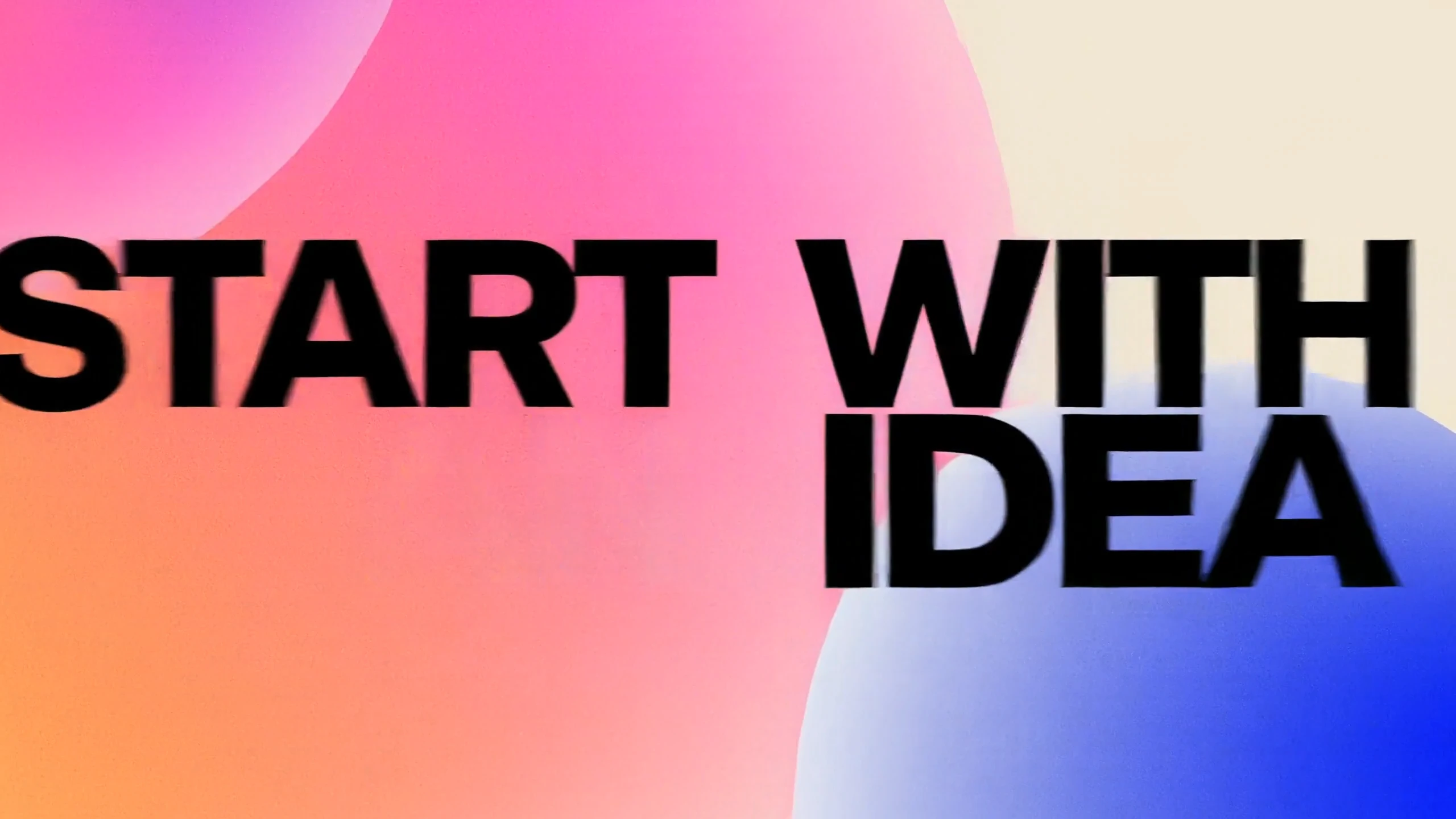
Product launch
Create a Topview Motion Studio launch video. Use cream backgrounds, coral, blue and violet gradient spheres, bold black-and-white kinetic type, sparkle icons and purple orbital paths. Open with “START WITH AN IDEA,” reveal the logo, then show “TURN AN IDEA INTO MOTION” and “THIS IS MOTION STUDIO.” Add floating UI cards and an AI prompt composer. Use smooth scaling, circular masks, match cuts and motion blur. End on a black logo card with upbeat electronic music and interface sounds.
Cinematic Product Reveal
Feature Launch Story
Connected Product Story
Product Reveal
App UI Story
SaaS Workflow Demo
Feature Announcement
Mobile App Walkthrough
Kinetic Headline Animation
Animated Brand System
Data-Driven Launch Story
Kinetic Typography
Brand Identity Reveal
Visual Detail Study
Brand Mark Reveal
Launch End Card
Create product-focused motion videos with a guided AI workflow that reduces the cost and time of traditional After Effects production—without building a timeline from scratch.

Choose the product story and creative direction instead of constructing the launch video layer by layer with keyframes and a complex timeline.
Generate a product-focused motion video for around $3, while a custom After Effects production can run into thousands of dollars.
Generate a first motion-video result in around 10 minutes, while a traditional After Effects production can take weeks or months.
References help guide interfaces, visual details, brand cues, and product moments so the launch is not based on a text prompt alone.
A dedicated motion design skill helps organize pacing, transitions, typography, visual continuity, and the relationship between scenes.
Product, marketing, brand, and design teams can guide the launch story without first learning professional motion software. It is a guided workflow, not a replacement for every studio process.
Motion Studio is designed for product launches and feature announcements that need real product context, connected scenes, and a clear message.
Introduce an AI tool or app with interface references, focused benefits, and a clear progression through the product experience.
Turn a workflow, dashboard, or enterprise capability into a focused story around the problem, product value, and key product moments.
Use brand assets, product visuals, and campaign messaging to guide a launch story around identity, positioning, and memorable product moments.
Build a launch story around what is new, why it matters, the product moments to show, and the message the audience should remember.
Motion Studio starts with the product story, not a single generated shot. It organizes the brief, real product references, visual direction, timing, typography, and delivery format into a connected launch narrative.
Define what the product is, who it is for, the message people should remember, and the features or product moments the launch needs to show.
Shape a multi-scene sequence around the reveal, benefits, product moments, and closing message instead of generating an isolated shot.
Product photos, UI screenshots, dashboards, logos, and other brand assets help guide product details and the visual direction of the video.
Choose a 4–60 second duration and one of six aspect ratios before generation, based on where the launch video will be used.
Bring the product context and choose the creative controls. Motion Studio carries them into Canvas, where an AI Agent and a dedicated motion design skill organize the launch-video generation workflow.
Describe the product, target audience, core value, and the features, scenes, or product moments that belong in the launch story.
Upload multiple product photos, UI screenshots, dashboards, logos, or brand assets in JPG, JPEG, PNG, or WEBP, up to 15MB per image.
Choose a product-story motion direction that guides animation, pacing, typography, transitions, texture, lighting, and atmosphere.
Set the timing for a short product reveal, a focused feature announcement, or a fuller product launch narrative.
Choose 21:9, 16:9, 4:3, 1:1, 3:4, or 9:16 for product pages, presentations, launch announcements, feeds, or vertical placements.
After submission, continue in Canvas, where an AI Agent and a motion design skill use the brief, references, and creative direction to generate the video.
Define the product story, add real product context, choose the creative direction, and continue into Canvas for the launch-video generation workflow.
Step 1
Describe what the product is, who it is for, the core value or message people should remember, and the features, scenes, or product moments to include.
Step 2
Upload product photos, UI screenshots, dashboards, logos, or other brand assets. Then select a curated motion style, choose a duration from 4 to 60 seconds, and set the target aspect ratio.
Step 3
Submit the brief, references, and creative controls to Canvas. An AI Agent and dedicated motion design skill then organize the inputs into a connected product launch video.
Topview Motion Studio is a guided AI workflow for product launch videos. It turns a product brief, product or interface references, a motion style, duration, and aspect ratio into a connected launch-video generation workflow.
A generic AI video generator often creates an individual shot from a prompt. Motion Studio organizes the product message, real reference assets, multiple connected scenes, visual direction, typography, timing, and delivery format around a complete product launch story.
Explain what the product is, who it is for, the core benefit or message people should remember, and the features, scenes, or product moments you want the video to show.
You can add multiple product photos, UI screenshots, dashboards, logos, and other brand assets in JPG, JPEG, PNG, or WEBP format. Each image can be up to 15MB.
Yes. Motion Studio offers curated motion styles for product stories. The selected direction guides animation, pacing, transitions, typography, texture, lighting, and atmosphere.
No. Product, interface, and brand references help guide product details and visual direction, but AI-generated results can vary and should be reviewed before use.
You can choose a duration from 4 to 60 seconds for a short reveal, a focused feature announcement, or a fuller launch narrative.
Motion Studio supports 21:9, 16:9, 4:3, 1:1, 3:4, and 9:16 for product pages, presentations, launch announcements, feeds, and vertical placements.
Motion Studio is suited to AI tools, SaaS products, mobile apps, fintech products, enterprise software, and new product or feature announcements.
The workflow continues in Canvas. An AI Agent and a dedicated motion design skill use the product brief, references, motion style, duration, and aspect ratio to organize the launch-video generation process.
It is designed for product, marketing, brand, and design teams, startup founders, and teams building SaaS, apps, AI products, and enterprise software.
No. Motion Studio is a guided AI workflow for producing a product launch video without building an After Effects timeline. It is not an online After Effects editor and does not generate a complete editable After Effects project.
Motion Studio
Bring the product story and real reference assets. Choose the motion style, 4–60 second duration, and target format, then continue into Canvas for generation.