
Seedream 5.0 Pro —Precision Edit · Layer Control · Multilingual Text
ByteDance's multimodal model for professional image creation. Built around region-precise editing, layer-based control, and native text in 10+ languages — ideal for ecommerce heroes, posters, and cross-border creatives. Debuted at FORCE (June 2026); released July 8, 2026.
PRECISION EDIT • LAYER CONTROL • MULTILINGUAL TEXT • DENSE LAYOUT

Prompt
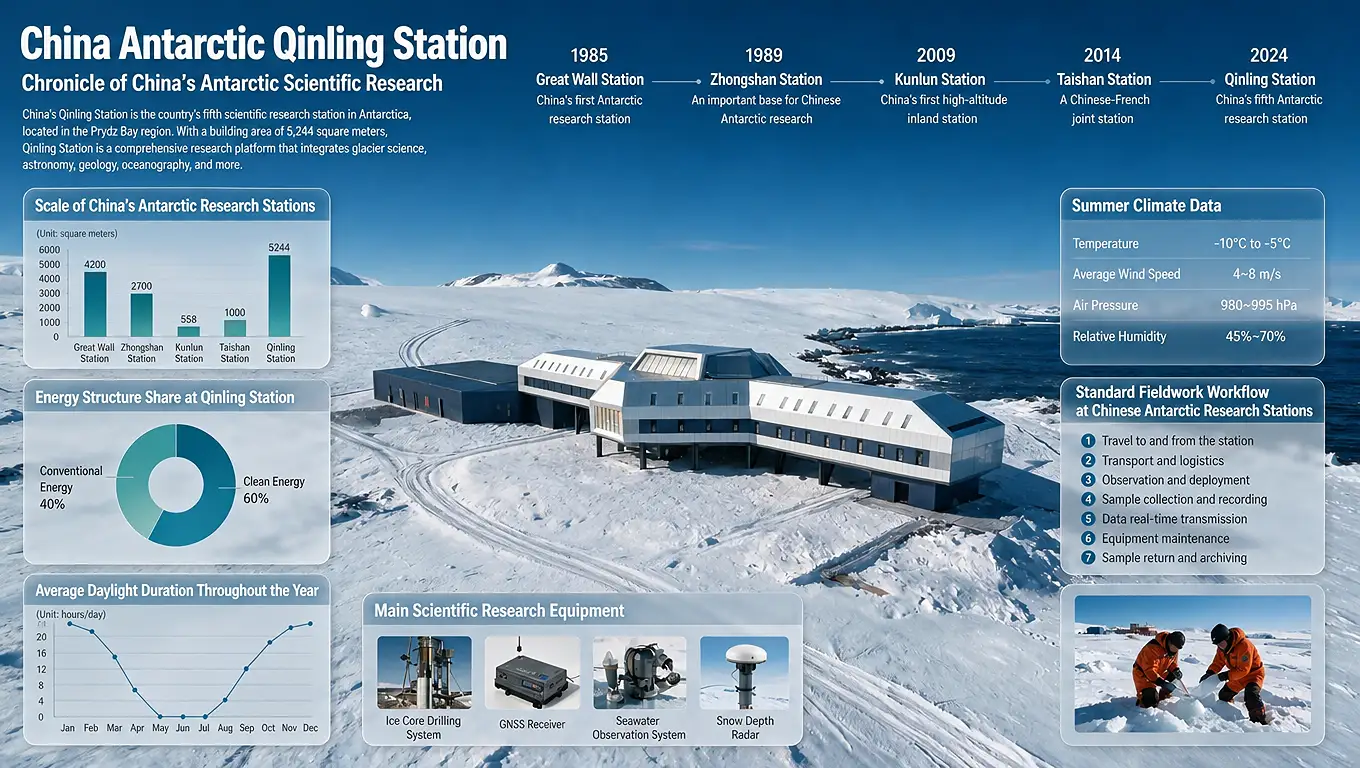
Infographic on China's Antarctic Qinling Station: timeline of research stations from 1985 to 2024, bar chart comparing station scale, donut chart of clean-energy share, daylight-duration line chart, scientific-equipment icons, summer climate data panel, and a numbered fieldwork workflow, over an aerial photo of the snow-covered station.
What is Seedream 5.0 Pro
A controllable image generation and editing model for professional creatives
Seedream 5.0 Pro is not only about generating an image — it focuses on editing precisely, separating layers for reuse, and rendering multilingual text correctly for production workflows.
Announced at Volcano Engine FORCE in June 2026 and formally released on July 8, 2026. Built for creators, designers, and marketing teams.
Precision region editing
Mark areas with click, lasso, arrows, or sketches, then locally change color, material, objects, or composition — without redrawing everything. Supports multiple reference images at once for cross-image matching.
Layer control & reuse
Split text, subjects, and backgrounds into independent layers, then move, scale, or replace for poster and product-image revisions.
Native multilingual text
Supports 10+ languages including Chinese, English, Spanish, Arabic, Japanese, and Korean, with locale-aware typography and reading direction.
Three core capabilities
Seedream 5.0 Pro focuses on precision editing, layer control, and multilingual text — with strong support for dense information layouts.
Precision region editing
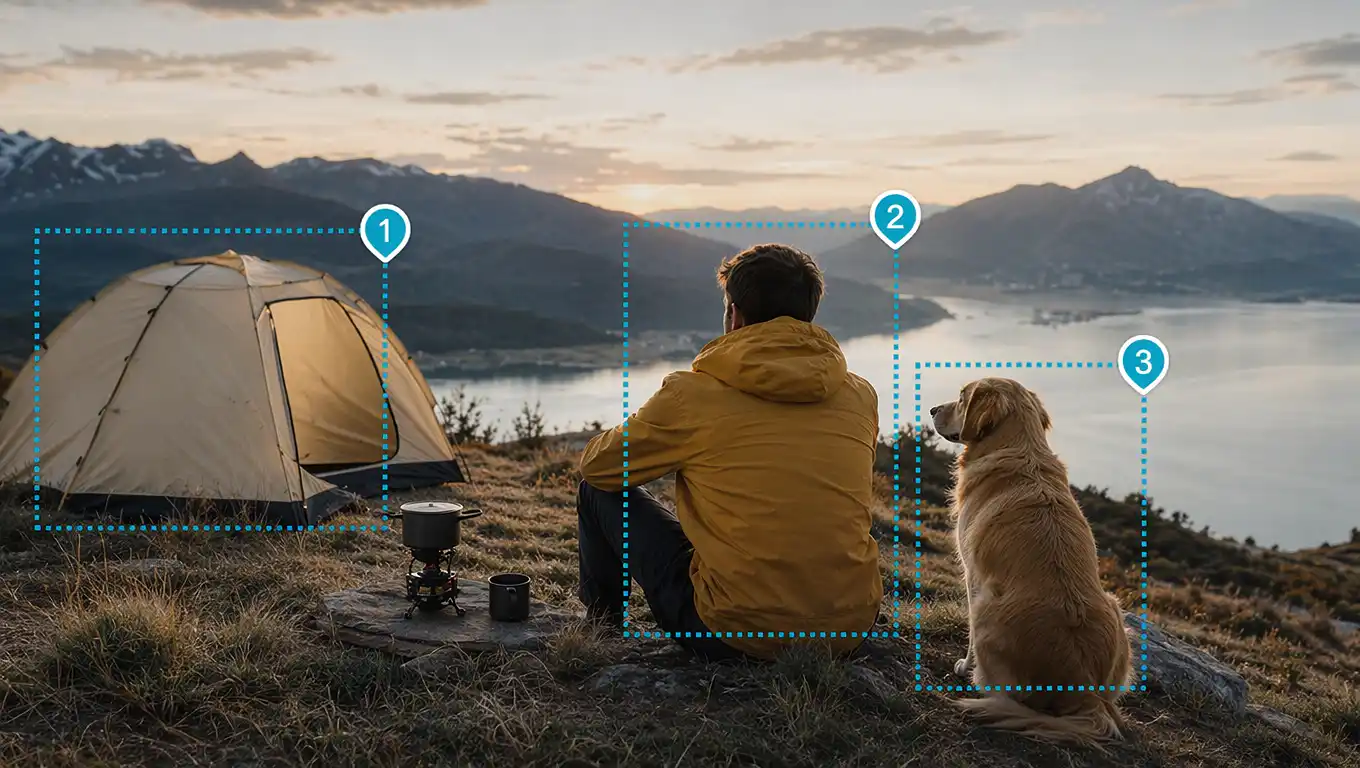
Lock the area you want to change with click, lasso, arrows, or sketches, then adjust color, material, objects, or local composition. Supports multi-image input so you can blend references from several photos — built for “fix this one part” workflows.
POINT • LASSO • SKETCH • MULTI-IMAGE
Layer control
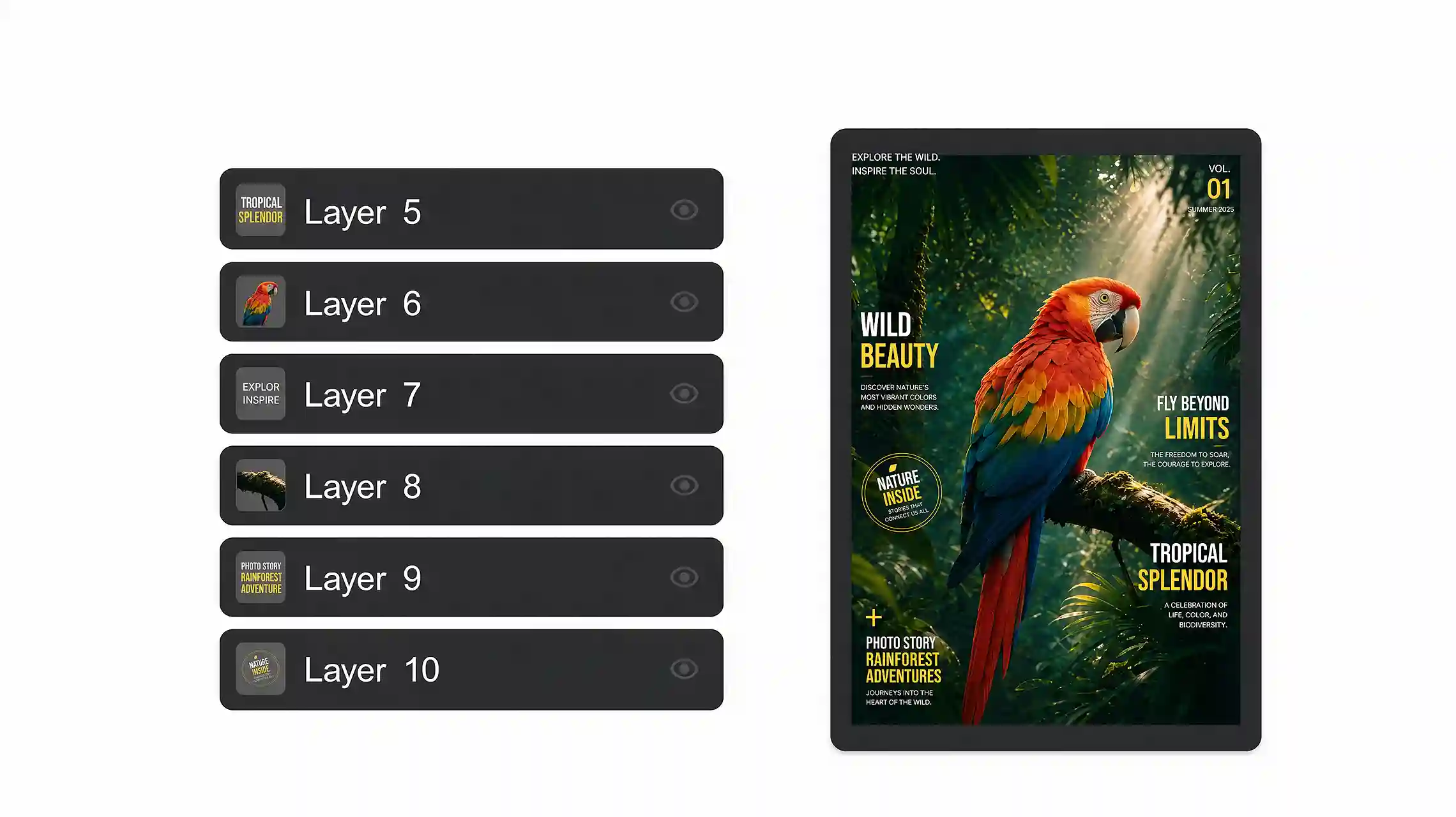
Separate text, objects, and layout regions into independent layers, then move, scale, and replace. Generated results behave more like editable design drafts.
LAYER SPLIT • MOVE • SCALE • ITERATE
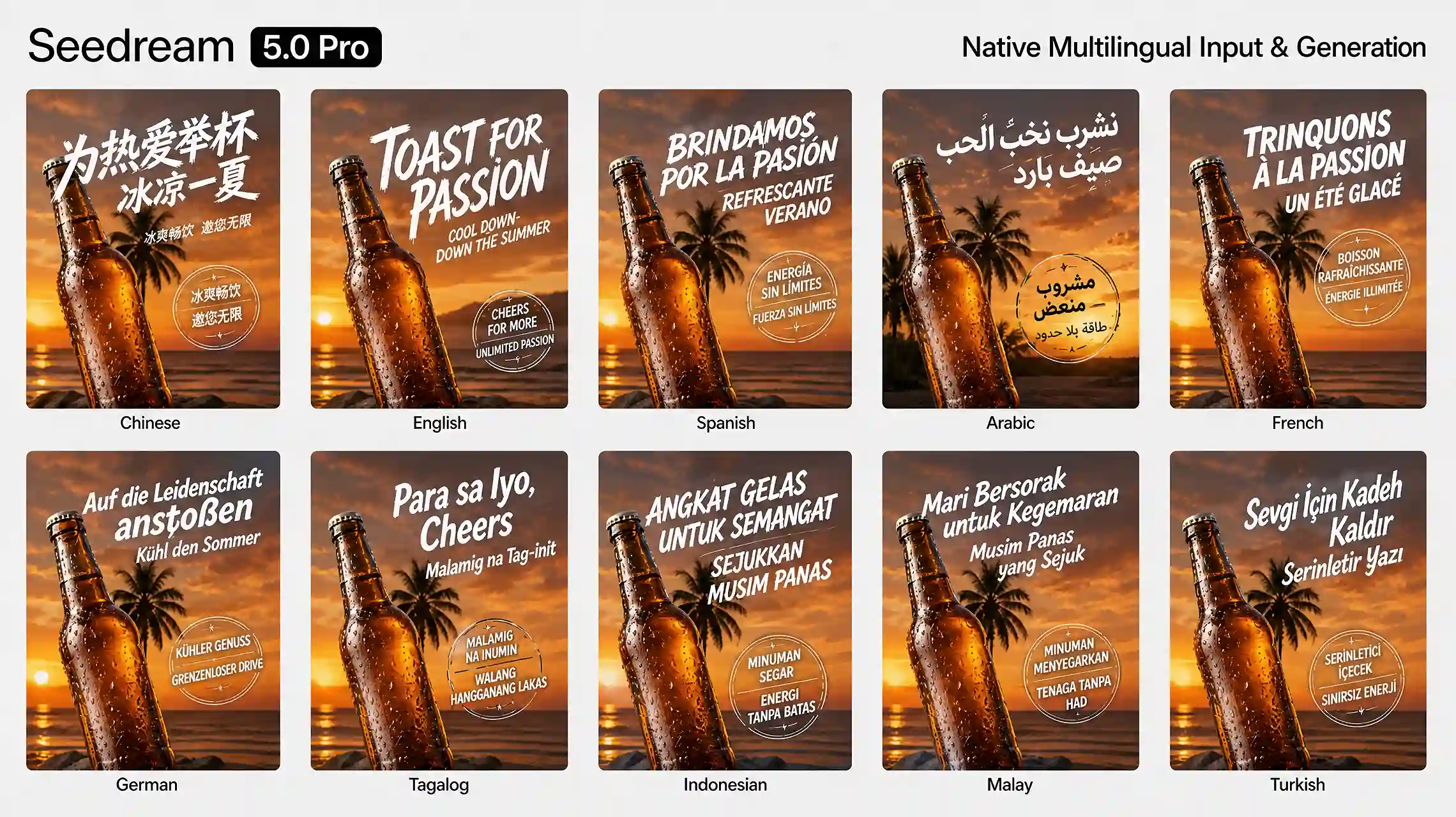
Multilingual text
Native support for Chinese, English, Spanish, Arabic, Japanese, Korean, and more — with reading direction and typography habits that fit each market.
10+ LANGUAGES • RTL • LOCALIZED TYPE
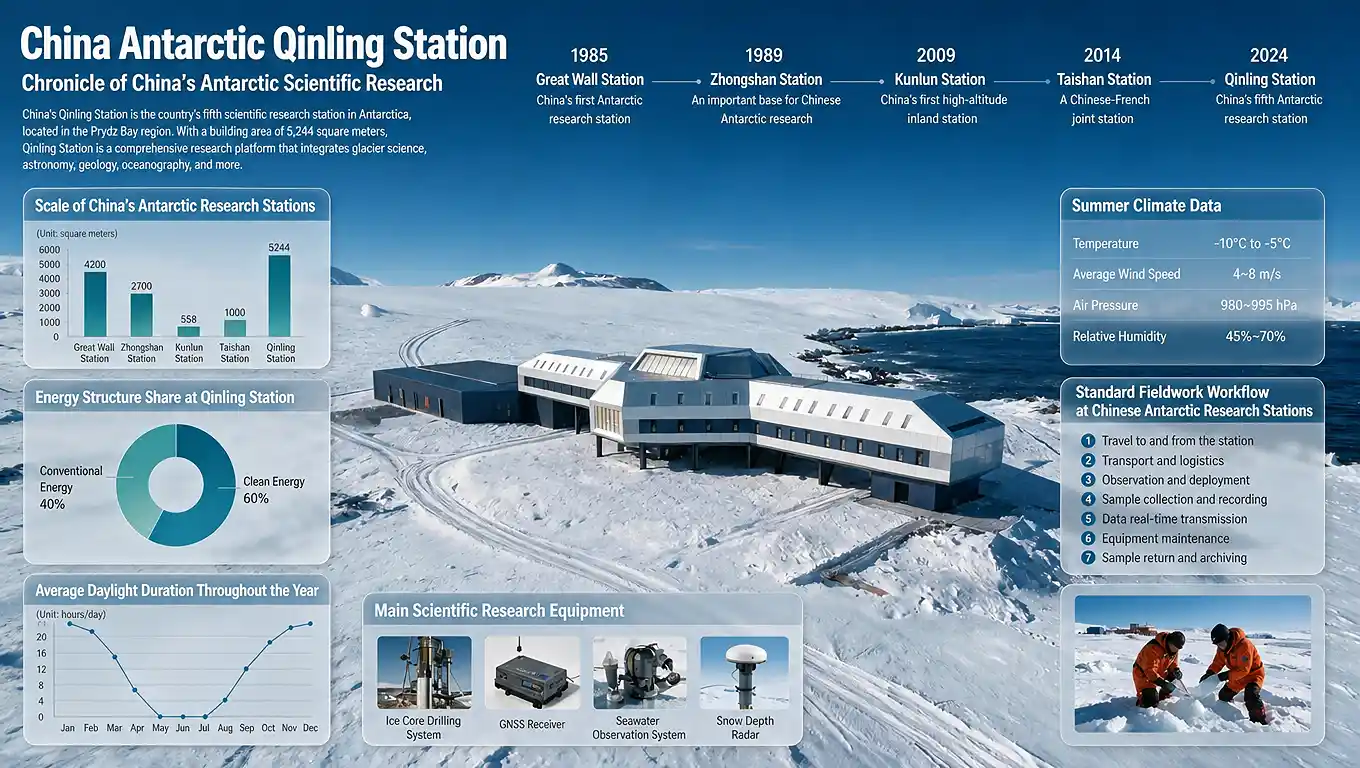
Dense information layout
Combine data, concepts, and longer copy into infographics, charts, explainers, or ecommerce detail visuals with clear hierarchy — not atmosphere-only images.
INFOGRAPHICS • CHARTS • DETAIL VISUALS • CLEAR HIERARCHY
Seedream 5.0 Pro vs Seedream 5.0
Pro emphasizes precision editing, layer control, and multilingual text. Choose Seedream 5.0 when you need Topview's established controllable generation and 4K workflow.
| Feature | Seedream 5.0 Pro | Seedream 5.0 |
|---|---|---|
| Positioning | Precision edit + layers + multilingual | Controllable AI image generation |
| Infographics & Dense Layouts | High-density info design & PPT-style boards | Strong commercial layouts |
| Precision Editing | Point / lasso / sketch region control | Natural language + multi-image edit |
| Layer Separation | Split text / objects / regions into layers | Layer-friendly design workflows |
| Multilingual Text | 10+ languages with locale-aware layout | Strong Chinese & English typography |
| Max Resolution | Up to 2048×2048 (2K) | Native 4K output |
| Instruction Following | Upgraded alignment, structure, text, aesthetics | High-fidelity generation |
| Best For | Ecommerce, posters, multilingual ads, infographics | Brand design, IP consistency, 4K delivery |
| Model Focus | Generate → edit → reuse | Create freely, edit effortlessly |
Choose Seedream 5.0 Pro for region-precise edits, layer iteration, and multilingual text. Choose Seedream 5.0 for the proven 4K controllable workflow already live on Topview.
Model Parameters
Seedream 5.0 Pro: key specs for professional image generation and controllable editing.
MODEL VERSION
Seedream 5.0 Pro
Multimodal image model focused on precision editing, layer control, and multilingual text.
RESOLUTION
Up to 2K
Generate at resolutions up to 2048×2048 with cleaner text in posters, labels, and infographics.
INPUT TYPES
Text + Multi-image + Marks
Natural language, multiple reference images, plus spatial cues like click, lasso, arrows, and sketches — supporting simultaneous multi-image input for grounded local edits and cross-image blending.
LANGUAGES
10+ Native
Chinese, English, Spanish, Arabic, Japanese, Korean, and more — with locale-aware glyphs and reading direction.
EDITING
Precision + Layers
Region edits, material/color swaps, layer split by text/objects/regions, then move, scale, and re-edit.
OUTPUT FORMATS
PNG, JPEG, WebP
Flexible exports for web, social, campaigns, and design handoff.
ASPECT RATIOS
Flexible Ratios
Common ratios including 1:1, 16:9, 9:16, 4:3, 3:4, and 4:5 for posters and product creatives.
AVAILABILITY
On Topview
Generate and edit with Seedream 5.0 Pro in your browser — no local GPU required.
How to Use Seedream 5.0 Pro
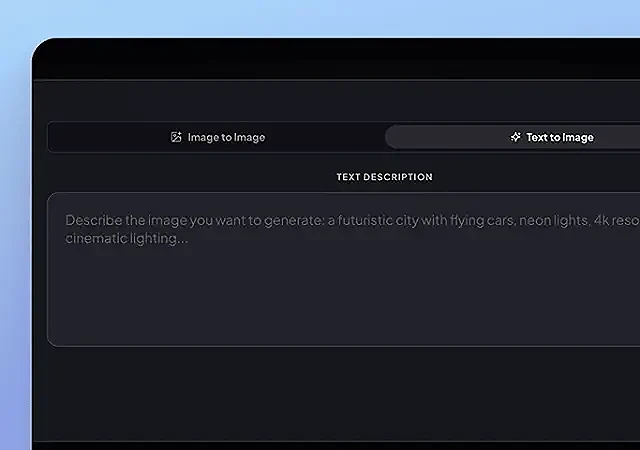
Step 1: Enter a prompt
Describe the image in natural language — or upload references and region annotations for precision edits.
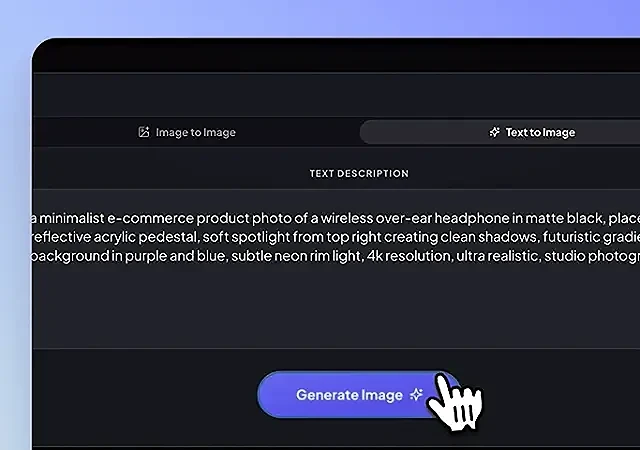
Step 2: Generate or edit
Click generate and let Seedream 5.0 Pro reason through layout, text, materials, and local changes.

Step 3: Download & iterate
Export, then refine with region edits or layer-style adjustments until the asset is production-ready.
Best for these workflows
Choose Seedream 5.0 Pro when you need controllable edits, readable text, and image assets you can keep iterating.
Ecommerce Main Images & Detail Pages
Build product heroes and information-dense detail visuals, then revise materials, props, and copy regions without full redraws.
Marketing Posters
Ship campaign posters with structured layouts and legible small text — closer to design production than mood generation.
Multilingual Ads
Create cross-border creatives with native text in 10+ languages, including reading-direction and typography habits.
Educational Infographics
Compose charts, explainers, and knowledge boards where hierarchy and dense labels matter more than atmosphere.
Social Media Visuals
Produce campaign and content visuals that stay editable when copy, product, or layout needs a quick local change.
Product Creative Revisions
Iterate design drafts with region control and layer-oriented adjustments — ideal when stakeholders keep requesting small fixes.
Try Seedream 5.0 Pro on Topview
Generate, then precision-edit, layer-adjust, and localize text — a professional image workflow in your browser.