
Cinematic Showcase
A macro photography prompt for a hyper-realistic video showing an artisan carving a miniature wooden sports car with realistic textures.
สร้างวิดีโอ AI สูงสุด 10 วินาทีพร้อมเสียงซิงค์จากข้อความ รูปภาพ เสียง และอ้างอิงวิดีโอ Gemini Omni Flash เปิดตัวที่ Google I/O 2026 สำหรับการสร้างแบบภาพยนตร์ การแก้ไขด้วยภาษาธรรมชาติ และเวิร์กโฟลว์สร้างสรรค์สมัยใหม่
แต่ละความสามารถจะแสดงอินพุตทางด้านซ้ายและผลลัพธ์ที่สร้างโดย AI ทางด้านขวา ดังนั้นคุณจึงสามารถเห็นได้อย่างชัดเจนว่าเวิร์กโฟลว์สไตล์ Gemini Omni แปลงคลิปหรือรูปภาพเริ่มต้นอย่างไร
แก้ไขคลิปด้วยคำแนะนำที่เป็นภาษาธรรมชาติง่ายๆ บอกเวิร์กโฟลว์สไตล์ Gemini Omni ว่าควรเปลี่ยนแปลงอะไร เช่น เปลี่ยนวัตถุ ปรับฉาก หรือปรับแต่งการเคลื่อนไหว โดยที่ยังคงรักษามุมกล้อง การจัดแสง และบริบทโดยรอบให้สอดคล้องกัน
ลบโลโก้ ข้อความ และลายน้ำออกจากคลิปวิดีโอด้วยคำสั่งเดียว ในขณะที่ยังคงการเคลื่อนไหวของพื้นหลัง แสง และบริบทโดยรอบไว้ เหมาะอย่างยิ่งสำหรับการล้างสต็อกฟุตเทจ การนำคลิปของครีเอเตอร์ไปใช้ใหม่ และการปรับแต่งวิดีโอผลิตภัณฑ์
Change the shot language after generation: move from a close-up to a wide shot, shift to a low-angle view, add a dolly-in, or make the scene feel like one continuous take.
Replace the environment while preserving the main subject, action, lighting direction, and scene continuity. Use it for product variants, lifestyle scenes, and campaign localization.
Swap a product, prop, outfit, or character reference without rebuilding the whole video. The edit can preserve the original camera path, contact shadows, and surrounding context.
Transform the same scene into a new visual language such as cinematic realism, watercolor, claymation, anime, graphite sketch, or translucent glass 3D while keeping the action readable.
ตั้งแต่ผู้อธิบายด้านการศึกษาไปจนถึงการรีมิกซ์ผลิตภัณฑ์และโซเชียล เวิร์กโฟลว์สไตล์ Gemini Omni ได้รับการออกแบบมาเพื่อการสร้างวิดีโอ AI ที่ดำเนินการอย่างรวดเร็วและฉับไว
เปลี่ยนแสง วัสดุ สภาพอากาศ และสภาพแวดล้อมด้วยภาษาธรรมชาติ เปลี่ยนกลางวันเป็นกลางคืน สลับพื้นผิว หรือจัดฉากใหม่โดยไม่ต้องสร้างช็อตใหม่ทั้งหมด
รีมิกซ์ฟุตเทจจริงด้วยการแทรกสินค้าและโลโก้ สลับตัวละคร และเพิ่มรายละเอียดแบรนด์ โดยยังคงการเคลื่อนไหวของกล้อง จังหวะ และโครงสร้างฉากเดิม
เขียนกฎฟิสิกส์ใหม่และสร้างช่วงเวลาเหนือจริง วัสดุที่เป็นไปไม่ได้ แอ็กชันต้านแรงโน้มถ่วง สิ่งมีชีวิตผสม และฉากภาพยนตร์ที่ยังคงสอดคล้องกัน
สร้างโลกทางกายภาพขึ้นมาใหม่ด้วยความเที่ยงตรงสูง ไม่ว่าจะเป็นแรงโน้มถ่วง การเคลื่อนไหว แสง วัสดุ การสะท้อน และเงา ทั้งหมดจะทำงานในลักษณะเดียวกับที่ทำในกล้อง ทำให้ทุกช็อตมีน้ำหนักและรายละเอียดที่น่าเชื่อ
สร้างภาพระดับฟิล์มด้วยแสงแบบภาพยนตร์ การจัดระดับสี ระยะชัดลึก และรายละเอียดบรรยากาศที่โดยทั่วไปสงวนไว้สำหรับการผลิตระดับไฮเอนด์
Use music, narration, sound effects, or ambience to guide visual rhythm, text timing, cuts, camera motion, and beat-matched animation.
สร้างฉากภาพยนตร์ที่มีตัวละครหลายตัวโต้ตอบกันอย่างเป็นธรรมชาติ เช่น บทสนทนา ปฏิกิริยา และการกระทำร่วมกัน ในขณะเดียวกันก็รักษาการจ้องมอง การแสดงออก และจังหวะเวลาให้สม่ำเสมอในทุกช็อต
สร้างประสิทธิภาพของตัวละครที่เป็นธรรมชาติและการทำงานของกล้องอย่างมั่นใจ—แบบดอลลี่ วงโคจร การติดตาม และการเคลื่อนตัวของเครน—ได้รับคำแนะนำจากคำแนะนำง่ายๆ
Combine a prompt, product image, motion reference video, and audio cue in one workflow so the final video inherits the right subject, movement, mood, and timing.
Use rough sketches, composition notes, or layout references to steer where subjects appear, how the camera frames the action, and how the scene should unfold.
Create social hooks, product claims, captions, formulas, or title cards that appear word by word, follow the action, or land on a specific beat.
Blend impossible animal traits into a believable cinematic shot, from an elephant-snail hybrid to fantasy wildlife with coherent anatomy, texture, motion, and habitat.
Start with one creative concept, then adapt it into vertical social clips, square ads, landing page hero videos, explainers, and product page media.
Edit existing footage with direct instructions: add branded details, replace people or characters, and keep the original camera motion, timing, and scene structure intact.
Real clips shared on X—watch the posts below, then try Gemini Omni yourself on Topview.
Gemini Omni Flash and Seedance 2.0 both support multimodal AI video workflows, but they solve different production jobs. This comparison focuses on launch status, inputs, output control, audio, editing, and where each model fits best.
A quick visual reference before reading the detailed comparison table below.
Reference-led prompt scene generated with a Gemini Omni-style workflow.
| Comparison Point | Gemini Omni Flash | Seedance 2.0 | Best Fit |
|---|---|---|---|
| Core positioning | Google's first Gemini Omni release for text, image, audio, and video guided generation plus natural-language editing. | A production-oriented multimodal model with high-resolution clips, native audio workflows, and strong cinematic control. | Omni for reference-led editing and transformation; Seedance 2.0 for polished multi-shot production. |
| Clip length and format | Up to 10-second clips today, with 16:9, 9:16, and 1:1 platform-adaptive output. | Commonly positioned around 4-15 second shots, 480p/720p/1080p output, and more aspect-ratio options. | Omni for short social-ready transformations; Seedance 2.0 for longer draft-to-finish scenes. |
| Audio, speech, and lip-sync | Generates synchronized audio and can use audio references for timing, ambience, narration cues, and multilingual lip-sync workflows. | Strong fit for native audio-video generation, sound effects, voiceover, music, and lip-sync-driven clips. | Seedance 2.0 for sound-led scenes; Omni for edit-directed sync, language variants, and timed visual changes. |
| Reference control | Uses text, images, audio, video, sketches, and storyboards to guide characters, products, motion, style, and educational visuals. | Supports broad multimodal reference input for character, style, motion, sound, and multi-shot continuity. | Omni when unusual references like drawings or infographics drive the idea; Seedance 2.0 when shot continuity is the priority. |
| Editing workflow | Conversational follow-up edits: replace objects, change backgrounds, adjust camera, preserve references, restyle to an 80s look, or add timed text. | Supports prompt-led scene creation, character/action editing, and multi-shot assembly in a broader generation pipeline. | Omni when repeated natural-language refinement is the job; Seedance 2.0 when the first-pass scene needs to feel finished. |
| Availability and trust signals | Launched at Google I/O 2026 on May 19, surfaced through Google product experiences, with SynthID/C2PA provenance and API access expected later. | Available through creator platforms and API aggregators with clear production settings such as resolution, duration, and aspect ratio. | Use Omni for Google-native creative exploration and YouTube Shorts ideas; use Seedance 2.0 when API-ready production control matters today. |
คุณไม่จำเป็นต้องมีซอฟต์แวร์แก้ไขที่ซับซ้อนเพื่อสร้างวิดีโอ AI ด้วยโปรแกรมสร้างวิดีโอ AI ตามพรอมต์ คุณสามารถอธิบายแนวคิดของคุณ อัปโหลดภาพอ้างอิง เลือกสไตล์ และสร้างวิดีโอสำหรับความต้องการในการเผยแพร่ที่แท้จริง
สร้างวิดีโอผลิตภัณฑ์ คลิปโซเชียล วิดีโออวาตาร์ ฉากภาพยนตร์ คำอธิบาย และเรื่องราวที่เป็นภาพจากข้อความหรือรูปภาพง่ายๆ
Gemini Omni is Google DeepMind's multimodal generative media model family for creating, editing, and transforming video from text, images, audio, and video inputs. Its first released model, Gemini Omni Flash, was launched at Google I/O 2026 on May 19.
For creators and marketers, Gemini Omni shifts AI video creation toward natural-language workflows: start with an idea or reference, generate a video with synchronized audio, then refine the result through targeted edits instead of rebuilding the entire clip.
เวิร์กโฟลว์ที่นำไปสู่ทันทีสำหรับการสร้าง ตัดต่อ และรีมิกซ์วิดีโอ AI ที่สร้างขึ้นสำหรับผู้สร้าง นักการตลาด และทีมอีคอมเมิร์ซ
สร้างวิดีโอ AI สั้นๆ โดยอธิบายวัตถุ ฉาก แอ็กชัน การเคลื่อนไหวของกล้อง และสไตล์ภาพในภาษาธรรมชาติ
ปรับแต่งวิดีโอด้วยคำแนะนำง่ายๆ เช่น การเปลี่ยนพื้นหลัง การปรับผลิตภัณฑ์ การเปลี่ยนวัตถุ หรือการปรับปรุงช็อตสุดท้าย
เปลี่ยนแนวคิดวิดีโอเดียวให้เป็นหลายเวอร์ชันสำหรับแพลตฟอร์ม สไตล์ ผู้ชม และมุมแคมเปญที่แตกต่างกัน
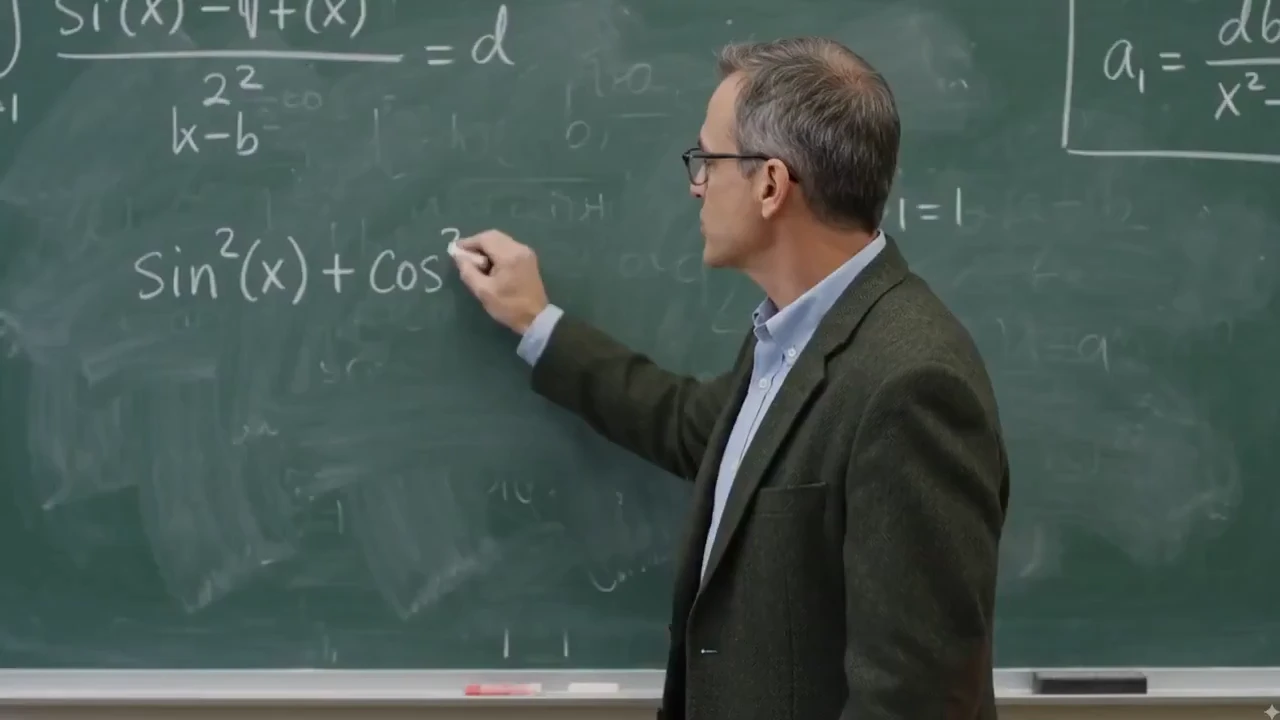
สร้างคลิปการศึกษา ตัวอธิบายบนกระดานดำ การสาธิตผลิตภัณฑ์ และบทเรียนแบบภาพที่ต้องการข้อความที่ชัดเจนและฉากที่มีโครงสร้างมากขึ้น
สลับผลิตภัณฑ์ อุปกรณ์ประกอบฉาก หรือองค์ประกอบฉากโดยยังคงรักษาแสง มุมมอง เงา และบริบทให้สอดคล้องกัน
เริ่มจากรูปแบบวิดีโอที่ทำซ้ำได้สำหรับโฆษณา การสาธิตผลิตภัณฑ์ คำอธิบาย วิดีโอเปรียบเทียบ และคลิปโซเชียลมีเดีย
Gemini Omni Prompt Library
127+ Gemini Omni Prompts & Guide
Cinematic Showcase
A macro photography prompt for a hyper-realistic video showing an artisan carving a miniature wooden sports car with realistic textures.
Brand Commercial
A comprehensive prompt for generating vertical UGC-style product videos of portable fans, covering unboxing, macro details, and functional demos with a focus on ASMR and realistic textures.
Short Film
The opening shot for the 'Ember and the Firefly' cinematic demo, featuring a wide push-in on a character freezing as they spot a glowing firefly.
อธิบายวิดีโอที่คุณต้องการสร้าง รวมถึงวัตถุ แอ็กชัน ฉาก การเคลื่อนไหวของกล้อง อารมณ์ และรูปแบบเอาต์พุต
คลิกสร้างและให้เวิร์กโฟลว์สไตล์ Gemini Omni แสดงผลวิดีโอของคุณ ชมตัวอย่างในขณะที่ AI สร้างฉาก การเคลื่อนไหว และบรรยากาศจากการแจ้งเตือนของคุณ
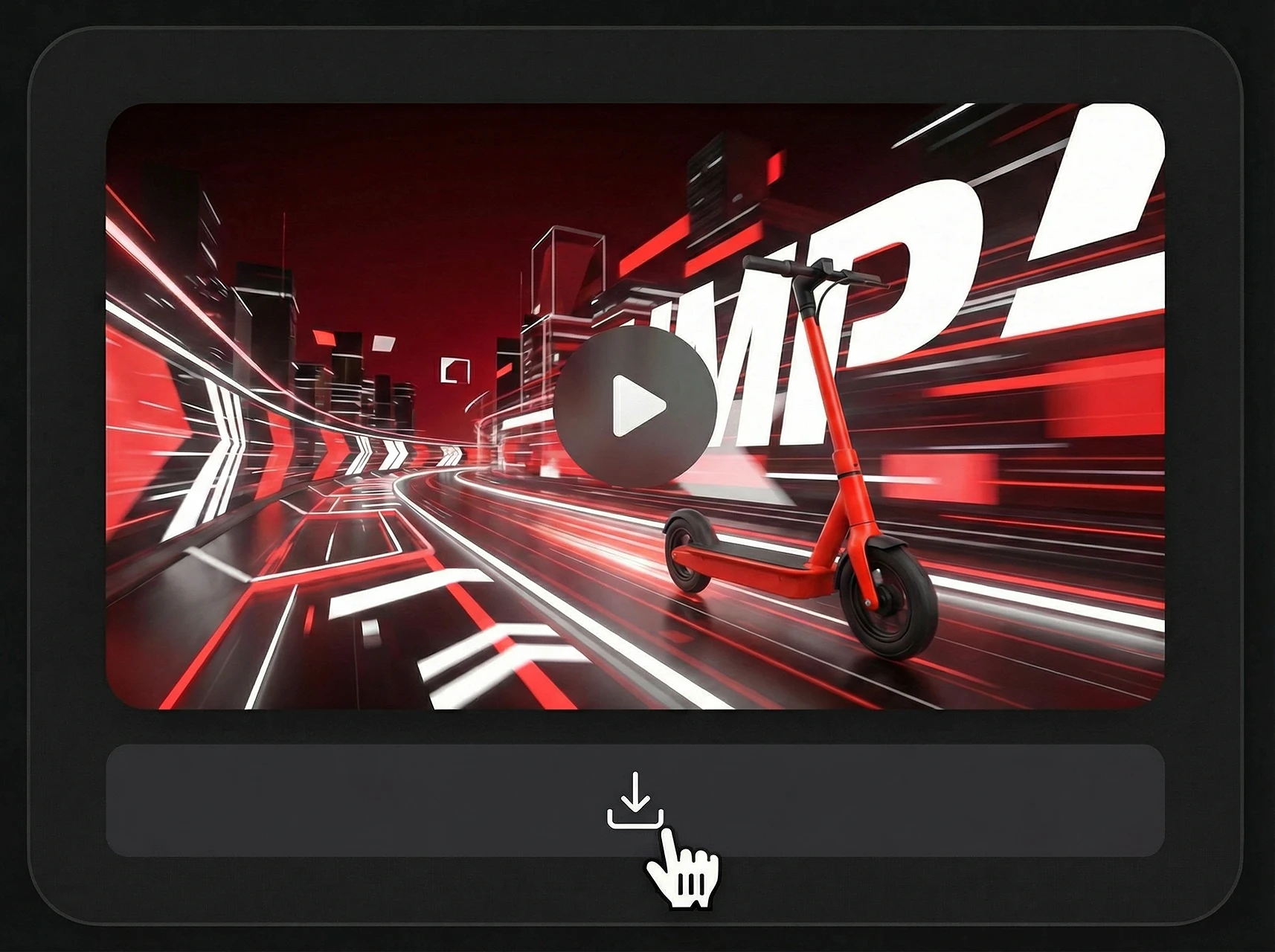
เมื่อคุณพอใจกับตัวอย่างแล้ว ให้ดาวน์โหลดวิดีโอที่สร้างโดย AI ของคุณ และนำไปใช้โดยตรงในโซเชียลมีเดีย โฆษณา หน้าผลิตภัณฑ์ หรือเนื้อหาที่เล่าเรื่อง
เวิร์กโฟลว์ที่ขับเคลื่อนโดยทันทีสำหรับโซเชียล อีคอมเมิร์ซ การศึกษา และการเล่าเรื่องผลิตภัณฑ์
| แพลตฟอร์ม | รูปแบบที่ดีที่สุด | ใช้กรณี |
|---|---|---|
| TikTok | 9:16 แนวตั้ง | ท่อนฮุคที่รวดเร็ว การแก้ไขผลิตภัณฑ์ รีมิกซ์ทางโซเชียล |
| YouTube | 16:9 แนวนอน | วิดีโออธิบาย การสาธิต คลิปการศึกษา |
| Reels / สี่เหลี่ยม | วิดีโอสำหรับครีเอเตอร์ การตัดต่ออย่างมีสไตล์ ภาพแบรนด์ | |
| อีคอมเมิร์ซ | สื่อเกี่ยวกับผลิตภัณฑ์ | รูปแบบผลิตภัณฑ์ คลิปสาธิต โฆษณาในตลาดกลาง |
| หน้า Landing Page | วิดีโอฮีโร่ | การสาธิตโมเดลสั้นๆ ภาพการเปิดตัว และคำอธิบายฟีเจอร์ |
เวิร์กโฟลว์สไตล์ Gemini Omni มีประโยชน์อย่างยิ่งเมื่อแนวคิดหนึ่งจำเป็นต้องกลายเป็นวิดีโอหลายรูปแบบ เริ่มต้นด้วยข้อความแจ้งหลัก จากนั้นปรับแนวคิดเดียวกันสำหรับโซเชียลมีเดีย โฆษณา หน้าผลิตภัณฑ์ และเนื้อหาด้านการศึกษา
A creator-focused summary of the official Gemini Omni and Gemini Omni Flash information that matters for video workflows.
The first released model in the Gemini Omni multimodal generative media family.
เปิดตัวโดย Google DeepMind สำหรับเวิร์กโฟลว์สร้างและแก้ไขวิดีโอแบบมัลติโมดัล โดยคาดว่าจะเปิดให้นักพัฒนา/API ใช้งานกว้างขึ้นในภายหลัง
Create video from prompts and references, then refine the result with natural-language instructions.
เอกสารทางการเน้นเอาต์พุตวิดีโอคุณภาพสูงพร้อมเสียงที่ซิงก์กัน และรองรับอินพุตข้อความ รูปภาพ เสียง และวิดีโอ
คลิปรุ่นแรกจำกัดไว้สูงสุด 10 วินาทีในตอนนี้ และคาดว่าจะขยายการสร้างที่ยาวขึ้นและเวิร์กโฟลว์ต่อความยาวในอนาคต
เหมาะกับ YouTube, Shorts, โฆษณาโซเชียล, หน้าสินค้า, วิดีโออธิบาย และฉากภาพยนตร์
Use existing clips as references for motion, action, scene structure, or video transformation.
Preserve characters, products, objects, style cues, or storyboard frames from uploaded images.
Guide rhythm, sound, ambience, narration, and visual timing with audio input.
Control subject, action, camera, lighting, style, location, text, and timing through prompt instructions.
Refine a generated or existing video through follow-up instructions without rewriting the full prompt.
Useful for teams that need prompt-led video concepts, reference consistency, and fast campaign variations.
เปลี่ยนข้อความ รูปภาพ ผลิตภัณฑ์ และความคิดสร้างสรรค์ให้เป็นวิดีโอที่ AI สร้างขึ้นสำหรับโฆษณา โซเชียลมีเดีย การแสดงผลิตภัณฑ์ และการเล่าเรื่อง
ข้อความเป็นวิดีโอ · รูปภาพเป็นวิดีโอ · วิดีโอผลิตภัณฑ์ · วิดีโออวาตาร์
Social Lifestyle
A high-energy cinematic prompt for Gemini Omni that creates a 15-second day-in-the-life sequence of a Japanese boxer.
Channel Intro
A fast-paced 5-second 2D Chinese anime character intro clip using three reference images, featuring ink-wash backgrounds and heroic poses.
Game Cinematic
A creative prompt for making a video similar to The Sims character creation interface, featuring dancing, a rotating Plumbob, and static UI.
Music Video
A comprehensive prompt for generating high-quality stylized music videos featuring two characters with unique VFX, soft ink-wash aesthetics, and synchronized hand-drawn effects.