Cinematic Showcase
A macro photography prompt for a hyper-realistic video showing an artisan carving a miniature wooden sports car with realistic textures.
Create up-to-10-second AI videos with synchronized audio from text, images, audio, and video references. Gemini Omni Flash launched at Google I/O 2026 for cinematic generation, natural-language editing, and modern creative workflows.
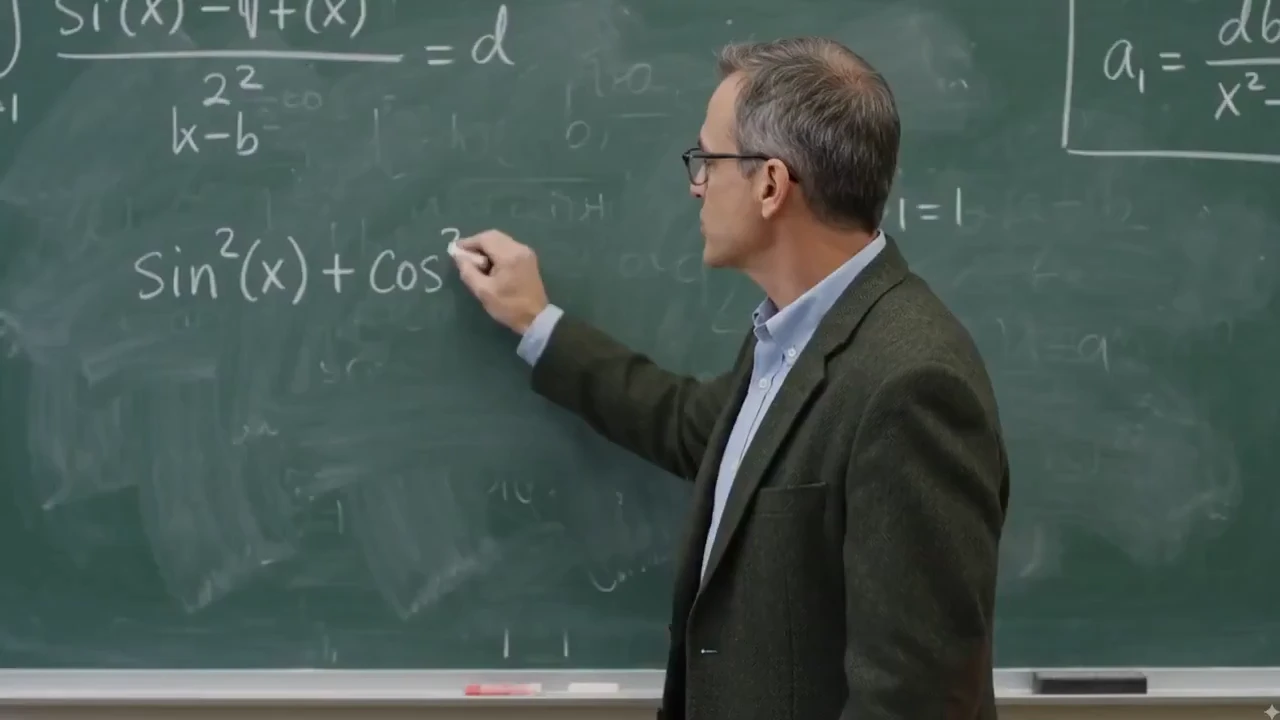
Gemini Omni is built around iterative video editing. Keep the parts that already work, then ask for precise changes to subject, scene, camera, style, motion, text, or audio sync.
Ask for targeted changes in plain language, such as replacing a background, changing the camera angle, modifying an action, or preserving the product while updating the scene.
Erase logos, text, and watermarks from any video clip with a single instruction while preserving the background motion, lighting, and surrounding context. Great for cleaning up stock footage, repurposing creator clips, and polishing product videos.
Change the shot language after generation: move from a close-up to a wide shot, shift to a low-angle view, add a dolly-in, or make the scene feel like one continuous take.
Replace the environment while preserving the main subject, action, lighting direction, and scene continuity. Use it for product variants, lifestyle scenes, and campaign localization.
Swap a product, prop, outfit, or character reference without rebuilding the whole video. The edit can preserve the original camera path, contact shadows, and surrounding context.
Transform the same scene into a new visual language such as cinematic realism, watercolor, claymation, anime, graphite sketch, or translucent glass 3D while keeping the action readable.
Explore the creative workflows Gemini Omni unlocks beyond basic video generation: conversational VFX, real-footage remix, physics and world magic, reference mixing, audio-guided timing, lip-sync, text animation, storyboard control, and world-aware visual storytelling.
Change lighting, materials, weather, and environments through natural language—turn day into night, swap surface textures, or restage a scene without rebuilding the shot from scratch.
Remix real footage with product and logo insertion, character swaps, and branded details while preserving original camera motion, timing, and scene structure.
Rewrite physical rules and invent surreal world moments—impossible materials, gravity-defying action, hybrid creatures, and cinematic scenes that still feel coherent.
Use product references and concise prompts to create cinematic shots, campaign variants, launch teasers, YouTube Shorts, and short-form ad concepts.
Visualize science, history, culture, product benefits, or abstract ideas as animated infographics with world-aware scenes and guided camera direction.
Use music, narration, sound effects, ambience, or multilingual voice tracks to guide visual rhythm, text timing, lip-sync, cuts, camera motion, and beat-matched animation.
Provide a child's drawing, storyboard frames, or scene beats, then generate an animated sequence that follows the intended order, pacing, and visual continuity.
Apply a reference motion, 80s visual style, or action pattern to a new subject while keeping the final output coherent and campaign-ready.
Combine a prompt, product image, motion reference video, and audio cue in one workflow so the final video inherits the right subject, movement, mood, timing, and voice direction.
Use rough sketches, child art, composition notes, or layout references to steer where subjects appear, how the camera frames the action, and how the scene should unfold.
Create social hooks, product claims, captions, formulas, scientific labels, or title cards that appear word by word, follow the action, or land on a specific beat.
Blend impossible animal traits into a believable cinematic shot, from an elephant-snail hybrid to fantasy wildlife with coherent anatomy, texture, motion, and habitat.
Start with one creative concept, then adapt it into vertical social clips, YouTube Shorts, square ads, landing page hero videos, explainers, avatar scenes, and product page media.
Edit existing footage with direct instructions: add branded details, replace people or characters, and keep the original camera motion, timing, and scene structure intact.
Real clips shared on X—watch the posts below, then try Gemini Omni yourself on Topview.
Gemini Omni Flash and Seedance 2.0 both support multimodal AI video workflows, but they solve different production jobs. This comparison focuses on launch status, inputs, output control, audio, editing, and where each model fits best.
A quick visual reference before reading the detailed comparison table below.
Reference-led prompt scene generated with a Gemini Omni-style workflow.
| Comparison Point | Gemini Omni Flash | Seedance 2.0 | Best Fit |
|---|---|---|---|
| Core positioning | Google's first Gemini Omni release for text, image, audio, and video guided generation plus natural-language editing. | A production-oriented multimodal model with high-resolution clips, native audio workflows, and strong cinematic control. | Omni for reference-led editing and transformation; Seedance 2.0 for polished multi-shot production. |
| Clip length and format | Up to 10-second clips today, with 16:9, 9:16, and 1:1 platform-adaptive output. | Commonly positioned around 4-15 second shots, 480p/720p/1080p output, and more aspect-ratio options. | Omni for short social-ready transformations; Seedance 2.0 for longer draft-to-finish scenes. |
| Audio, speech, and lip-sync | Generates synchronized audio and can use audio references for timing, ambience, narration cues, and multilingual lip-sync workflows. | Strong fit for native audio-video generation, sound effects, voiceover, music, and lip-sync-driven clips. | Seedance 2.0 for sound-led scenes; Omni for edit-directed sync, language variants, and timed visual changes. |
| Reference control | Uses text, images, audio, video, sketches, and storyboards to guide characters, products, motion, style, and educational visuals. | Supports broad multimodal reference input for character, style, motion, sound, and multi-shot continuity. | Omni when unusual references like drawings or infographics drive the idea; Seedance 2.0 when shot continuity is the priority. |
| Editing workflow | Conversational follow-up edits: replace objects, change backgrounds, adjust camera, preserve references, restyle to an 80s look, or add timed text. | Supports prompt-led scene creation, character/action editing, and multi-shot assembly in a broader generation pipeline. | Omni when repeated natural-language refinement is the job; Seedance 2.0 when the first-pass scene needs to feel finished. |
| Availability and trust signals | Launched at Google I/O 2026 on May 19, surfaced through Google product experiences, with SynthID/C2PA provenance and API access expected later. | Available through creator platforms and API aggregators with clear production settings such as resolution, duration, and aspect ratio. | Use Omni for Google-native creative exploration and YouTube Shorts ideas; use Seedance 2.0 when API-ready production control matters today. |
Gemini Omni-style workflows combine prompts with visual, audio, and video references so creators can guide subject, motion, camera language, lighting, style, timing, and platform format in one place.
Use this approach for product ads, YouTube Shorts, multilingual lip-sync videos, explainers, storyboards, style tests, and reference-based video transformations.
Gemini Omni is Google DeepMind's multimodal generative media model family for creating, editing, and transforming video from text, images, audio, and video inputs. Its first released model, Gemini Omni Flash, was launched at Google I/O 2026 on May 19.
For creators and marketers, Gemini Omni shifts AI video creation toward natural-language workflows: start with an idea or reference, generate a video with synchronized audio, then refine the result through targeted edits instead of rebuilding the entire clip.
Use the official prompt guide structure to control what happens on screen, how the camera moves, how the scene feels, and how references should be preserved.
Start with the main subject and the visible action: who or what appears, what changes, and what the viewer should notice first.
Add shot language such as close-up, wide-angle, tracking shot, dolly-in, locked-off camera, one continuous shot, or smartphone zoom.
Guide the look with terms such as realistic, cinematic, claymation, watercolor, graphite sketch, 80s retro broadcast, warm daylight, rim light, or neon night scene.
Describe the environment and let the model use world knowledge for physics, history, science, culture, and believable scene details, including scientific infographic scenes.
Use images, videos, audio, or storyboards to preserve character appearance, product shape, motion, rhythm, avatar identity, or visual style across generations.
Refine the clip with focused commands: change the background, replace an object, adjust the camera angle, add animated text, sync lip movement to another language, or match the edit to music.
Gemini Omni Prompt Library
127+ Gemini Omni Prompts & Guide
Cinematic Showcase
A macro photography prompt for a hyper-realistic video showing an artisan carving a miniature wooden sports car with realistic textures.
Brand Commercial
A comprehensive prompt for generating vertical UGC-style product videos of portable fans, covering unboxing, macro details, and functional demos with a focus on ASMR and realistic textures.
Short Film
The opening shot for the 'Ember and the Firefly' cinematic demo, featuring a wide push-in on a character freezing as they spot a glowing firefly.
Name the subject, action, location, and desired outcome. Be specific about what the viewer should see in the first few seconds.
Specify camera movement, shot framing, lighting, style, audio mood, and any on-screen text or timing requirements.
After the first result, request focused edits such as changing the background, preserving a reference, adjusting motion, or syncing text to music.
Use one multimodal workflow across discovery, creative testing, and production-ready content.
| Platform | Best Format | Use Case |
|---|---|---|
| TikTok / Reels | 9:16 vertical | Fast hooks, product reveals, text-synced edits |
| YouTube | 16:9 landscape | Explainers, demos, educational scenes |
| Paid Ads | Vertical / square | Variant testing, campaign angles, product stories |
| E-Commerce | Product media | Product rotations, lifestyle scenes, marketplace videos |
| Landing Pages | Hero video | Feature demos, launch visuals, brand storytelling |
A Gemini Omni-style process is most useful when a team needs to move from idea to reference-guided video quickly, then adapt the same creative direction for different channels.
A creator-focused summary of the official Gemini Omni and Gemini Omni Flash information that matters for video workflows.
The first released model in the Gemini Omni multimodal generative media family.
Introduced by Google DeepMind for multimodal video generation and editing workflows, with broader developer/API access expected later.
Create video from prompts and references, then refine the result with natural-language instructions.
Official materials emphasize high-quality video output with synchronized audio and support for text, image, audio, and video inputs.
Current first-release clips are capped at up to 10 seconds, with longer generation and extension workflows expected to expand.
Best suited to adapting ideas for YouTube, Shorts, social ads, product pages, explainers, and cinematic scenes.
Use existing clips as references for motion, action, scene structure, or video transformation.
Preserve characters, products, objects, style cues, or storyboard frames from uploaded images.
Guide rhythm, sound, ambience, narration, and visual timing with audio input.
Control subject, action, camera, lighting, style, location, text, and timing through prompt instructions.
Refine a generated or existing video through follow-up instructions without rewriting the full prompt.
Useful for teams that need prompt-led video concepts, reference consistency, and fast campaign variations.
Use Topview to prototype product videos, social ads, explainers, and creative variants with prompt-led AI video workflows inspired by the latest multimodal models.
Prompt to video / Image to video / Product videos / Social ads
Social Lifestyle
A high-energy cinematic prompt for Gemini Omni that creates a 15-second day-in-the-life sequence of a Japanese boxer.
Channel Intro
A fast-paced 5-second 2D Chinese anime character intro clip using three reference images, featuring ink-wash backgrounds and heroic poses.
Game Cinematic
A creative prompt for making a video similar to The Sims character creation interface, featuring dancing, a rotating Plumbob, and static UI.
Music Video
A comprehensive prompt for generating high-quality stylized music videos featuring two characters with unique VFX, soft ink-wash aesthetics, and synchronized hand-drawn effects.