精選案例 · 解說
製作手繪動畫風格解說影片
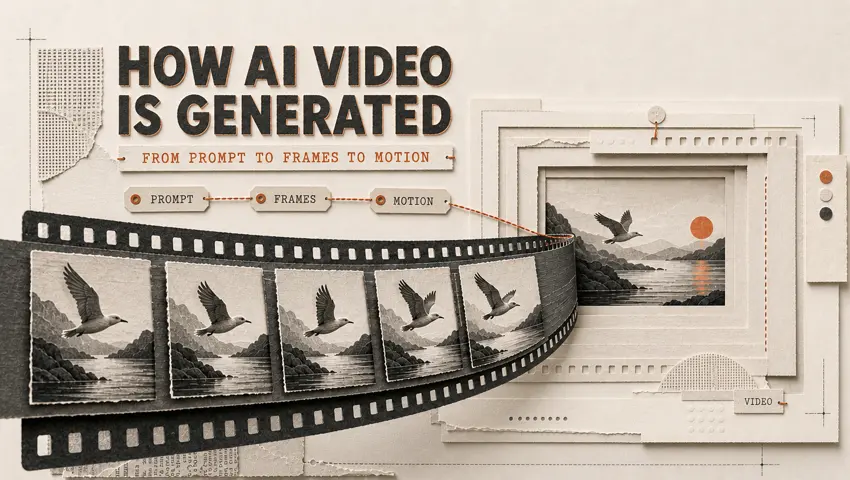
製作手繪動畫風格解說影片 是 Topview Canvas 上的解說精選案例。頁面留下的提示詞開頭如下:Create an explanatory video Topic: Illustrate the concept of the “procrastination snowball effect.” Visual style: Dynamic flat 2D editorial animation set in a geometric papercraft world. Use cobalt blue as the primary…
案例影片
本案例使用的提示詞
Create an explanatory video
Topic: Illustrate the concept of the “procrastination snowball effect.”
Visual style: Dynamic flat 2D editorial animation set in a geometric papercraft world. Use cobalt blue as the primary color, accented with cream, orange, and gold, with a high-contrast and highly saturated palette. Incorporate Risograph print textures, paper grain, dry-brush edges, hand-drawn outlines, bold color blocks, overprint misalignment, exaggerated yet elegant characters, geometric props, and layered foregrounds and backgrounds.
Animation style: Playful and vivid, featuring cinematic camera movements, elastic deformation, smooth lens panning, and visually metaphorical storytelling.
Duration: 45 seconds
Aspect ratio: Landscape 16:9
Restrictions: No realistic style, 3D effects, or glossy rendering.
這個案例呈現什麼
製作手繪動畫風格解說影片 是 Topview Canvas 上的解說精選案例。頁面留下的提示詞開頭如下:Create an explanatory video Topic: Illustrate the concept of the “procrastination snowball effect.” Visual style: Dynamic flat 2D editorial animation set in a geometric papercraft world. Use cobalt blue as the primary…
案例拆解
- 1
托管的案例影片
製作手繪動畫風格解說影片 的詳情影片放在凍結的 /media 路徑,尺寸來自上傳流程,因此頁面不必在執行時呼叫 sample-cases。
- 2
分類歸屬
這個精選案例歸在解說。相關連結只留在同一分類,頁面不會假裝自己是工具總覽。
- 3
可複製的 Canvas
製作手繪動畫風格解說影片 有來源 Canvas。「使用此案例」會依案例 id 複製該專案,再導向 /canvas——絕不會進 /board。
- 4
留下的提示詞
這個頁面上的提示詞是正式環境留下的 initialPrompt,只供閱讀,不會跟著複製請求送出。
工作流
如何在 Canvas 使用這個精選案例
- 1
檢視案例
觀看 製作手繪動畫風格解說影片 已發布的媒體;若頁面有顯示,再讀留下的提示詞與參考素材。
- 2
使用此案例
點選「使用此案例」。若尚未登入,請在同一個 URL 完成電子郵件、Google 或 Apple 登入,複製就會繼續。
- 3
在你的 Canvas 中編輯
Topview 會在 /canvas 開啟複製後的專案。在那裡改場景、素材或模型——這個頁面不會跳到 Board。


精選案例常見問題
CANVAS
在 Canvas 繼續這個案例
「使用此案例」會把 製作手繪動畫風格解說影片 複製進你的 Canvas。登入後會回到本頁,再開啟新的 /canvas 專案。