

Seedance 2.0 Mini AI影片生成器
在 Topview 線上試用 Seedance 2.0 Mini。它也稱為 Seedance 2 Mini,這款輕量 AI 影片模型能依文字提示詞和參考圖片生成短影片預覽。
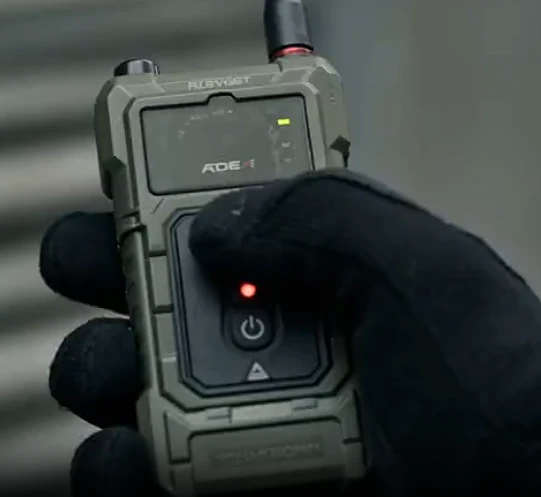
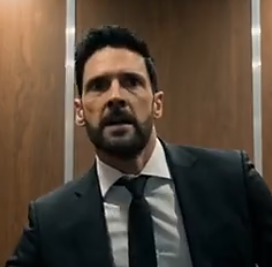
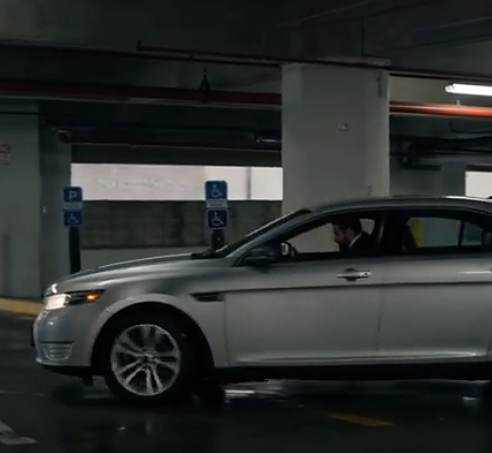
Cinematic tactical action sequence. S1: [Close-up, tight framing]+[A special forces operator presses a breaching detonation button @Image1]. S2: [Medium shot, handheld tracking]+[The team storms indoors, chasing and capturing the suspect @Image2]. S3: [Wide shot, dynamic]+[The suspect jumps into a car @Image3 and accelerates away]. S4: [Aerial tracking shot, high speed]+[Special forces pursue along the highway in a tense chase and gunfight.]
什麼是 Seedance 2.0 Mini AI 影片生成器?
Seedance 2.0 Mini 是 ByteDance 的影片模型。它依文字提示詞和最多 3 張參考圖片生成影片。使用者也會稱它為 Seedance Mini 和 Seedance 2 Mini。
Seedance 2.0 是 ByteDance 的完整 Seedance 影片模型,有自己的頁面。
Topview 是你用來執行這些模型的產品。這個頁面是 Topview 的 Seedance 2.0 Mini 頁面。
想用更快、成本更低的方式預覽動態、構圖、光線和場景方向時,可以使用 Seedance 2.0 Mini。它適合快速測試提示詞、圖片轉影片預覽、廣告概念、產品場景、社群媒體短片,以及低成本的創意試做;方向確認後,再到 Seedance 2.0 做正式製作。逐項設定比較見下方。
為什麼使用 Seedance 2.0 Mini?
更快測試更多影片想法
Seedance 2.0 Mini 適合快速反覆調整。在決定哪個想法值得做最終正式渲染之前,用它測試更多提示詞、角度、風格和場景方向。
降低創意測試的成本
想多探索影片概念,又不必為每個想法花費正式製作等級的點數時,可以用 Mini。它特別適合早期創意測試。
在 Seedance 2.0 正式製作前先預覽
用短預覽確認動態、構圖、光線、產品擺放和場景方向,再升級到完整 Seedance 2.0。
改善你的 AI 影片提示詞
在更快的流程裡測試主體描述、動作、運鏡、光線、情緒和視覺風格。提示詞有效後,把更完整的版本用於最終生成。
優先生成社群媒體影片草稿
為 TikTok、Instagram Reels、YouTube Shorts、付費社群廣告、產品展示、到達頁和客戶提案生成快速預覽。
Seedance 2.0 Mini 的進階預覽能力
在 Topview 上,Seedance 2.0 Mini 支援:
解析度
480p 與 720p
時長
4–15 秒
參考圖片
最多 3 張
一段 15 秒、720p 的生成使用 7.8 點數。與 Seedance 2.0 的比較見下方。
快速、高品質的影片生成
一分鐘內即可得到完成度較高的預覽片段:動作清楚、細節清楚、輸出穩定,不必等待完整的 Seedance 2.0 渲染。
"Create a cinematic 5-second preview with smooth camera movement, crisp subject detail, and natural motion. Fast generation, stable output, ready for creative review before upgrading to full production."
真實動態與衝擊力
用幾秒驗證動作時機和身體是否連貫。快速調整提示詞,再升級到 Seedance 2.0 做最終交件。
"CG style, cinematic 3D animation. Female soldier in full tactical gear holding an assault rifle. Snowy industrial ruins, high-octane action — sliding on snow while shooting, martial arts kicks on enemies, sprinting. Dynamic camera angles, motion blur, hyper-realistic lighting."
自然的臉部表現
用快速預覽檢查表情是否清楚、鏡頭前的情緒是否到位,適合客戶提案和內部確認。
"A two-part commercial sequence. Shot 1: An elegant woman in a bright modern room holds a glass serum bottle close to the camera while explaining product details. Shot 2: The same woman sits in a luxury car, holding essential oil toward the camera with natural daylight through the windows."
電影感光線與構圖
用更低的成本預覽電影感構圖和氛圍光線,在正式製作前調整色彩、層次和氛圍。
"A 1920s-style modern woman with a black bob and pearls walks down a tiled basement staircase at night. The camera tracks backward just below her chin under soft directional overhead lighting. Dreamlike film noir aesthetic with blue-green tones, mist, and balanced exposure."
如何使用 Seedance 2.0 Mini
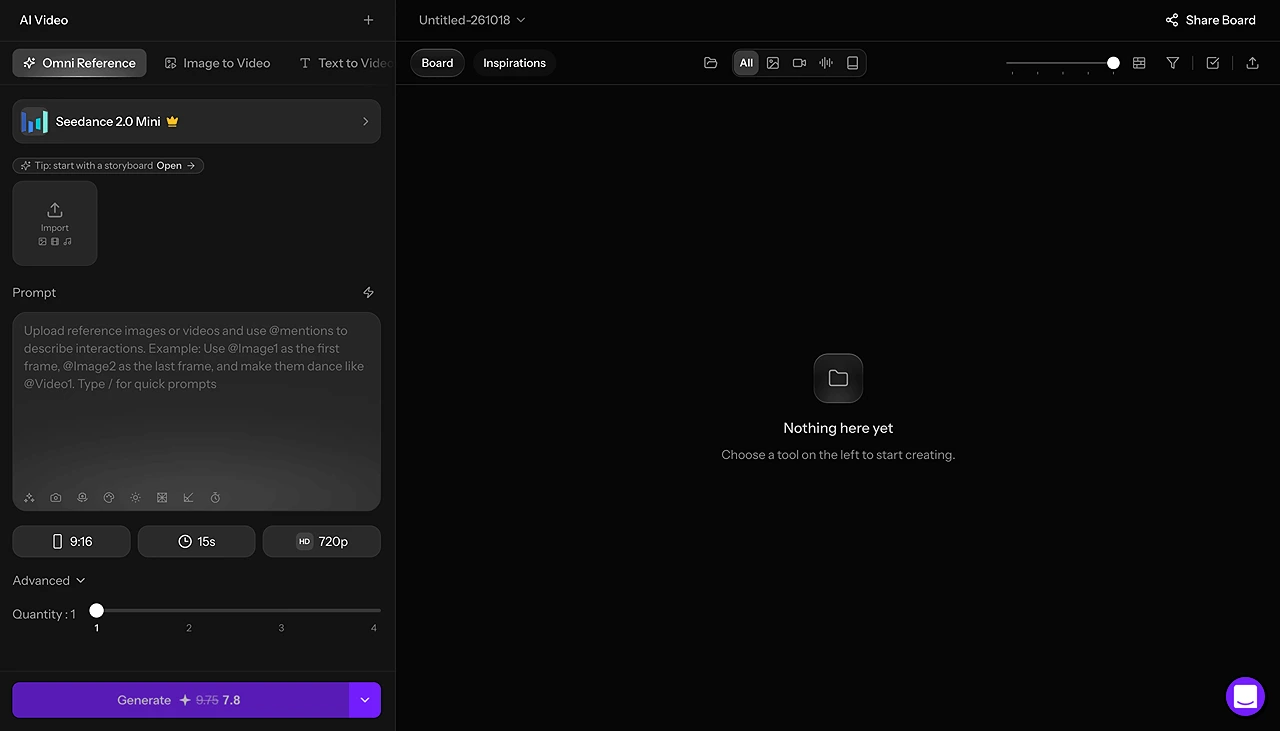
開啟 Seedance 2.0 Mini。
點選「試用 Seedance 2.0 Mini」。Topview 會開啟並選取這個模型。
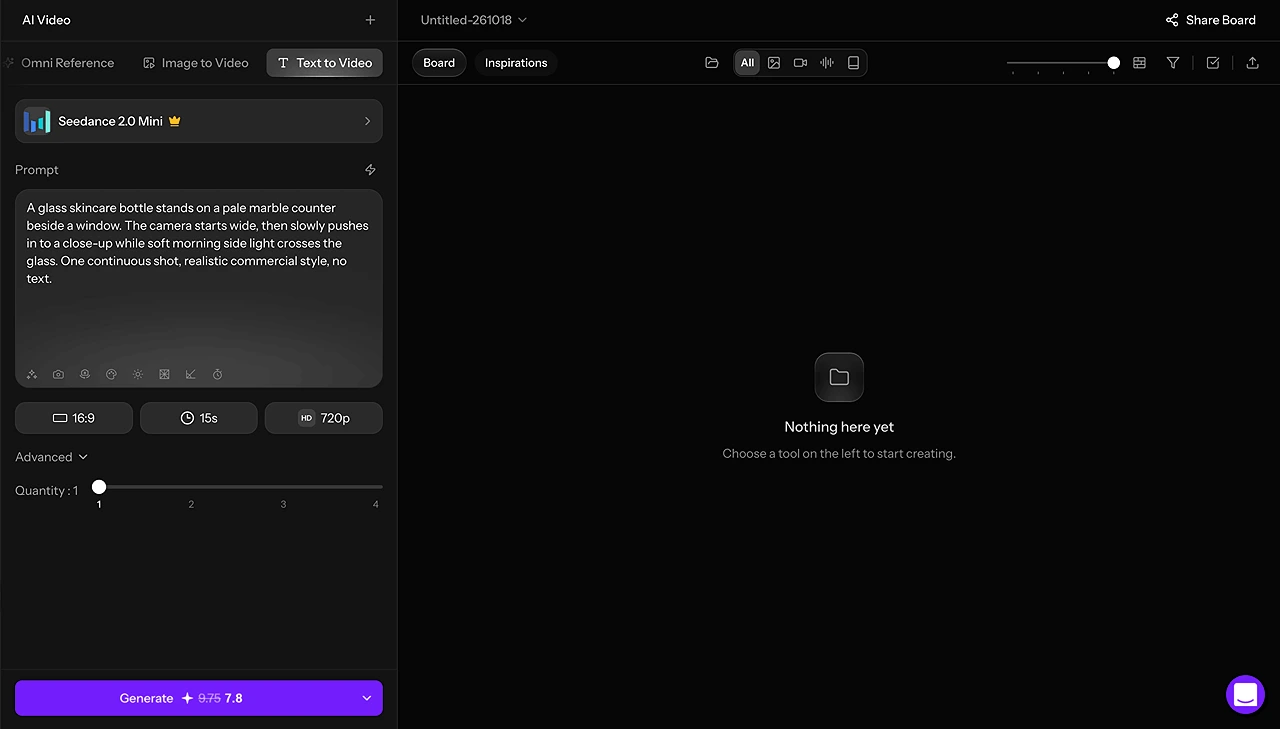
選擇開始方式。
用文字轉影片寫一個場景。已有靜態畫面時用圖片轉影片,參考圖片不要超過 3 張。
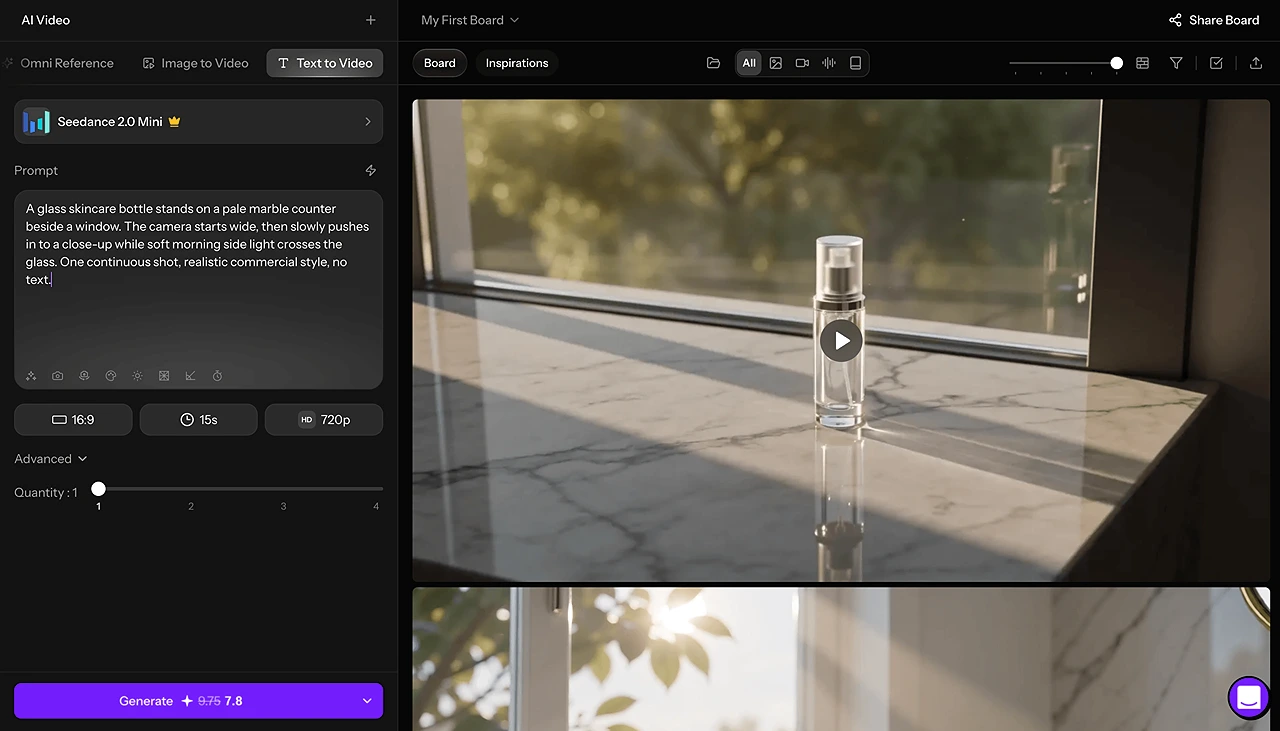
設定輸出並生成。
選擇 480p 或 720p,時長從 4 秒到 15 秒。生成片段後,如果想再試一段,可以修改提示詞。
Seedance 2.0 Mini 的適合使用情境
提示詞測試
在最終渲染前,測試不同的提示詞結構、運鏡、動作、光線風格和主體描述。
廣告創意預覽
在製作最終影片前,預覽不同的廣告開場、產品鏡頭、開場場景和創意角度。
產品影片概念
把產品照片變成快速動態預覽,用於電商廣告、產品展示、活動概念和到達頁畫面。
社群媒體短片
為 TikTok、Instagram Reels、YouTube Shorts 和付費社群活動製作短影片草稿。
客戶提案
給客戶看動態預覽,而不是靜態分鏡,讓他們在正式製作前理解視覺方向。
分鏡轉動態
用短 AI 動態預覽,讓情緒板、概念影格和靜態參考動起來。
Seedance 2.0 Mini 比較 Seedance 2.0
比較已確認的設定
最適合
Seedance 2.0 Mini
快速預覽和概念測試
Seedance 2.0
正式製作和客戶交件
主要流程
Seedance 2.0 Mini
文字提示詞 + 參考圖片
Seedance 2.0
文字、圖片、影片和音訊參考流程
輸出目標
Seedance 2.0 Mini
短 AI 影片草稿
Seedance 2.0
可用於正式製作的電影感影片
創意用途
Seedance 2.0 Mini
提示詞測試、廣告開場、社群概念
Seedance 2.0
完整場景、行銷活動、故事影片和修飾完成的內容
解析度
Seedance 2.0 Mini
480p、720p
Seedance 2.0
480p、720p、1080p、4K
時長
Seedance 2.0 Mini
4–15 秒
Seedance 2.0
4–15 秒
參考圖片
Seedance 2.0 Mini
最多 3 張
Seedance 2.0
最多 9 張
參考影片
Seedance 2.0 Mini
待確認
Seedance 2.0
最多 3 段
參考音訊
Seedance 2.0 Mini
待確認
Seedance 2.0
最多 3 個檔案
混合參考
Seedance 2.0 Mini
待確認
Seedance 2.0
最多 12 個檔案
音訊輸出
Seedance 2.0 Mini
無
Seedance 2.0
提供原生音訊
15 秒、720p
Seedance 2.0 Mini
7.8 點數
Seedance 2.0
15 點數
怎麼選
Seedance 2.0 Mini
想快速測試想法時使用
Seedance 2.0
創意方向確認後使用
相同提示詞,相同設定
兩段都使用文字轉影片,沒有上傳參考圖片。
- 解析度:720p
- 長寬比:16:9
- 時長:視覺測試為 5 秒
- 參考:無
提示詞
A glass skincare bottle stands on a pale marble counter beside a window. The camera starts wide, then slowly pushes in to a close-up while soft morning side light crosses the glass. One continuous shot, realistic commercial style, no text.
切換模型後,畫面結果可能不同。重複使用同一條提示詞,並不能保證得到完全相同的影片。
如何從 Seedance 2.0 Mini 轉到 Seedance 2.0
在使用完整 Seedance 2.0 流程之前,Seedance 2.0 Mini 可以幫你探索創意方向。
- 1
用 Mini 測試概念。
生成一段短預覽,檢查主體、鏡頭運動、光線和構圖。
- 2
儲存提示詞和參考。
保留成功預覽裡的原始提示詞、所選設定,以及用過的參考圖片。
- 3
開啟 Seedance 2.0。
選擇完整的 Seedance 2.0 模型,並查看可用的生成選項。
- 4
沿用並調整提示詞。
沿用已確認的創意方向,為新的生成調整時長、鏡頭結構和設定。
- 5
生成並比較。
從品質、一致性、動態和成本檢查新的輸出。
切換模型後,畫面結果可能不同。重複使用同一條提示詞,並不能保證得到完全相同的影片。
Seedance 2.0 Mini 提示詞技巧
提示詞清楚、具體,並聚焦一個主要場景時,Seedance 2.0 Mini 效果最好。避免「做一支很酷的影片」這類含糊說法。改為描述鏡頭裡出現什麼、發生什麼、鏡頭如何移動,以及影片要營造什麼情緒。
主體 + 動作 + 場景 + 運鏡 + 光線 + 視覺風格 + 輸出目標
提示詞範例
A close-up product shot of a luxury skincare bottle on a marble bathroom counter. The camera slowly pushes in as soft morning light reflects on the glass. Clean premium beauty commercial style, realistic motion, elegant and minimal.
A young creator walks through a neon-lit city street at night while holding a smartphone. Handheld tracking shot, shallow depth of field, cinematic reflections on wet pavement, energetic social media ad style.
A sports drink can bursts through splashing ice and water in slow motion. Dynamic camera move, high-contrast studio lighting, crisp product detail, bold commercial look, short ad preview.
關於 Seedance 2.0 Mini AI 影片生成器的問題
開始用 Seedance 2.0 Mini 創作
用 Seedance 2.0 Mini 更快地測試下一個 AI 影片想法。從提示詞開始,加入參考圖片,生成短預覽,在進入正式製作前調整創意方向。