Bring City Streets to Life
Add passersby with varied appearances and natural movement to make a quiet location feel lived-in.
Turn quiet footage into crowd-filled shots. Upload an existing video, describe the background actors your scene needs, and bring more life to every frame―without arranging another shoot.
Before & After Showcase
From a nearly empty street to a lively public space, discover how AI background actors can change the scale and energy of existing footage.
Add passersby with varied appearances and natural movement to make a quiet location feel lived-in.
Populate venues and audience areas with background characters that support the atmosphere of the shot.
Build a richer sense of place for cinematic exteriors and an AI short film.
An AI crowd generator for video adds synthetic background actors to existing footage. It helps filmmakers in Film Studio populate streets, venues and story scenes without filming additional extras.
Unlike an AI crowd image generator, a video editing workflow must also account for movement, perspective, lighting and continuity across frames.
Existing Footage
AI Crowd Expansion
Expanded Scene
Use Cases
Build the atmosphere your scene needs―from everyday foot traffic to large-scale cinematic environments.
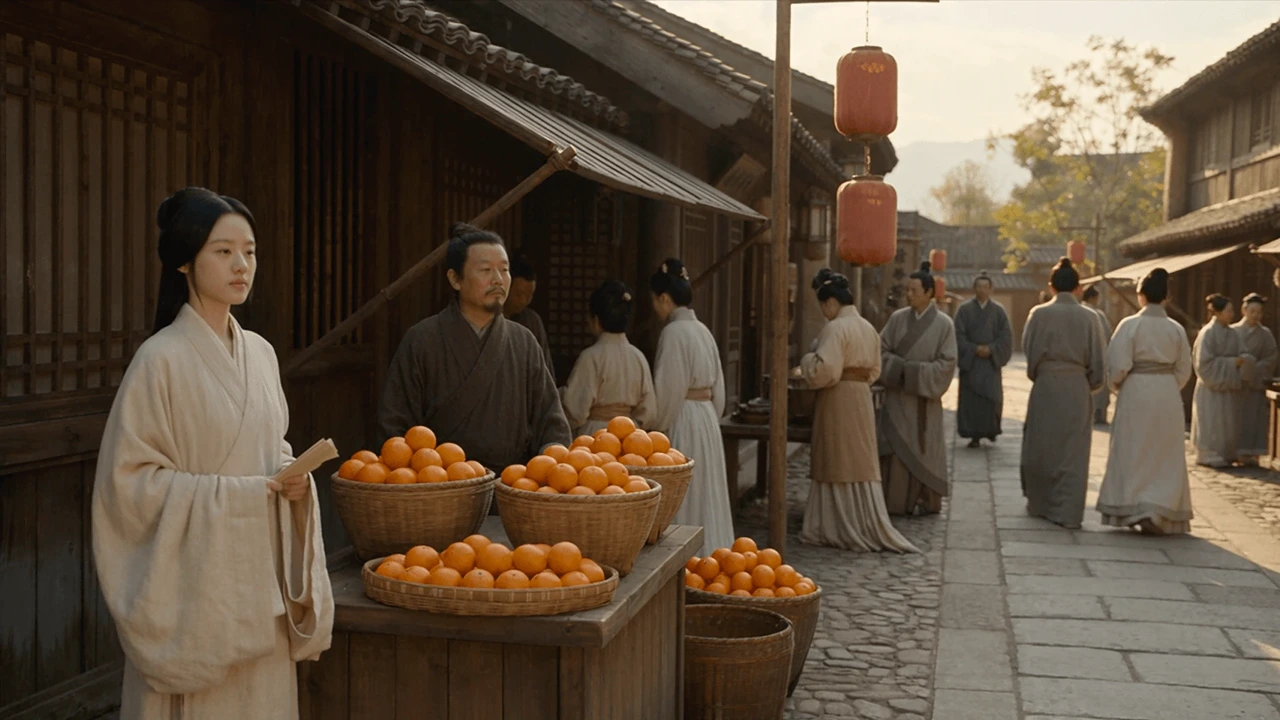
Add period-appropriate background characters to market streets, cafés, courtyards and dramatic scenes in Drama Studio. Keep the story's principal performance at the center.
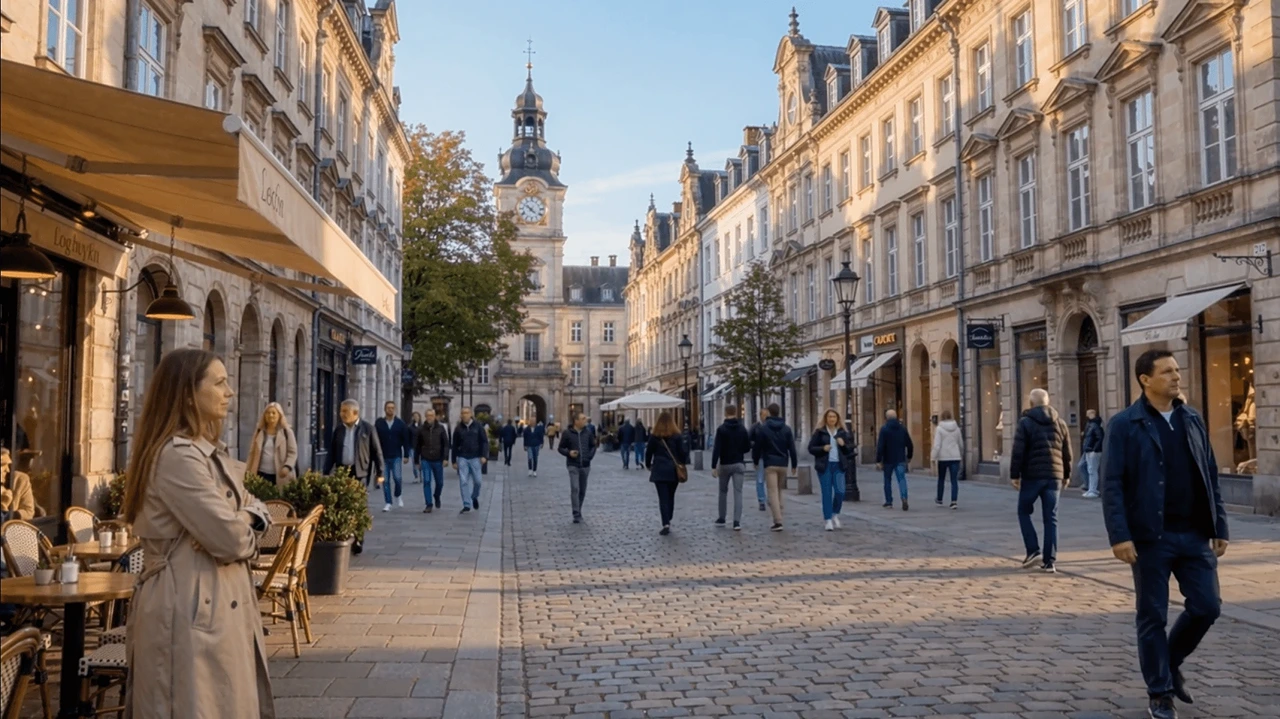
Give plazas, stations and city streets a believable flow of background activity. Turn quiet locations into settings that feel more alive.
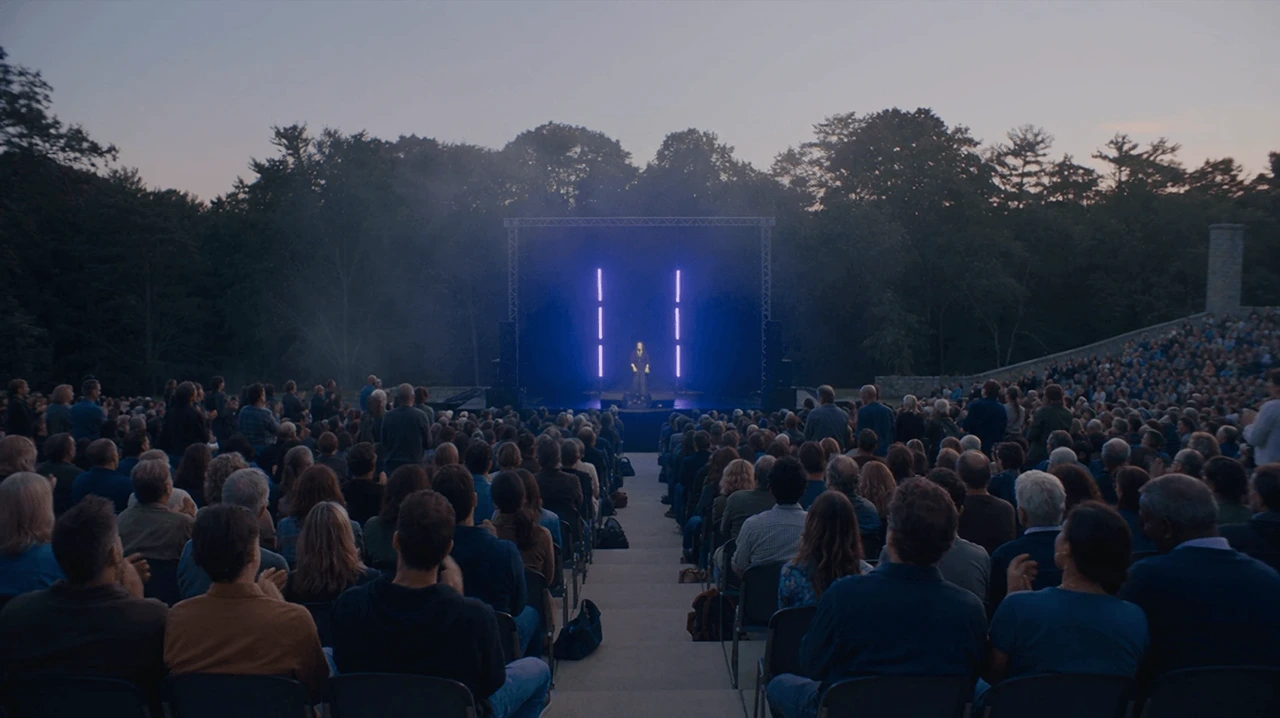
Expand audience scale and atmosphere for event and entertainment scenes. Build the visual energy of a crowd without relying entirely on additional on-set extras.
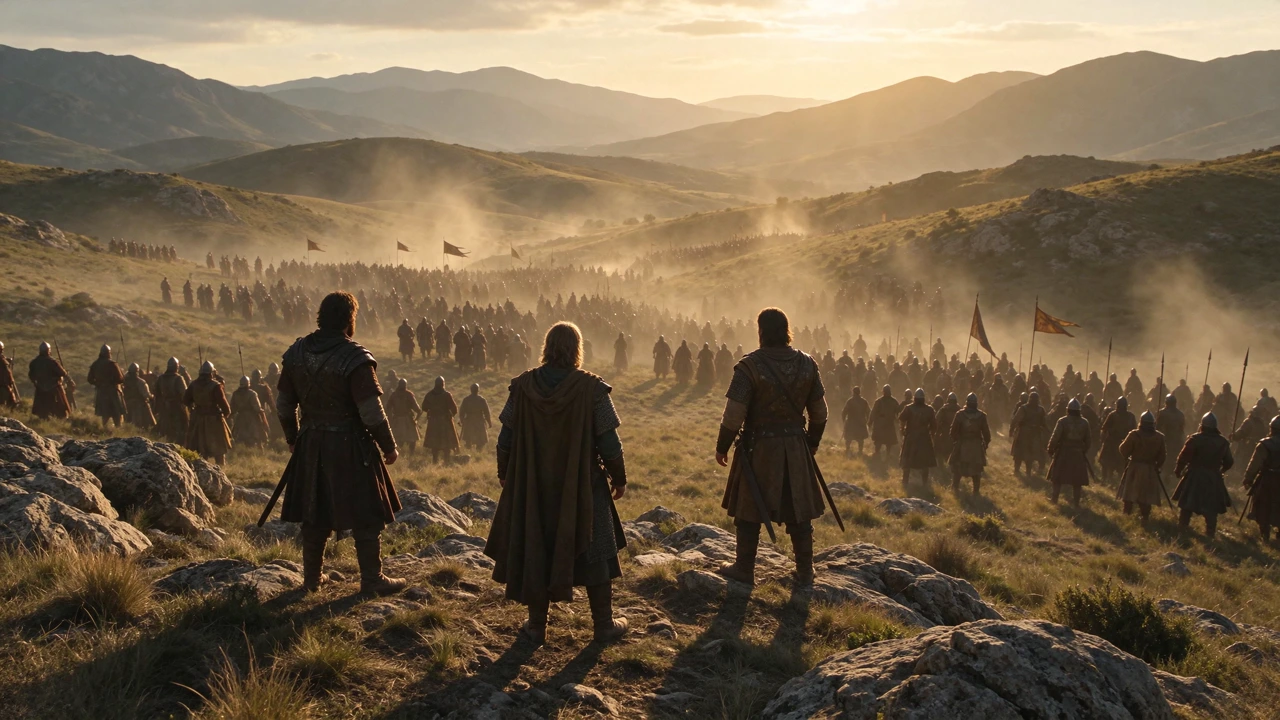
Explore wider crowd-filled compositions for armies, gatherings and period worlds. Build a stronger sense of scale while matching the scene's historical or cinematic style.
CORE CAPABILITIES
A convincing background isn't just about adding more people. It's about fitting them into the visual language of the original shot.
Describe different clothing styles, ages, appearances and everyday actions to create a crowd with character. Use your scene's era and location to guide the look of the people you add.
Direct background characters to suit the existing environment―from daylight on a sidewalk to a dimly lit event. Review scale, shadows, overlap and placement so additions feel part of the footage.
Guide what the crowd is doing―walking, waiting, talking or cheering. Review movement throughout the clip, especially as the camera moves or people pass one another.
Use crowd directions that keep attention on the main actors and important action. Build scale around your existing scene instead of replacing the story you're trying to tell.
Go from existing footage to a fuller-looking scene in three straightforward steps.
Start with the image or video you want to enhance. Choose a shot with enough room for background characters and a clear view of the original scene.
Add Extras opens the file in Canvas. Describe where people should appear, what they look like and how they should behave, including the scene's lighting, era and atmosphere.
Inspect the result for believable positions, varied faces, natural motion and continuity. Adjust the direction and iterate when needed.
Add 15‒20 background pedestrians along the far side of this city street. Give them varied ages, outfits, walking directions and natural spacing. Match the original daylight, perspective and camera movement. Keep the main actors unchanged.
Describe the kind of crowd your story needs, from background placement to natural behaviors.
Describe which background areas should be populated while protecting the original foreground action.
Example Direction:
Place additional background actors in the open areas behind the main subjects.
Request a sparse, balanced or dense gathering, using scene context and an approximate headcount.
Example Direction:
Create a moderately busy crowd with natural spacing and varied movement.
Describe walking, talking, waiting or cheering so the scene feels directed rather than randomly populated.
Example Direction:
Give background people subtle everyday actions: walking, browsing and short conversations.
Describe a range of outfits, appearances and ages that suit your story world.
Example Direction:
Use distinct appearances and era-appropriate clothing. Avoid visibly duplicated faces.
Imagine a period drama shot for an AI feature film, with a few supporting performers but a market that needs to feel busy.
Crowd expansion can help a limited set feel more alive while keeping the scene's creative direction intact.
Historical Street Scene
Add background shoppers and market vendors in historically appropriate clothing. Place small groups around the stalls and through the background lanes. Use varied faces, natural gestures, warm daylight and believable scene depth. Preserve the main actors.
Identify the main performance and where additional actors could appear.
Specify period clothing, merchants, shoppers, movement and spacing.
Use the existing shot as the creative basis for your added background characters.
Review motion, faces, scene depth, lighting and the main actors before moving into your edit.
Well-planned input footage and clear directions make it easier to create crowd scenes that serve your story.
Different production methods offer different levels of preparation, control and shot complexity.
| Approach | How It Works | Best Suited For | Important Considerations |
|---|---|---|---|
| AI Crowd Generation | Add synthetic people using existing footage and creative directions. | Background crowd expansion and rapid exploration of scene scale. | Review temporal consistency, identity variation and compositing quality. |
| Traditional Crowd Multiplication | Record several groups of extras and combine the takes in post. | Planned shoots with repeatable crowd performances. | Requires suitable footage, tracking and careful compositing. |
| 3D Crowd Simulation | Build and animate digital populations in a 3D production pipeline. | Highly complex crowd movement and large-scale choreography. | Requires assets, simulation setup and specialized expertise. |
Give your streets, venues and story worlds the background actors they need. Start with the footage you've already captured.
Try AI Crowd Generator