Featured Case · Marketing Video
Batch-create 10 UGC ads for this product
Batch-create 10 UGC ads for this product is a Marketing Video Featured Case on Topview Canvas. The stored prompt begins: Create a batch of UGC-style product promotion ads **Skill**: UGC-Ads-Video **Product Image**: <<<Image1>>> **Number of Videos**: 10Video **Style**: UGC promotional, varied styles across the set **Cast Diversity**:…

Case video
Prompt used in this case
Create a batch of UGC-style product promotion ads
**Skill**: UGC-Ads-Video
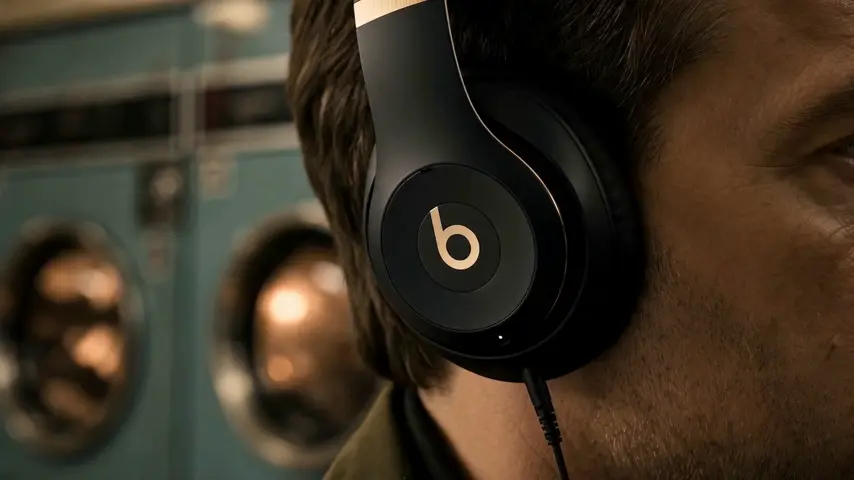
**Product Image**: <<<Image1>>>
**Number of Videos**: 10Video
**Style**: UGC promotional, varied styles across the set
**Cast Diversity**: Various ethnicities and genders across the 10 videos
**Shot Design**: Increase the number of scene shots and B-roll / cutaway shots
**Camera Movement**: Add subtle camera shake to enhance UGC texture
**Video Aspect Ratio**: Vertical 9:16
**Video Language**: English
Reference inputs

Reference 1
What this case shows
Batch-create 10 UGC ads for this product is a Marketing Video Featured Case on Topview Canvas. The stored prompt begins: Create a batch of UGC-style product promotion ads **Skill**: UGC-Ads-Video **Product Image**: <<<Image1>>> **Number of Videos**: 10Video **Style**: UGC promotional, varied styles across the set **Cast Diversity**:…
Case breakdown
- 1
Hosted case video
The detail video for Batch-create 10 UGC ads for this product lives on a frozen /media path with measured dimensions from the upload pass, so the page can render without calling sample-cases at runtime.
- 2
Category placement
This Featured Case is filed under Marketing Video. Related links stay inside that category so the page does not pretend to be a tool hub.
- 3
Cloneable Canvas
Batch-create 10 UGC ads for this product has a source Canvas. Use this case copies that project by case id and then routes to /canvas — never /board.
- 4
Documented prompt
The prompt on this page is the stored initialPrompt from production. It is shown for reading; it is not sent in the copy request.
- 5
Reference inputs
1 frozen reference file(s) from the case assets sit under /media so the breakdown can show what the published case actually attached.
WORKFLOW
How to use this Featured Case in Canvas
- 1
Review the case
Watch the published media for Batch-create 10 UGC ads for this product and, when shown, read the stored prompt and reference inputs.
- 2
Use this case
Select Use this case. If you are signed out, finish email, Google, or Apple login on this same URL, then the copy continues.
- 3
Edit in your Canvas
Topview opens the copied project on /canvas. Change scenes, assets, or models there—this page does not jump to Board.



Featured case FAQ
CANVAS
Continue this case in Canvas
Use this case copies Batch-create 10 UGC ads for this product into your Canvas. Login returns to this page, then opens the new /canvas project.