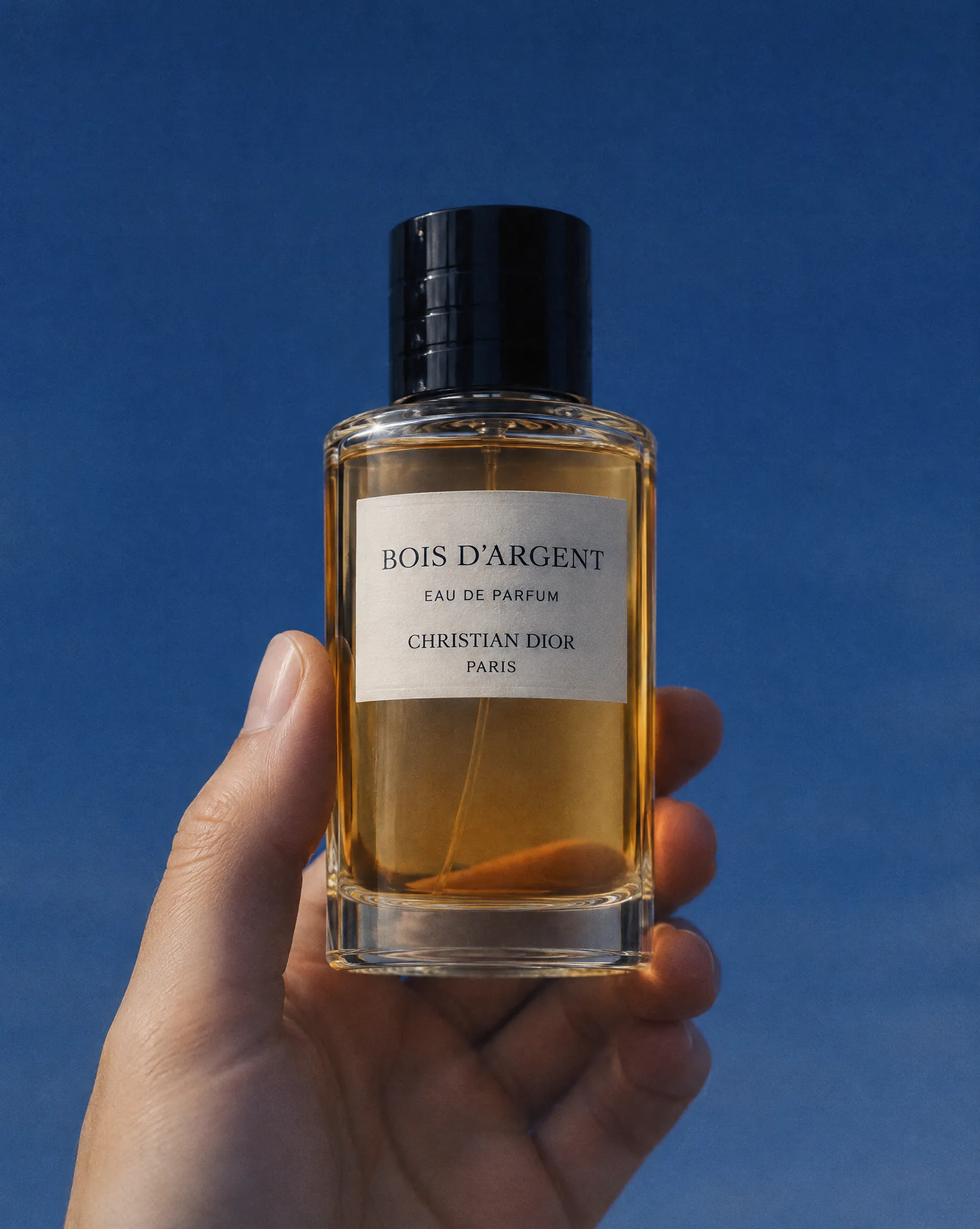
Mode: Image to Image
Product
Perfume bottle kept exact against a cobalt sky.
Bring ByteDance’s Seedream 5.5 image generation model into your creative workflows with Topview API. Create realistic images, refine visual assets through successive edits, and generate transparent-background graphics with improved text accuracy and consistent details.
Text to Image · 1k
Settings here are a preview. Generate copies your prompt and opens the matching Platform Playground, where you confirm the final settings.
EXAMPLES & PROMPTS
From realistic product images to carefully controlled revisions and transparent visual assets, explore how Seedream 5.5 can support professional image creation and editing. The following examples are suggested test concepts. Use the Playground to evaluate actual model outputs.
Mode: Image to Image
Perfume bottle kept exact against a cobalt sky.
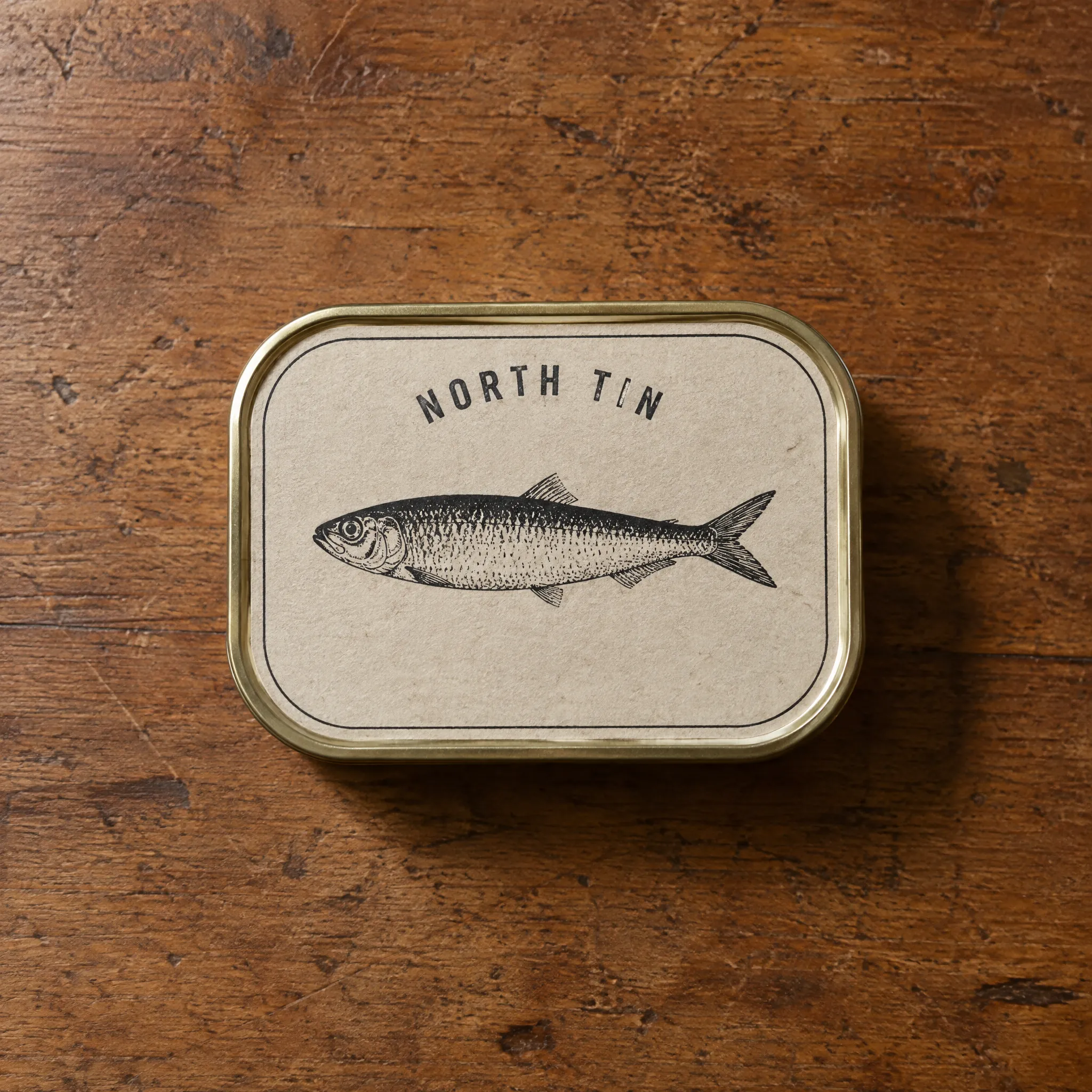
Mode: Image to Image
Tin label with only the words changed.

Mode: Image to Image
Soap bottle kept exact in white foam.

Mode: Image to Image
One ring added into a jelly still life.
Know the settings before you build.
Seedream 5.5 is a multimodal image generation model developed by ByteDance. It focuses on realistic image creation, targeted image editing, preserved visual details, and native transparent-background assets.
| Parameter | Value |
|---|---|
| Provider / Model | ByteDance / Seedream 5.5 |
| API route | bytedance/seedream-v5.5 |
| Generation modes | Text to Image · Image to Image |
| Resolution | 1K · 2K |
| Aspect ratios | auto · 1:1 · 16:9 · 9:16 · 4:3 · 3:4 · 2:3 · 3:2 · 21:9 |
| Text to Image endpoint | POST /api/v1/models/bytedance/seedream-v5.5/predictions |
| Text to Image fields | prompt, resolution, aspect_ratio |
| Image to Image endpoint | POST /api/v1/models/bytedance/seedream-v5.5/edit/predictions |
| Image to Image inputs | images: 1–10 public HTTPS URLs. Every reference image is billed, including the first. |
| Billing | Per successful output image at its resolution tier |
| Not in this endpoint | Layer decomposition |
| Task pattern | Async submission, then poll data.id until completed or failed |
DEVELOPER QUICKSTART
Integrate Seedream 5.5 image creation and editing into your application. Authenticate your requests, submit a prompt or reference-based task, and retrieve the generated image.
# Set TOPVIEW_API_PLATFORM_KEY once. Preserve REQUEST_KEY and input for uncertain retries.
# For a NEW task only, unset REQUEST_KEY first. Save data.id to resume GET only.
: "${TOPVIEW_API_PLATFORM_KEY:?Set TOPVIEW_API_PLATFORM_KEY first}"
export REQUEST_KEY="${REQUEST_KEY:-$(uuidgen)}"
curl --fail-with-body 'https://platform-backend.topview.ai/api/v1/models/bytedance/seedream-v5.5/predictions' \
  -H "Authorization: Bearer $TOPVIEW_API_PLATFORM_KEY" \
  -H "Idempotency-Key: $REQUEST_KEY" \
  -H 'Content-Type: application/json' \
  --data '{
  "prompt": "A premium editorial photograph of a transparent glass skincare bottle on a warm ivory stone pedestal. Soft morning sunlight enters from the left, creating delicate reflections through the glass and natural shadows on the surface. The bottle contains a pale golden serum with subtle suspended bubbles. Realistic glass refraction, fine material details, natural lighting, restrained color grading, elegant commercial photography, clean composition with negative space for branding.",
  "resolution": "1K",
  "aspect_ratio": "1:1"
}'

# Poll data.id until completed or failed.
curl --fail-with-body 'https://platform-backend.topview.ai/api/v1/predictions/REQUEST_ID' \
  -H "Authorization: Bearer $TOPVIEW_API_PLATFORM_KEY"
Use the exact endpoint and supported parameters published for Seedream 5.5 on Topview API Platform. Do not reuse Seedream 5.0 or another provider’s API request body without validating compatibility.
Step 1
Sign in to Topview API Platform and create an API key with the required model permissions. Keep your key secure and use it to authenticate API requests.
Step 2
Submit a text prompt or upload reference images for editing. Configure the supported image settings, send your API request, and save the returned task information.
Step 3
Check the task status until generation is complete. Retrieve the image URLs, review the final usage cost, and save your generated images.
BUILT FOR PRODUCTION WORKFLOWS
Seedream 5.5 supports creative workflows where visual consistency, targeted revisions, realistic rendering, and reusable design assets matter.
Create realistic product scenes and update backgrounds, lighting, or supporting props while preserving essential product details across creative revisions.
Generate campaign visuals, packaging concepts, and typography-driven graphics. Explore layouts that combine readable text with realistic products and materials.
Produce standalone image elements with transparent backgrounds for design compositions, marketing graphics, stickers, and visual asset libraries.
Build workflows for repeated image revisions, allowing creative teams to change selected details without reconstructing the entire composition after each round of feedback.
WHY TOPVIEW API
Evaluate the model’s generation and editing capabilities, review pricing, and connect supported image production tasks through Topview API Platform.
Review current per-image pricing for supported generation modes and configurations. Evaluate the cost of repeated edits before integrating the model into ongoing production workflows.
Test prompts that change individual objects, colors, text, or background details while preserving the parts of the original image that should remain untouched.
Follow the supported request schemas, authentication requirements, and image retrieval instructions to integrate Seedream 5.5 into your creative application.
Evaluate Seedream 5.5 alongside other available image models, including Seedream 5.0, Nano Banana, and GPT Image variants, to determine which capabilities match your production needs.
EXPLORE RELATED APIS
YOUR NEXT IMAGE STARTS HERE
Explore realistic image generation, precise creative revisions, and transparent visual assets through a developer-focused image API workflow.
TRANSPARENT PRICING
Explore Seedream 5.5 pricing for image generation and reference-based editing. Compare current per-image costs and supported configurations before building repeatable creative workflows.
MOST POPULAR SETUP
1K · Generated Images
Topview
$0.0143 /image
Official: $0.0191/image
Higgsfield: Comparison unavailable
fal.ai: Comparison unavailable
Save 25% vs official
ENTRY PRICE
1K · Input Reference Images
Topview
$0.0055 /image
Official: $0.0074/image
Higgsfield: Comparison unavailable
fal.ai: Comparison unavailable
Save 25% vs official
Explore per-image pricing for the model’s available generation and editing configurations.
Viewing Text to Image · 2 setups
| Setup | Topview | Official | Higgsfield | fal.ai | Savings |
|---|---|---|---|---|---|
| Text to Image1K · Generated images | $0.0143 /image | $0.0191 /image | Comparison unavailable | Comparison unavailable | 25% lower than official |
| Text to Image2K · Generated images | $0.0254 /image | $0.0338 /image | Comparison unavailable | Comparison unavailable | 25% lower than official |
Prices are shown per generated image for the selected configuration. Image editing may involve additional charges for reference inputs or specialized output options, depending on the active API’s billing rules. Confirm the latest quote on Topview API Platform before production use.