精選案例 · 圖片設計
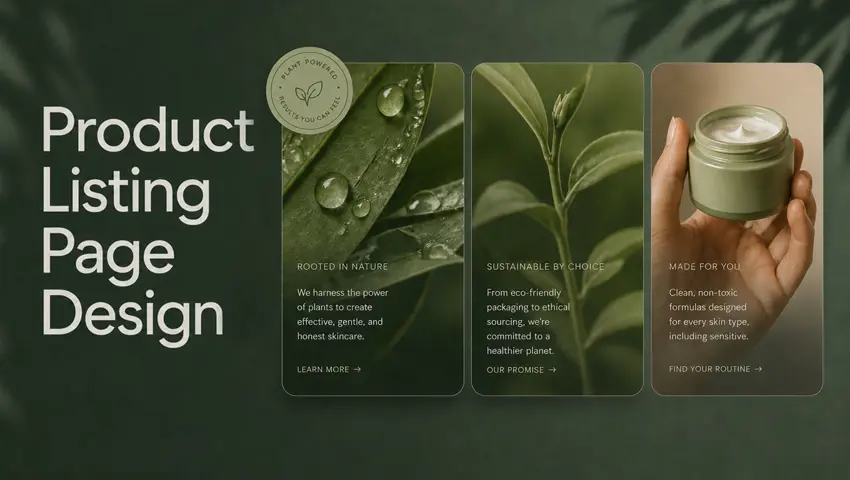
設計高端產品主視覺
設計高端產品主視覺 是 Topview Canvas 上的圖片設計精選案例。頁面留下的提示詞開頭如下:Design e-commerce product hero images for my brand **Detailed requirements**: Generate a set of e-commerce high-quality product hero image for my product. **Aspect ratio**: 3:4

設計高端產品主視覺

本案例使用的提示詞
Design e-commerce product hero images for my brand
**Detailed requirements**: Generate a set of e-commerce high-quality product hero image for my product.
**Aspect ratio**: 3:4
這個案例呈現什麼
設計高端產品主視覺 是 Topview Canvas 上的圖片設計精選案例。頁面留下的提示詞開頭如下:Design e-commerce product hero images for my brand **Detailed requirements**: Generate a set of e-commerce high-quality product hero image for my product. **Aspect ratio**: 3:4
案例拆解
- 1
以靜幀為主的案例
設計高端產品主視覺 以凍結海報呈現。產品詳情沒有可播放的案例影片可供托管。
- 2
分類歸屬
這個精選案例歸在圖片設計。相關連結只留在同一分類,頁面不會假裝自己是工具總覽。
- 3
可複製的 Canvas
設計高端產品主視覺 有來源 Canvas。「使用此案例」會依案例 id 複製該專案,再導向 /canvas——絕不會進 /board。
- 4
留下的提示詞
這個頁面上的提示詞是正式環境留下的 initialPrompt,只供閱讀,不會跟著複製請求送出。
工作流
如何在 Canvas 使用這個精選案例
- 1
檢視案例
觀看 設計高端產品主視覺 已發布的媒體;若頁面有顯示,再讀留下的提示詞與參考素材。
- 2
使用此案例
點選「使用此案例」。若尚未登入,請在同一個 URL 完成電子郵件、Google 或 Apple 登入,複製就會繼續。
- 3
在你的 Canvas 中編輯
Topview 會在 /canvas 開啟複製後的專案。在那裡改場景、素材或模型——這個頁面不會跳到 Board。


精選案例常見問題
CANVAS
在 Canvas 繼續這個案例
「使用此案例」會把 設計高端產品主視覺 複製進你的 Canvas。登入後會回到本頁,再開啟新的 /canvas 專案。